
How to Use Polulu DRV 8874: Examples, Pinouts, and Specs
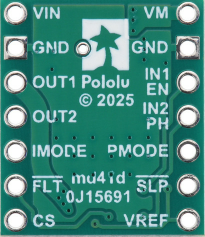
 Design with Polulu DRV 8874 in Cirkit Designer
Introduction
The Pololu DRV8874 (Manufacturer Part ID: 4035) is a compact and versatile motor driver designed to control both DC motors and stepper motors. It features a high-efficiency H-bridge design, allowing it to handle up to 3A of continuous current per channel. This driver is equipped with adjustable current limiting, making it suitable for a wide range of motor control applications. Its robust design and built-in protection features make it ideal for hobbyists, engineers, and professionals working on robotics, automation, and other motor-driven projects.
Explore Projects Built with Polulu DRV 8874
 Open Project in Cirkit Designer
 Open Project in Cirkit Designer
 Open Project in Cirkit Designer
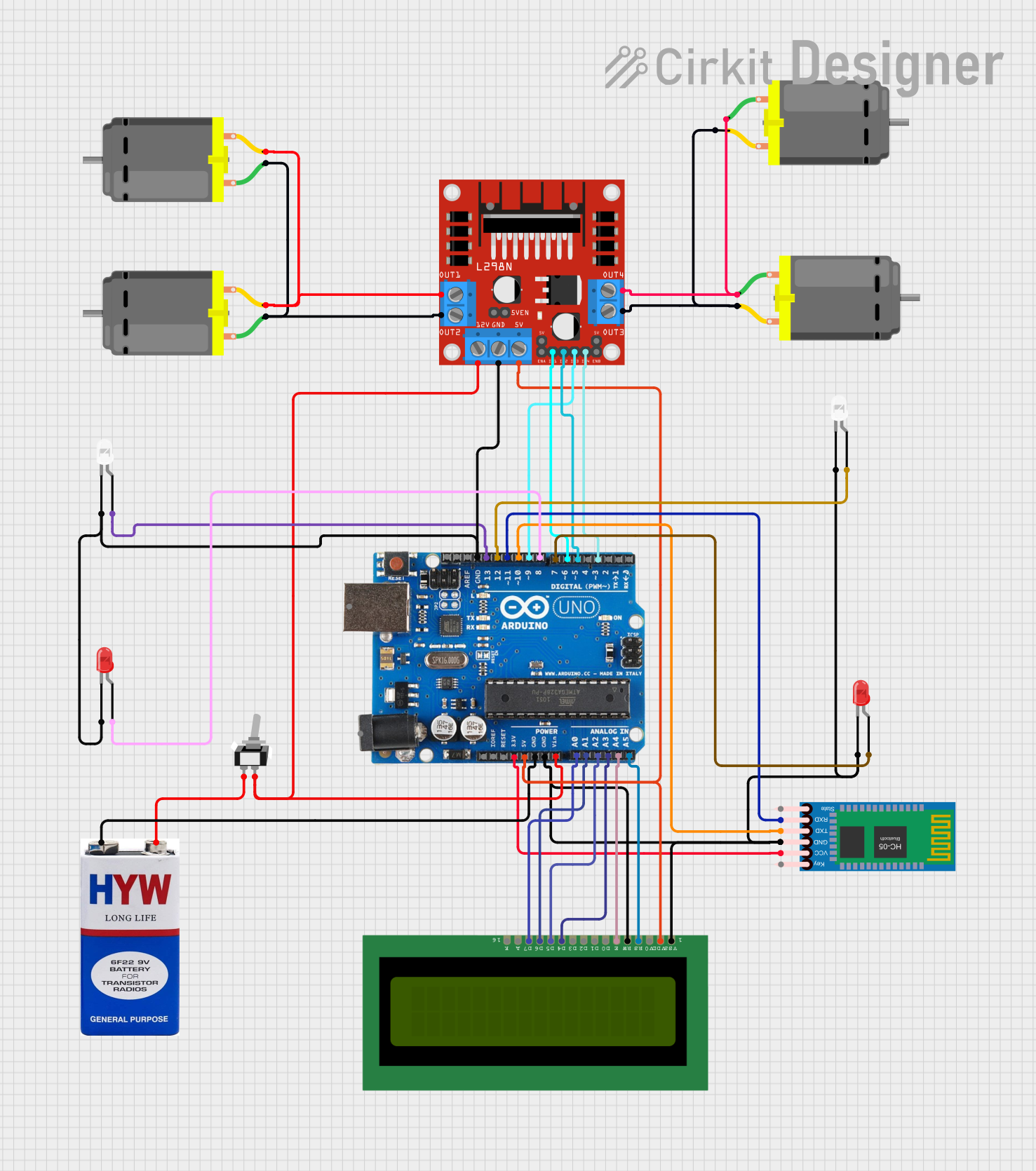 Open Project in Cirkit Designer
Explore Projects Built with Polulu DRV 8874
Open Project in Cirkit DesignerOpen Project in Cirkit DesignerOpen Project in Cirkit DesignerOpen Project in Cirkit DesignerCommon Applications
- Robotics and automation systems
- Electric vehicles and drones
- Conveyor belts and industrial machinery
- DIY projects involving DC or stepper motors
- Prototyping motor control circuits
Technical Specifications
The following table outlines the key technical details of the Pololu DRV8874 motor driver:
| Parameter | Value |
|---|---|
| Operating Voltage Range | 4.5V to 37V |
| Continuous Current per Channel | 3A |
| Peak Current per Channel | 6A (for short durations) |
| Control Interface | PWM, DIR (direction control) |
| Current Limiting Range | Adjustable via potentiometer |
| Logic Voltage Range | 1.8V to 5.5V |
| Built-in Protections | Overcurrent, overtemperature, undervoltage lockout |
| Dimensions | 1.0" × 0.8" × 0.2" (25mm × 20mm × 5mm) |
| Weight | 1.5g |
Pin Configuration and Descriptions
The Pololu DRV8874 features a 12-pin interface. The table below describes each pin:
| Pin Name | Type | Description |
|---|---|---|
| VIN | Power Input | Motor power supply input (4.5V to 37V). |
| GND | Power Ground | Ground connection for the motor power supply. |
| OUT1 | Output | Motor output 1. Connect to one terminal of the motor. |
| OUT2 | Output | Motor output 2. Connect to the other terminal of the motor. |
| VCC | Power Input | Logic power supply input (1.8V to 5.5V). |
| GND | Power Ground | Ground connection for the logic power supply. |
| PWM | Input | PWM signal input for speed control. |
| DIR | Input | Direction control input. |
| nFAULT | Output | Fault indicator (active low). |
| nSLEEP | Input | Sleep mode control (active low). |
| VREF | Input | Reference voltage for current limiting. |
| MODE | Input | Mode selection for controlling DC or stepper motors. |
Usage Instructions
How to Use the Pololu DRV8874 in a Circuit
Power Connections:
- Connect the motor power supply to the
VINpin and ground to theGNDpin. - Connect the logic power supply (e.g., 5V from a microcontroller) to the
VCCpin and its ground to theGNDpin.
- Connect the motor power supply to the
Motor Connections:
- Connect the motor terminals to the
OUT1andOUT2pins.
- Connect the motor terminals to the
Control Signals:
- Use the
PWMpin to control the motor speed by providing a PWM signal. - Use the
DIRpin to set the motor's direction (HIGH for one direction, LOW for the other).
- Use the
Current Limiting:
- Adjust the current limit by setting the
VREFvoltage. Refer to the datasheet for the formula to calculate the current limit.
- Adjust the current limit by setting the
Sleep Mode:
- To reduce power consumption, pull the
nSLEEPpin LOW to put the driver into sleep mode.
- To reduce power consumption, pull the
Fault Monitoring:
- Monitor the
nFAULTpin to detect issues such as overcurrent or overtemperature conditions.
- Monitor the
Example: Connecting to an Arduino UNO
Below is an example of how to control a DC motor using the Pololu DRV8874 and an Arduino UNO:
// Define pin connections
const int pwmPin = 9;    // PWM pin connected to DRV8874 PWM
const int dirPin = 8;    // Direction pin connected to DRV8874 DIR
const int sleepPin = 7;  // Sleep pin connected to DRV8874 nSLEEP

void setup() {
  // Set pin modes
  pinMode(pwmPin, OUTPUT);
  pinMode(dirPin, OUTPUT);
  pinMode(sleepPin, OUTPUT);

  // Wake up the motor driver
  digitalWrite(sleepPin, HIGH); // Set nSLEEP HIGH to enable the driver
}

void loop() {
  // Set motor direction
  digitalWrite(dirPin, HIGH); // HIGH for forward, LOW for reverse

  // Set motor speed
  analogWrite(pwmPin, 128); // 50% duty cycle (range: 0-255)

  delay(2000); // Run motor for 2 seconds

  // Stop the motor
  analogWrite(pwmPin, 0); // Set PWM to 0 to stop the motor

  delay(2000); // Wait for 2 seconds
}
Important Considerations
- Ensure the motor power supply voltage is within the specified range (4.5V to 37V).
- Avoid exceeding the continuous current rating of 3A to prevent damage.
- Use proper heat dissipation methods if operating near the maximum current limit.
- Double-check all connections before powering the circuit to avoid short circuits.
Troubleshooting and FAQs
Common Issues and Solutions
Motor Not Spinning:
- Verify that the
nSLEEPpin is set HIGH to enable the driver. - Check the
PWMsignal and ensure it is not set to 0. - Confirm that the motor power supply is connected and within the specified voltage range.
- Verify that the
Driver Overheating:
- Ensure the current limit is set appropriately using the
VREFpin. - Add a heatsink or improve ventilation if operating at high currents.
- Ensure the current limit is set appropriately using the
nFAULT Pin is LOW:
- This indicates a fault condition. Check for overcurrent, overtemperature, or undervoltage issues.
- Reduce the load on the motor or adjust the current limit.
Motor Spins in the Wrong Direction:
- Reverse the logic level on the
DIRpin or swap the motor connections onOUT1andOUT2.
- Reverse the logic level on the
FAQs
Q: Can the DRV8874 drive stepper motors?
A: Yes, the DRV8874 can drive stepper motors in full-step or microstepping modes. Use the MODE pin to configure the driver for stepper motor control.
Q: What happens if the current exceeds the limit?
A: The driver will enter current limiting mode to protect itself and the motor. Prolonged overcurrent conditions may trigger a fault.
Q: Is the DRV8874 compatible with 3.3V logic?
A: Yes, the driver supports logic levels from 1.8V to 5.5V, making it compatible with 3.3V and 5V systems.
Q: Can I use the DRV8874 with a battery-powered system?
A: Yes, as long as the battery voltage is within the operating range (4.5V to 37V).