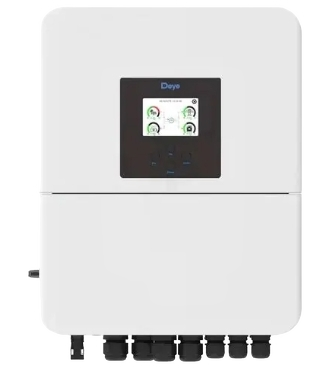
An inverter is an electronic device that converts direct current (DC) into alternating current (AC). This conversion allows DC power sources, such as batteries or solar panels, to power AC appliances and devices. Inverters are essential in renewable energy systems, uninterruptible power supplies (UPS), and portable power solutions.
Explore Projects Built with Inverter
Use Cirkit Designer to design, explore, and prototype these projects online. Some projects support real-time simulation. Click "Open Project" to start designing instantly!
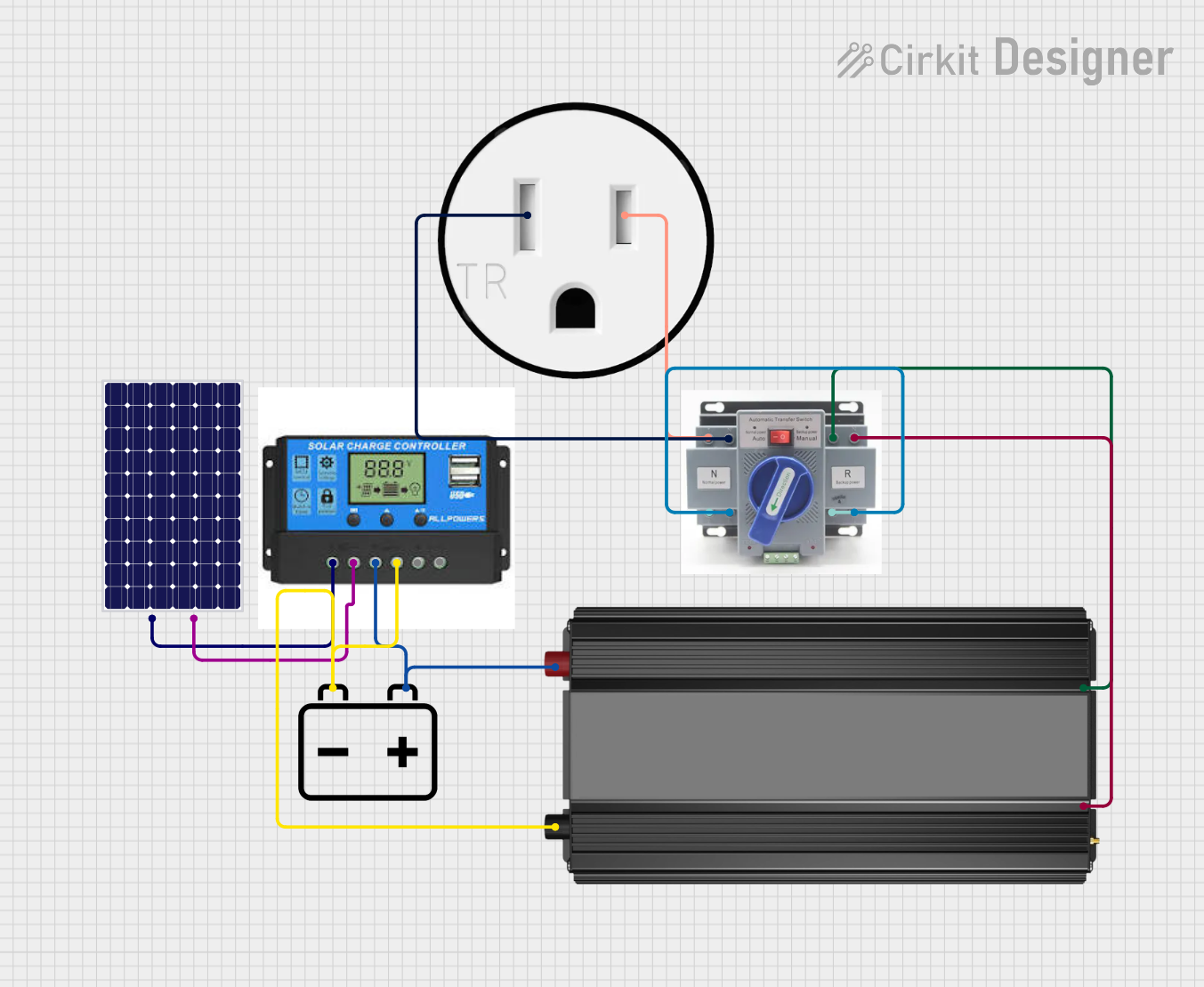
This circuit is designed to harness solar energy, regulate its storage, and convert it for use in standard AC appliances. A solar panel charges a 12V battery through a charge controller, which ensures safe charging and discharging of the battery. The power inverter then converts the stored DC power from the battery into AC power, which is supplied to a 120V outlet through an Automatic Transfer Switch (ATS), ensuring power continuity and safety.
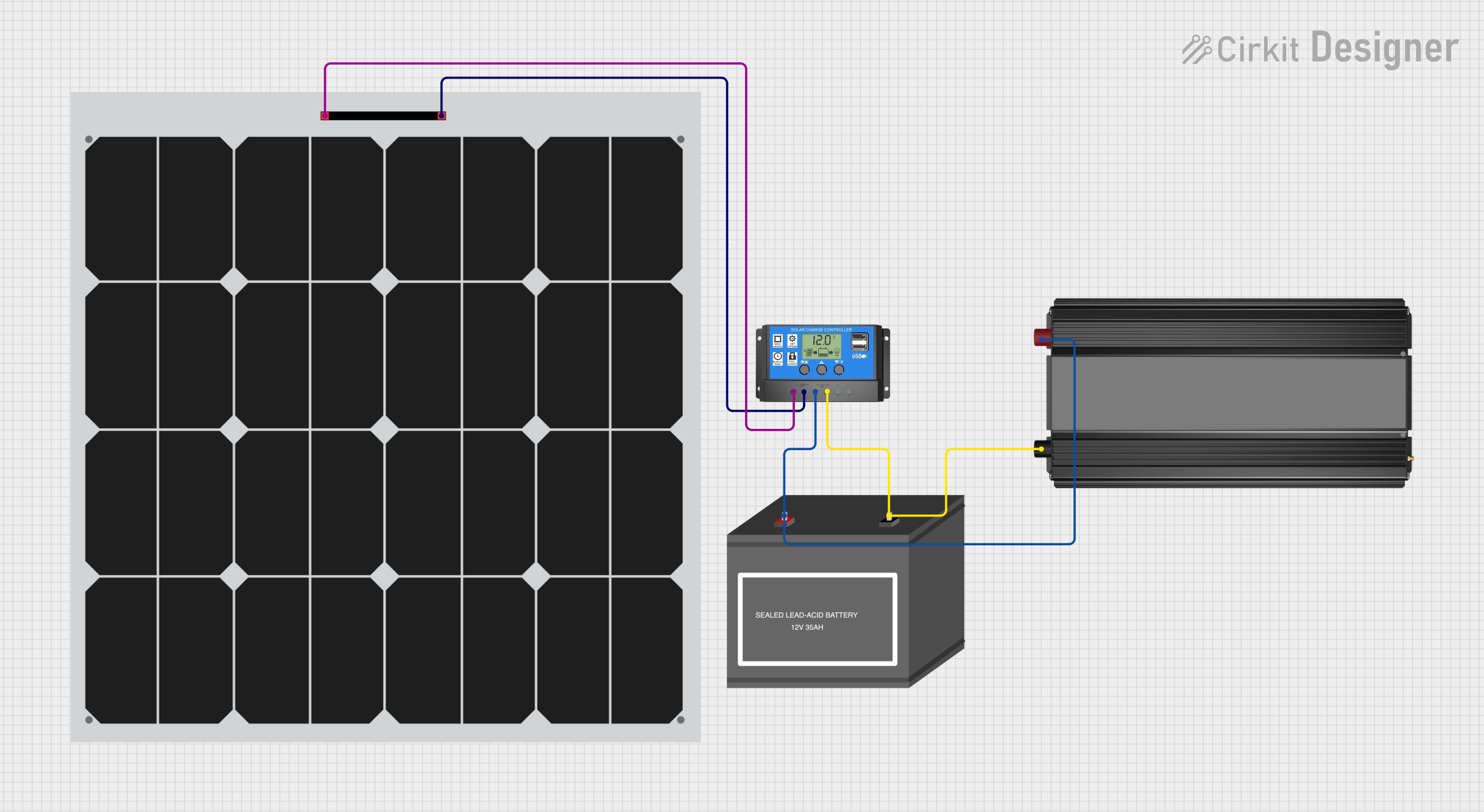
This circuit is a solar power system that includes a solar panel, a solar charge controller, a 12V battery, and a power inverter. The solar panel generates electricity, which is regulated by the solar charge controller to charge the 12V battery. The power inverter converts the stored DC power from the battery into AC power for use with AC devices.
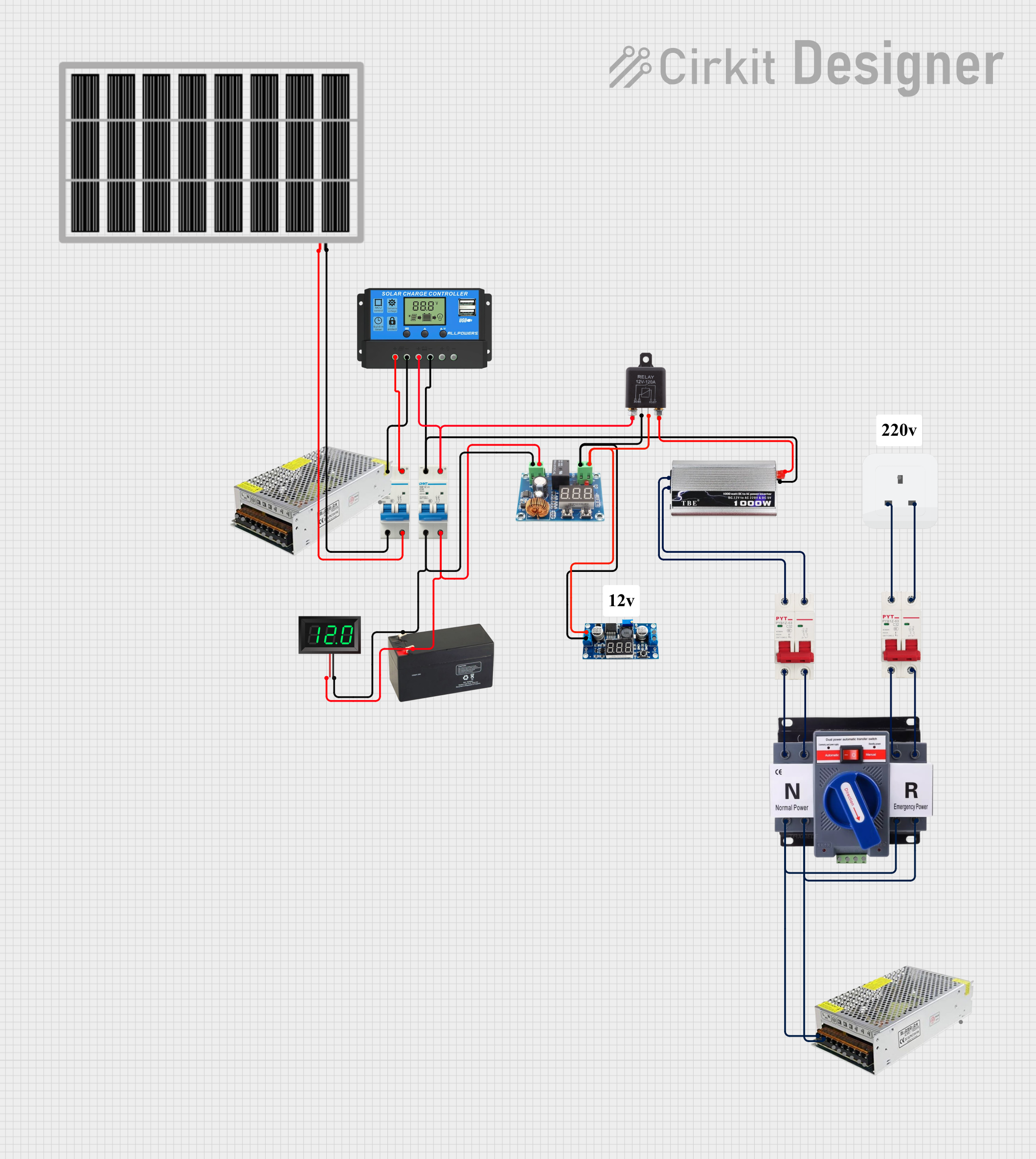
This circuit is a solar power management system that integrates a solar panel, battery, and inverter to provide a stable 12V DC and 220V AC output. It includes automatic transfer switches (ATS) and circuit breakers for safety and reliability, as well as a low voltage disconnect to protect the battery from deep discharge.
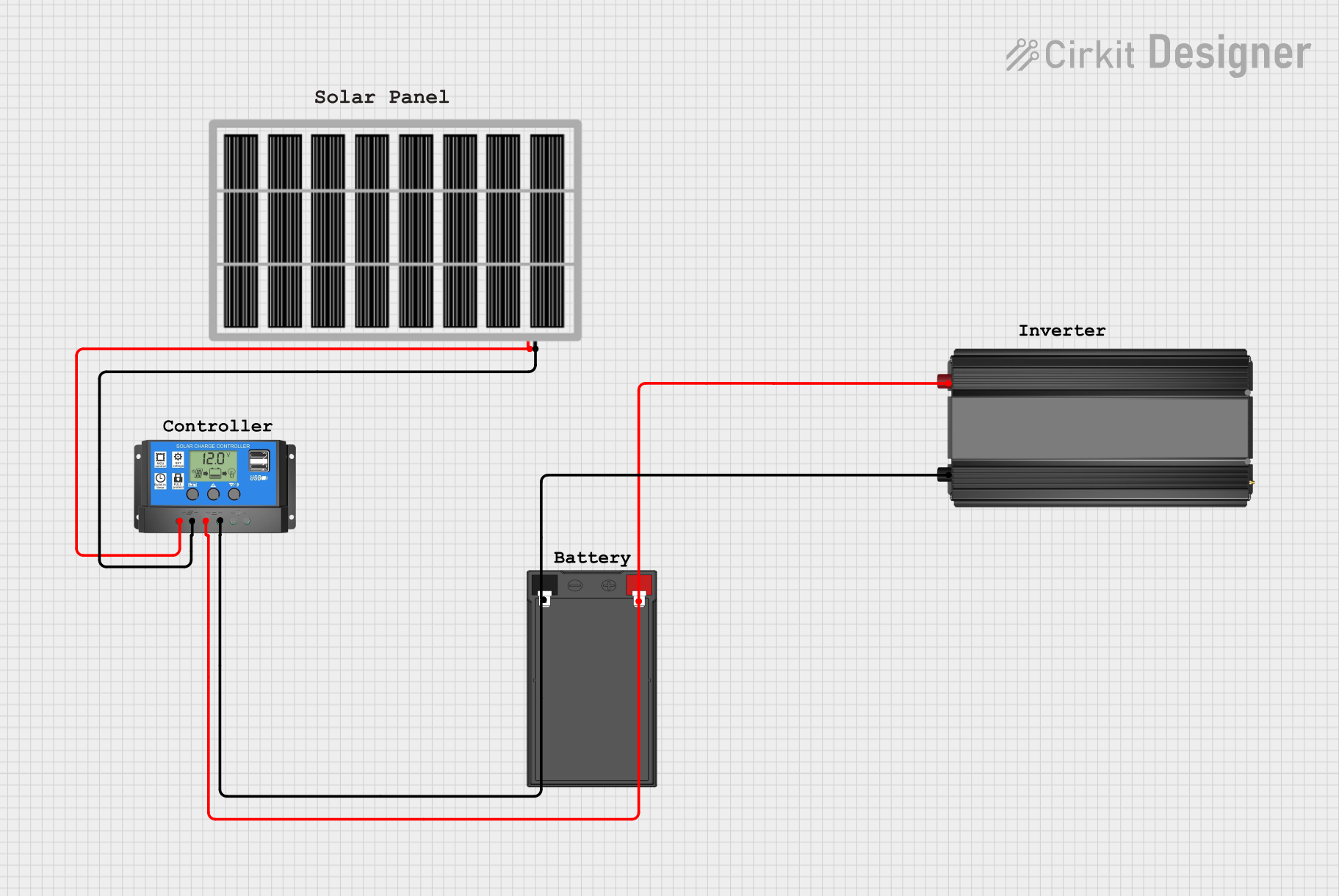
This circuit is a solar power system that includes a solar panel, a solar charge controller, a 12V 7Ah battery, and a power inverter. The solar panel charges the battery through the charge controller, and the stored energy in the battery is then converted to AC power by the inverter for use with AC loads.
Renewable Energy Systems: Converts DC from solar panels or wind turbines into AC for home or grid use.
Uninterruptible Power Supplies (UPS): Provides backup AC power during outages.
Portable Power Solutions: Powers AC devices using batteries in off-grid or mobile setups.
Electric Vehicles (EVs): Converts DC from the battery to AC for motor operation.
Industrial Applications: Drives AC motors and controls variable-speed machinery.
Technical Specifications
Below are the general technical specifications for a typical inverter. Note that specific values may vary depending on the model and manufacturer.
Key Technical Details
Input Voltage: 12V DC, 24V DC, or 48V DC (common for battery systems)
Output Voltage: 110V AC or 220V AC (depending on regional standards)
Output Frequency: 50Hz or 60Hz
Output Waveform: Pure sine wave, modified sine wave, or square wave
Efficiency: 85% to 95% (varies by design)
Power Rating: 100W to several kilowatts (depending on application)
Protection Features: Overload, short circuit, over-temperature, and low battery protection
Pin Configuration and Descriptions
Inverters typically have input and output terminals or connectors. Below is a general description of the connections:
Pin/Terminal
Description
DC Input (+)
Positive terminal for connecting the DC power source (e.g., battery or solar).
DC Input (-)
Negative terminal for connecting the DC power source.
AC Output (L)
Live terminal for AC output.
AC Output (N)
Neutral terminal for AC output.
Ground (GND)
Ground terminal for safety and proper operation.
Some advanced inverters may include additional pins or connectors for communication, monitoring, or control.
Usage Instructions
How to Use the Component in a Circuit
Connect the DC Input:
Ensure the DC power source matches the inverter's input voltage rating.
Connect the positive terminal of the DC source to the inverter's DC Input (+).
Connect the negative terminal of the DC source to the inverter's DC Input (-).
Connect the AC Output:
Connect the AC Output (L) and (N) terminals to the load (e.g., an AC appliance).
If required, connect the Ground (GND) terminal to the earth ground for safety.
Power On the Inverter:
Turn on the inverter using its power switch or control mechanism.
Verify that the output voltage and frequency match the requirements of the connected load.
Monitor Operation:
Use any built-in indicators (e.g., LEDs or displays) to monitor the inverter's status.
Ensure the load does not exceed the inverter's power rating.
Important Considerations and Best Practices
Match Voltage Ratings: Always ensure the input voltage matches the inverter's specifications.
Avoid Overloading: Do not connect loads that exceed the inverter's power rating.
Use Proper Wiring: Use appropriately rated wires and connectors to handle the current.
Ventilation: Ensure adequate ventilation to prevent overheating.
Battery Protection: Use a fuse or circuit breaker between the battery and inverter for safety.
Waveform Compatibility: Use pure sine wave inverters for sensitive electronics to avoid damage.
Example: Connecting an Inverter to an Arduino UNO
While inverters are not directly connected to microcontrollers like the Arduino UNO, you can use an Arduino to monitor or control an inverter. For example, you can use a relay module to switch the inverter on or off based on certain conditions.
// Example Arduino code to control an inverter using a relay module
const int relayPin = 7; // Pin connected to the relay module

void setup() {
  pinMode(relayPin, OUTPUT); // Set relay pin as output
  digitalWrite(relayPin, LOW); // Ensure relay is off at startup
}

void loop() {
  // Example condition: Turn on the inverter for 10 seconds
  digitalWrite(relayPin, HIGH); // Turn on the relay (and inverter)
  delay(10000); // Wait for 10 seconds
  digitalWrite(relayPin, LOW); // Turn off the relay (and inverter)
  delay(5000); // Wait for 5 seconds before repeating
}
Note: Ensure the relay module is rated for the inverter's power requirements. Use optoisolated relays for safety.
Troubleshooting and FAQs
Common Issues and Solutions
Inverter Does Not Turn On:
Cause: Insufficient input voltage or loose connections.
Solution: Check the DC power source and ensure proper connections.
No AC Output:
Cause: Overload or protection mode activated.
Solution: Reduce the load and reset the inverter.
Overheating:
Cause: Poor ventilation or excessive load.
Solution: Ensure proper airflow and reduce the load.
Appliance Does Not Work Properly:
Cause: Incompatible waveform (e.g., modified sine wave).
Solution: Use a pure sine wave inverter for sensitive devices.
Low Battery Warning:
Cause: Battery voltage is too low.
Solution: Recharge or replace the battery.
FAQs
Q: Can I connect an inverter directly to a solar panel? A: Only if the inverter is designed for direct solar input. Otherwise, use a charge controller and battery.
Q: What is the difference between pure sine wave and modified sine wave inverters? A: Pure sine wave inverters produce a smooth AC waveform, suitable for all devices. Modified sine wave inverters produce a stepped waveform, which may not work well with sensitive electronics.
Q: How do I calculate the required inverter size? A: Add up the power ratings (in watts) of all connected devices and choose an inverter with a higher power rating to account for efficiency losses.
Q: Can I use an inverter with an Arduino? A: Yes, but indirectly. Use a relay or other control mechanism to switch the inverter on or off based on Arduino logic.
By following this documentation, you can effectively use and troubleshoot an inverter in various applications.
 Open Project in Cirkit Designer