
How to Use Weigand Keypad: Examples, Pinouts, and Specs
 Design with Weigand Keypad in Cirkit Designer
Introduction
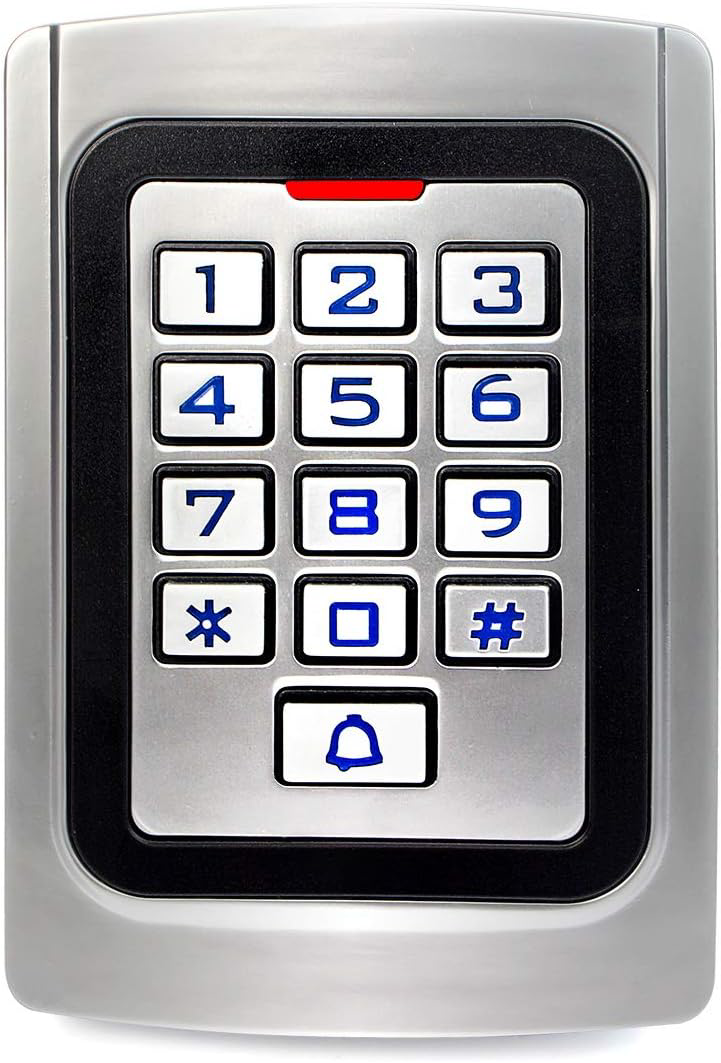
A Weigand keypad is a security device commonly used in access control systems. It allows users to input a numeric code to unlock doors, activate gates, or gain entry to restricted areas. The keypad communicates with access control systems using the Weigand protocol, a widely adopted standard for transmitting data in a secure and reliable format.
Explore Projects Built with Weigand Keypad
 Open Project in Cirkit Designer
 Open Project in Cirkit Designer
 Open Project in Cirkit Designer
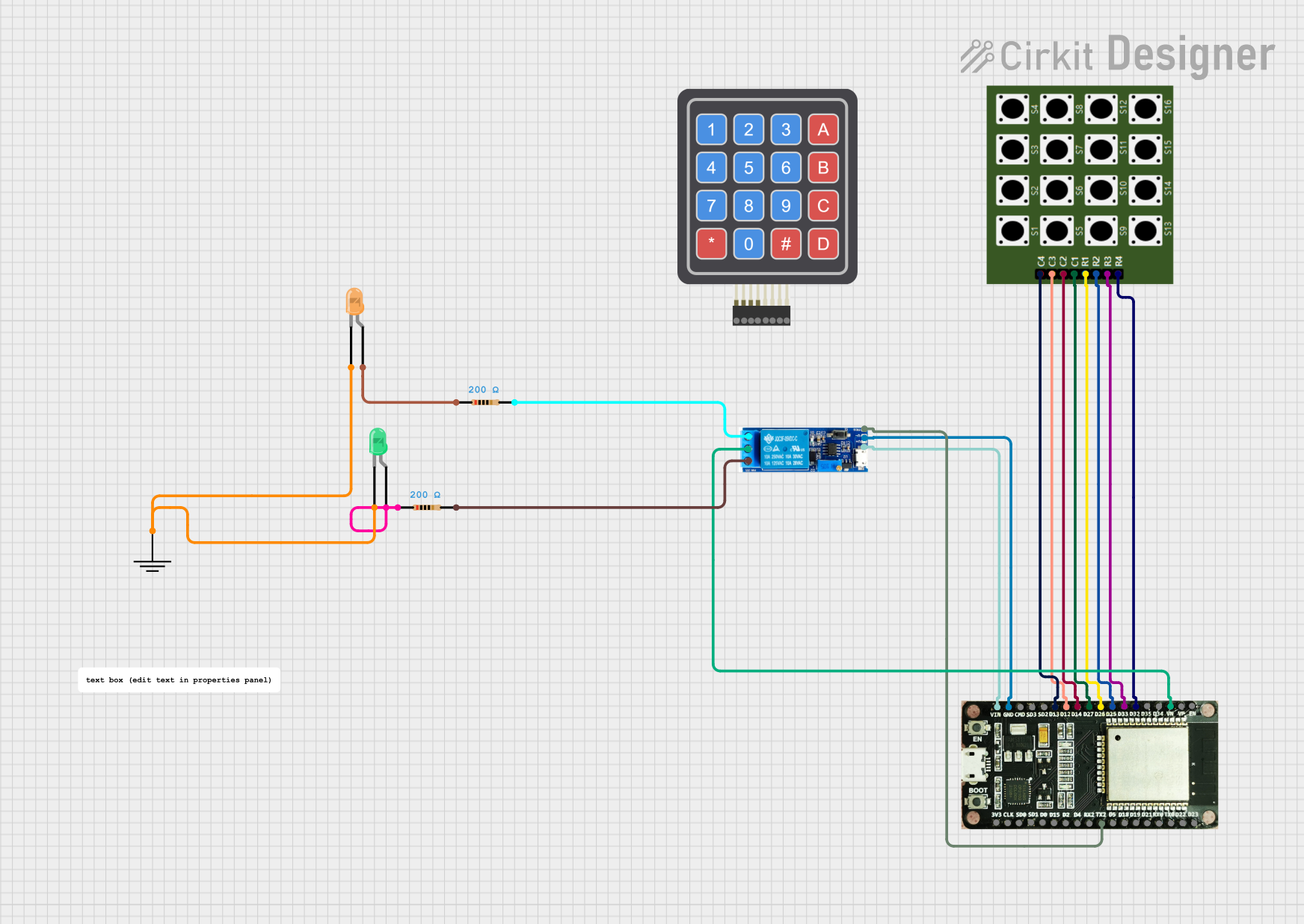 Open Project in Cirkit Designer
Explore Projects Built with Weigand Keypad
Open Project in Cirkit DesignerOpen Project in Cirkit DesignerOpen Project in Cirkit DesignerOpen Project in Cirkit DesignerCommon Applications and Use Cases
- Door access control in residential and commercial buildings
- Secure entry for parking lots and garages
- Integration with alarm systems for enhanced security
- Multi-factor authentication when combined with RFID readers or biometric devices
Technical Specifications
Key Technical Details
- Operating Voltage: 5V to 12V DC
- Current Consumption: Typically 30mA (standby), up to 100mA (active)
- Communication Protocol: Weigand (commonly Wiegand-26 or Wiegand-34)
- Keypad Type: 3x4 or 4x4 matrix (12 or 16 keys)
- Output Format: Binary data transmitted as pulses (D0 and D1 lines)
- Operating Temperature: -20°C to 60°C
- Housing: Weather-resistant (varies by model)
Pin Configuration and Descriptions
Below is the typical pinout for a Weigand keypad. Note that specific models may vary slightly, so always refer to the manufacturer's datasheet.
| Pin | Name | Description |
|---|---|---|
| 1 | VCC | Power supply input (5V to 12V DC) |
| 2 | GND | Ground connection |
| 3 | D0 | Data 0 line (Weigand protocol output) |
| 4 | D1 | Data 1 line (Weigand protocol output) |
| 5 | LED | LED control input (optional, used to control the keypad's indicator light) |
| 6 | Buzzer | Buzzer control input (optional, used to activate the keypad's buzzer) |
Usage Instructions
How to Use the Component in a Circuit
- Power the Keypad: Connect the VCC pin to a 5V or 12V DC power source and the GND pin to the ground.
- Connect Data Lines:
- Connect the D0 and D1 pins to the corresponding data input pins of your microcontroller or access control system.
- These lines transmit binary data pulses representing the keypresses.
- Optional Connections:
- Use the LED pin to control the keypad's indicator light (e.g., to show access granted or denied).
- Use the Buzzer pin to activate the keypad's buzzer for feedback on keypresses.
- Program the Microcontroller: If using a microcontroller like an Arduino UNO, write code to decode the Weigand data format and process the keypresses.
Important Considerations and Best Practices
- Voltage Compatibility: Ensure the keypad's operating voltage matches your system's power supply.
- Cable Length: Keep the cable length between the keypad and the controller as short as possible to avoid signal degradation.
- Debouncing: Implement software debouncing to filter out noise or unintended keypresses.
- Security: Use the keypad in conjunction with other security measures (e.g., RFID or biometrics) for enhanced protection.
Example Code for Arduino UNO
Below is an example of how to interface a Weigand keypad with an Arduino UNO. This code reads the D0 and D1 lines and decodes the Weigand data.
// Weigand Keypad Example for Arduino UNO
// This code reads data from the D0 and D1 lines of a Weigand keypad
// and prints the decoded keypress to the Serial Monitor.

#define D0_PIN 2  // Connect D0 line to Arduino digital pin 2
#define D1_PIN 3  // Connect D1 line to Arduino digital pin 3

volatile unsigned long weigandData = 0; // Stores the received data
volatile int bitCount = 0;             // Tracks the number of bits received

void setup() {
  pinMode(D0_PIN, INPUT);  // Set D0 pin as input
  pinMode(D1_PIN, INPUT);  // Set D1 pin as input
  attachInterrupt(digitalPinToInterrupt(D0_PIN), handleD0, FALLING);
  attachInterrupt(digitalPinToInterrupt(D1_PIN), handleD1, FALLING);
  Serial.begin(9600);      // Initialize Serial Monitor
}

void loop() {
  if (bitCount == 26) {    // Check if 26 bits (Wiegand-26) have been received
    Serial.print("Keypress detected: ");
    Serial.println(weigandData, HEX); // Print the received data in hexadecimal
    weigandData = 0;        // Reset data
    bitCount = 0;           // Reset bit count
  }
}

// Interrupt service routine for D0 line
void handleD0() {
  weigandData = (weigandData << 1); // Shift left and append 0
  bitCount++;
}

// Interrupt service routine for D1 line
void handleD1() {
  weigandData = (weigandData << 1) | 1; // Shift left and append 1
  bitCount++;
}
Troubleshooting and FAQs
Common Issues and Solutions
No Data Received:
- Cause: Incorrect wiring or loose connections.
- Solution: Double-check all connections, especially the D0 and D1 lines.
Incorrect Keypresses Detected:
- Cause: Signal noise or interference.
- Solution: Use shielded cables and keep the wiring short.
Keypad Not Powering On:
- Cause: Insufficient power supply or incorrect voltage.
- Solution: Verify the power supply voltage and current ratings.
LED or Buzzer Not Working:
- Cause: LED or Buzzer pin not connected or improperly configured.
- Solution: Ensure the LED and Buzzer pins are connected to the appropriate control signals.
FAQs
Q: Can I use a Weigand keypad outdoors?
- A: Yes, many Weigand keypads are weather-resistant, but ensure the model you choose is rated for outdoor use.
Q: What is the difference between Wiegand-26 and Wiegand-34?
- A: Wiegand-26 uses 26 bits of data (24 bits for the code and 2 parity bits), while Wiegand-34 uses 34 bits (32 bits for the code and 2 parity bits).
Q: Can I connect multiple Weigand keypads to a single controller?
- A: Yes, but you will need to implement a method to differentiate between the keypads, such as using separate data lines or multiplexers.
Q: How secure is the Weigand protocol?
- A: While the protocol is reliable, it lacks encryption. For higher security, combine it with other authentication methods.