A relay is an electromechanical switch that uses an electromagnetic coil to open or close contacts, enabling the control of a high-power circuit with a low-power signal. The "RELAY RED" designation may refer to a specific type, color-coded for identification, or a particular rating of the relay. Relays are widely used in applications where electrical isolation, high-power switching, or remote control of circuits is required.
Explore Projects Built with RELAY RED
Use Cirkit Designer to design, explore, and prototype these projects online. Some projects support real-time simulation. Click "Open Project" to start designing instantly!
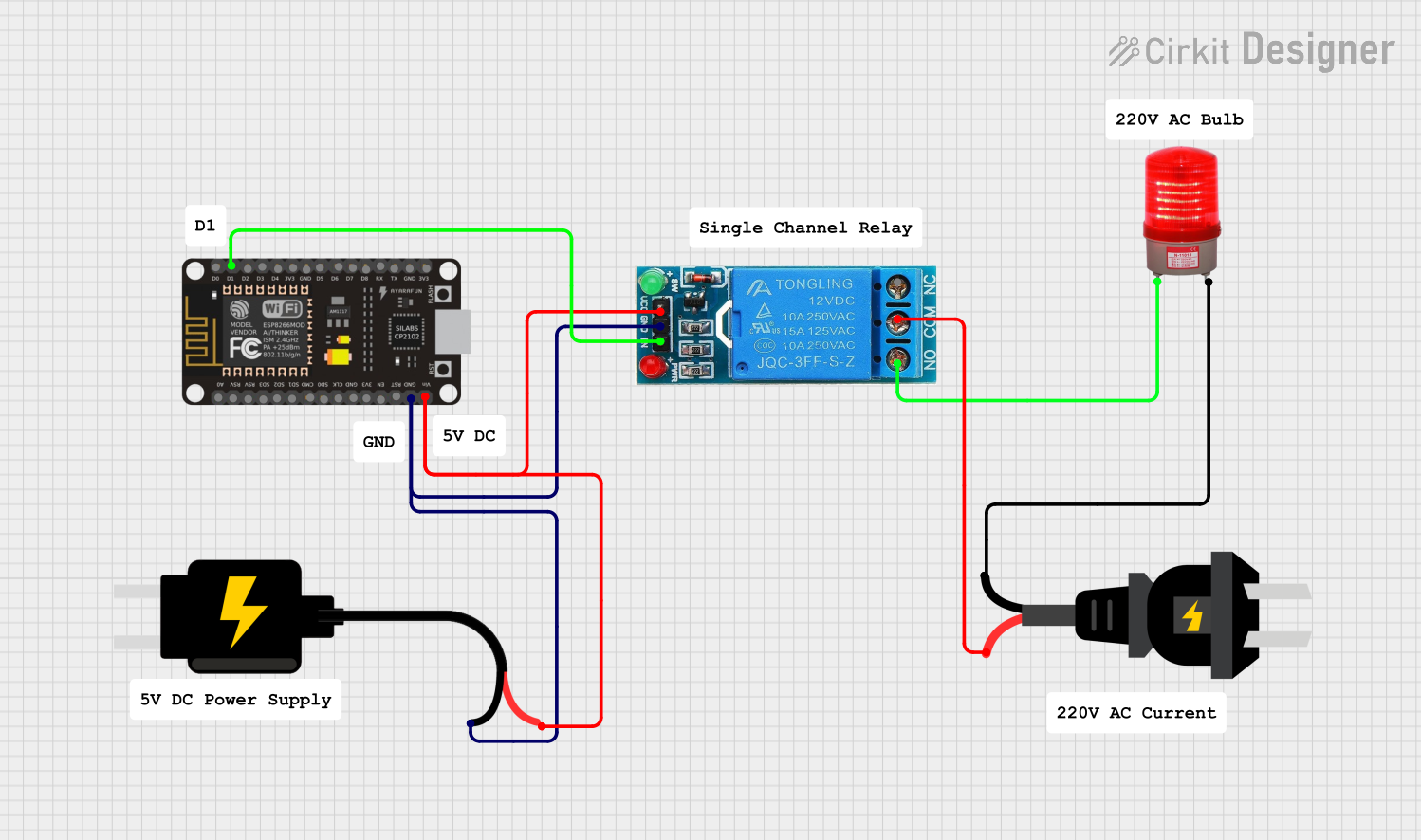
This circuit uses an ESP8266 NodeMCU microcontroller to control a 12V single-channel relay, which in turn switches an AC-powered red light on and off. The relay's control input (IN) is connected to a digital output (D1) on the ESP8266, allowing the microcontroller to activate the relay. The relay's normally open (NO) contact is used to complete the circuit for the red light when the relay is energized, and the power for the relay's coil and the microcontroller is supplied by a 5V DC source.
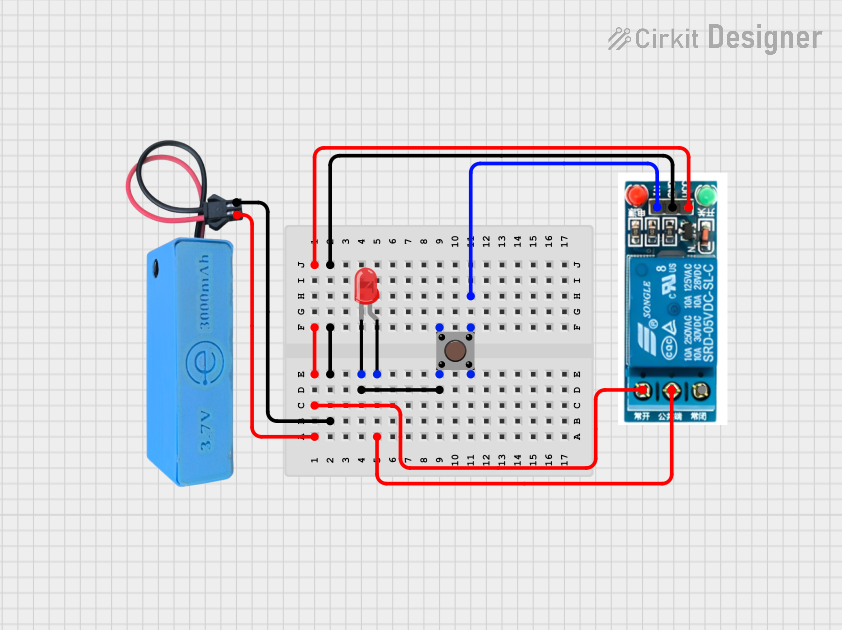
This circuit uses a pushbutton to control a 5V relay, which in turn controls the power to a red LED. The MAHIR 1.mini module provides the necessary power and ground connections for the relay.
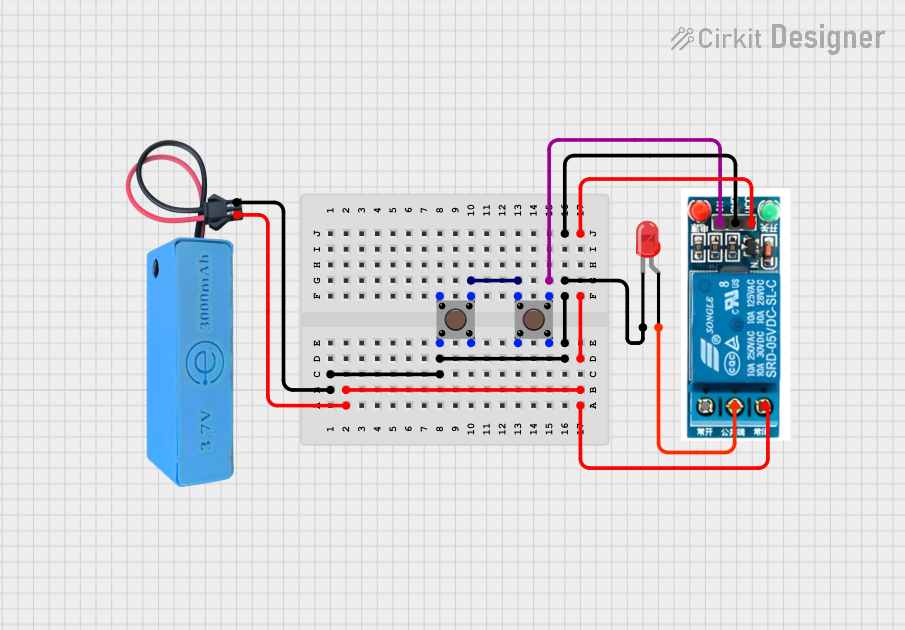
This circuit features a pushbutton-controlled relay that switches power to a red LED. When the pushbutton is pressed, the relay activates, allowing current to flow from the power source to the LED, illuminating it.
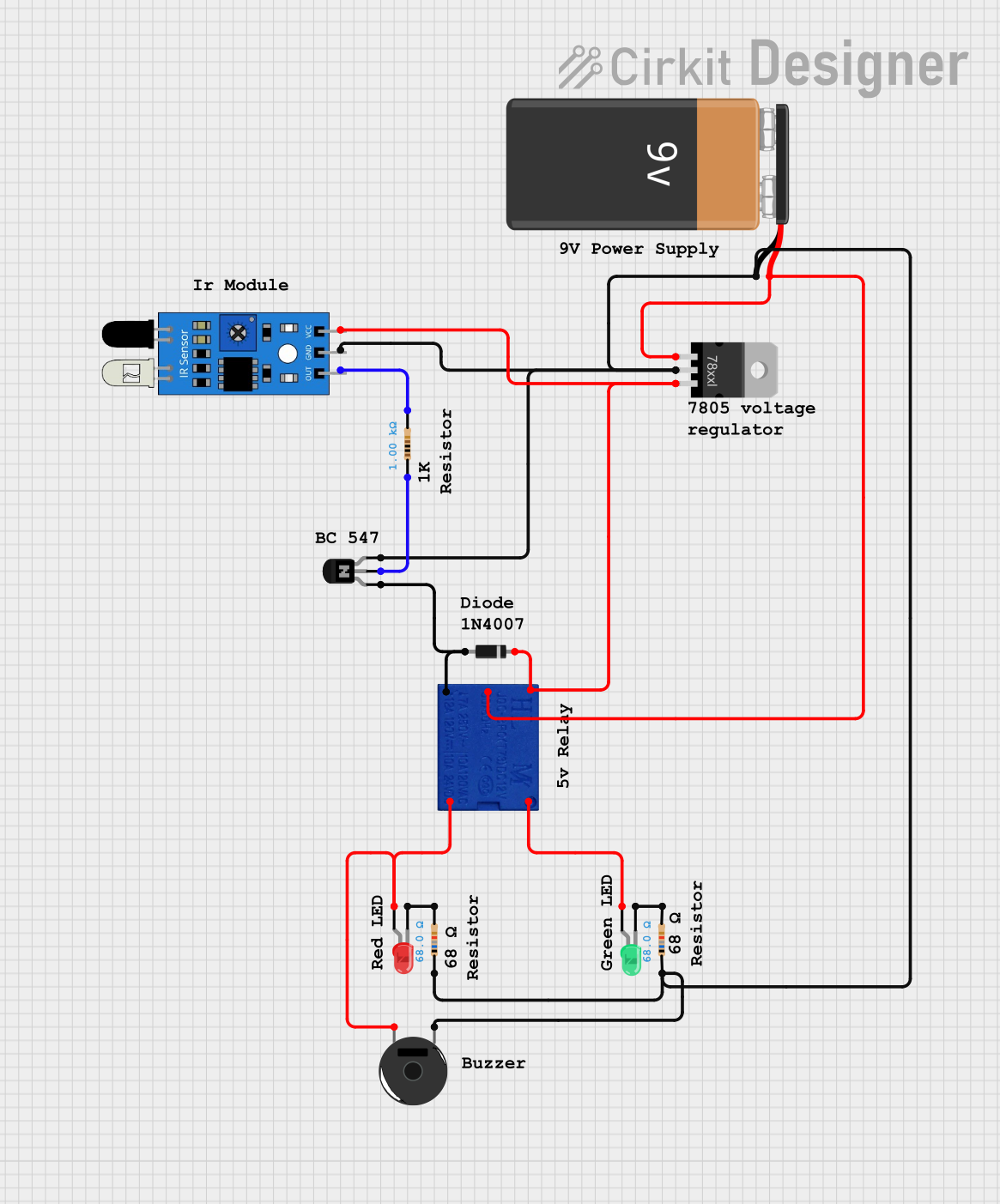
This circuit uses an IR sensor to control a relay, which in turn activates a green LED and piezo buzzer or a red LED based on the sensor's output. A voltage regulator provides stable power to the sensor, while a transistor serves as a switch, and diodes protect against voltage spikes and ensure correct current flow.
Home automation systems (e.g., controlling lights, fans, or appliances)
Automotive electronics (e.g., controlling headlights, horns, or motors)
Industrial control systems (e.g., motor starters, solenoids, or pumps)
Microcontroller-based projects (e.g., Arduino or Raspberry Pi applications)
Safety circuits requiring electrical isolation
Technical Specifications
Key Technical Details
Coil Voltage: 5V DC (typical for microcontroller applications)
Contact Rating: 10A at 250V AC or 10A at 30V DC
Coil Resistance: ~70Ω (for 5V coil)
Switching Type: SPDT (Single Pole Double Throw)
Isolation: Electrical isolation between control and load circuits
Operating Temperature: -40°C to 85°C
Dimensions: 28mm x 10mm x 15mm (approximate)
Pin Configuration and Descriptions
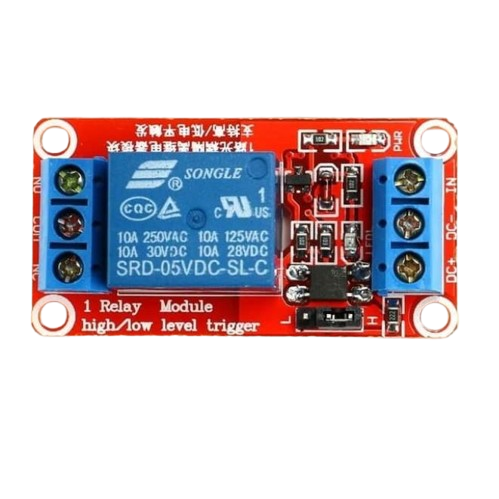
The RELAY RED typically has 5 pins, as described in the table below:
Pin Number
Name
Description
1
Coil (+)
Positive terminal of the electromagnetic coil (connect to control voltage)
2
Coil (-)
Negative terminal of the electromagnetic coil (connect to ground)
3
Common (COM)
Common terminal for the switching contacts
4
Normally Open (NO)
Contact that remains open until the relay is activated
5
Normally Closed (NC)
Contact that remains closed until the relay is activated
Usage Instructions
How to Use the Component in a Circuit
Power the Coil: Connect the coil pins (1 and 2) to a 5V DC power source. Use a transistor or MOSFET to control the coil if using a microcontroller.
Connect the Load:
Connect the load to the Common (COM) pin (3).
Use the Normally Open (NO) pin (4) if you want the load to turn on when the relay is activated.
Use the Normally Closed (NC) pin (5) if you want the load to turn off when the relay is activated.
Control the Relay: Use a low-power control signal (e.g., from an Arduino) to energize the coil and switch the contacts.
Important Considerations and Best Practices
Flyback Diode: Always connect a flyback diode across the coil terminals to protect the circuit from voltage spikes when the relay is deactivated.
Current Ratings: Ensure the load current does not exceed the relay's contact rating (10A).
Isolation: Use optocouplers or transistors to isolate the control circuit from the high-power load circuit.
Power Supply: Provide a stable 5V DC supply to the coil for reliable operation.
Example: Connecting RELAY RED to an Arduino UNO
Below is an example of how to control the RELAY RED using an Arduino UNO:
// Define the pin connected to the relay control
const int relayPin = 7;

void setup() {
  pinMode(relayPin, OUTPUT); // Set the relay pin as an output
  digitalWrite(relayPin, LOW); // Ensure the relay is off at startup
}

void loop() {
  digitalWrite(relayPin, HIGH); // Activate the relay
  delay(1000); // Keep the relay on for 1 second
  digitalWrite(relayPin, LOW); // Deactivate the relay
  delay(1000); // Keep the relay off for 1 second
}
Note: Use a transistor (e.g., 2N2222) between the Arduino and the relay coil to handle the current required by the relay.
Troubleshooting and FAQs
Common Issues and Solutions
Relay Not Activating:
Cause: Insufficient voltage or current to the coil.
Solution: Verify the power supply and ensure the control circuit can provide enough current.
Relay Stuck in One State:
Cause: Damaged contacts or coil.
Solution: Check for physical damage or replace the relay.
Voltage Spikes Damaging the Circuit:
Cause: Lack of a flyback diode across the coil.
Solution: Add a flyback diode (e.g., 1N4007) across the coil terminals.
Load Not Switching Properly:
Cause: Incorrect wiring of the load to the relay contacts.
Solution: Double-check the connections to the COM, NO, and NC pins.
FAQs
Q1: Can I use the RELAY RED with a 3.3V microcontroller?
A1: Yes, but you will need a transistor or MOSFET to drive the 5V relay coil from the 3.3V control signal.
Q2: What is the purpose of the flyback diode?
A2: The flyback diode protects the control circuit from voltage spikes generated when the relay coil is de-energized.
Q3: Can the RELAY RED switch both AC and DC loads?
A3: Yes, it can switch AC loads up to 250V and DC loads up to 30V, provided the current does not exceed 10A.
Q4: How do I know if the relay is activated?
A4: Many relays, including the RELAY RED, have a built-in LED indicator that lights up when the relay is activated.

 Open Project in Cirkit Designer