
How to Use Connector 1 In 1 Out: Examples, Pinouts, and Specs
 Design with Connector 1 In 1 Out in Cirkit Designer
Introduction
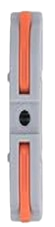
The Connector 1 In 1 Out is a simple yet versatile electronic component designed to facilitate the connection between different parts of a circuit. It features one input terminal and one output terminal, allowing for seamless signal or power transfer. This component is commonly used in prototyping, modular circuit designs, and applications where quick and reliable connections are required.
Explore Projects Built with Connector 1 In 1 Out
 Open Project in Cirkit Designer
 Open Project in Cirkit Designer
 Open Project in Cirkit Designer
 Open Project in Cirkit Designer
Explore Projects Built with Connector 1 In 1 Out
Open Project in Cirkit DesignerOpen Project in Cirkit DesignerOpen Project in Cirkit DesignerOpen Project in Cirkit DesignerCommon Applications and Use Cases
- Connecting power supplies to circuit boards
- Linking sensors or modules to microcontrollers
- Extending or bridging circuit paths
- Prototyping and testing electronic designs
Technical Specifications
The Connector 1 In 1 Out is designed to handle a wide range of signals and power levels, making it suitable for various applications. Below are its key technical details:
General Specifications
| Parameter | Value |
|---|---|
| Input Terminals | 1 |
| Output Terminals | 1 |
| Maximum Voltage Rating | 30V DC |
| Maximum Current Rating | 5A |
| Contact Resistance | ≤ 20 mΩ |
| Insulation Resistance | ≥ 1000 MΩ |
| Operating Temperature | -40°C to +85°C |
| Connector Type | Screw terminal or push-fit |
| Material | Copper alloy (contacts), ABS plastic (housing) |
Pin Configuration and Descriptions
| Pin Number | Label | Description |
|---|---|---|
| 1 | Input (+) | Positive input terminal for signal/power |
| 2 | Output (+) | Positive output terminal for signal/power |
Note: The connector typically does not have polarity markings for ground or negative connections. Ensure proper wiring to avoid circuit issues.
Usage Instructions
How to Use the Connector in a Circuit
Prepare the Wires:
- Strip the insulation from the ends of the wires you intend to connect.
- Ensure the exposed wire length matches the connector's terminal size.
Connect the Wires:
- For screw terminals: Insert the stripped wire into the terminal and tighten the screw securely.
- For push-fit connectors: Push the stripped wire into the terminal until it locks in place.
Verify the Connection:
- Gently tug on the wires to ensure they are firmly secured.
- Double-check the polarity and ensure the input and output terminals are correctly wired.
Integrate into the Circuit:
- Place the connector in the desired location within your circuit.
- Test the circuit to confirm proper operation.
Important Considerations and Best Practices
- Current and Voltage Limits: Do not exceed the maximum voltage (30V DC) or current (5A) ratings to avoid damage or overheating.
- Wire Gauge: Use wires with an appropriate gauge to handle the current without excessive resistance or heating.
- Secure Mounting: If the connector is used in a mobile or vibration-prone environment, secure it to prevent accidental disconnections.
- Polarity: Ensure correct polarity when connecting power supplies or sensitive components.
Example: Connecting to an Arduino UNO
The Connector 1 In 1 Out can be used to link an external power supply to an Arduino UNO. Below is an example of how to wire it:
- Connect the positive terminal of the power supply to the input terminal of the connector.
- Connect the output terminal of the connector to the Arduino's VIN pin.
- Connect the ground wire directly from the power supply to the Arduino's GND pin.
Arduino Code Example: While the connector itself does not require code, here is an example of how you might use the Arduino UNO to read a sensor connected via the connector:
// Example code to read an analog sensor connected via the Connector 1 In 1 Out
const int sensorPin = A0; // Sensor connected to analog pin A0
int sensorValue = 0;      // Variable to store the sensor reading

void setup() {
  Serial.begin(9600); // Initialize serial communication at 9600 baud
}

void loop() {
  sensorValue = analogRead(sensorPin); // Read the sensor value
  Serial.print("Sensor Value: ");      // Print the sensor value to the serial monitor
  Serial.println(sensorValue);
  delay(500); // Wait for 500ms before the next reading
}
Note: Ensure the sensor's power and ground connections are properly wired through the connector.
Troubleshooting and FAQs
Common Issues Users Might Face
Loose Connections:
- Problem: Wires are not securely attached to the terminals.
- Solution: Recheck the wire connections and ensure screws are tightened or wires are fully inserted into push-fit terminals.
Overheating:
- Problem: The connector becomes hot during operation.
- Solution: Verify that the current does not exceed the 5A rating. Use thicker wires if necessary.
Signal Loss or Interference:
- Problem: Signal quality degrades when using the connector.
- Solution: Ensure the contact resistance is low and wires are properly secured. For high-frequency signals, consider using shielded cables.
Polarity Reversal:
- Problem: Incorrect wiring causes the circuit to malfunction.
- Solution: Double-check the polarity of the input and output connections before powering the circuit.
FAQs
Q: Can this connector handle AC signals?
A: Yes, the Connector 1 In 1 Out can handle AC signals, provided the voltage and current do not exceed the specified ratings.
Q: Is this connector waterproof?
A: No, the standard version of this connector is not waterproof. For outdoor or moisture-prone environments, use a waterproof enclosure.
Q: Can I use this connector for audio signals?
A: Yes, it can be used for audio signals, but ensure the connections are secure to avoid signal degradation.
Q: What wire gauge is recommended?
A: For most applications, 18-22 AWG wires are suitable. For higher currents, use thicker wires (e.g., 16 AWG).
By following this documentation, you can effectively use the Connector 1 In 1 Out in your electronic projects with confidence!