
How to Use CG-Anem: Examples, Pinouts, and Specs
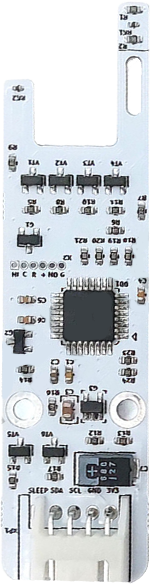
 Design with CG-Anem in Cirkit Designer
Introduction
The CG-Anem, manufactured by ClimateGuard, is a high-precision anemometer designed for measuring wind speed and direction. This component is widely used in meteorological applications, environmental monitoring systems, and renewable energy projects such as wind turbine optimization. Its robust design ensures reliable performance in outdoor environments, making it ideal for both professional and hobbyist use.
Common applications include:
- Weather stations
- Environmental data logging
- Wind energy assessment
- Agricultural monitoring systems
Explore Projects Built with CG-Anem
 Open Project in Cirkit Designer
 Open Project in Cirkit Designer
 Open Project in Cirkit Designer
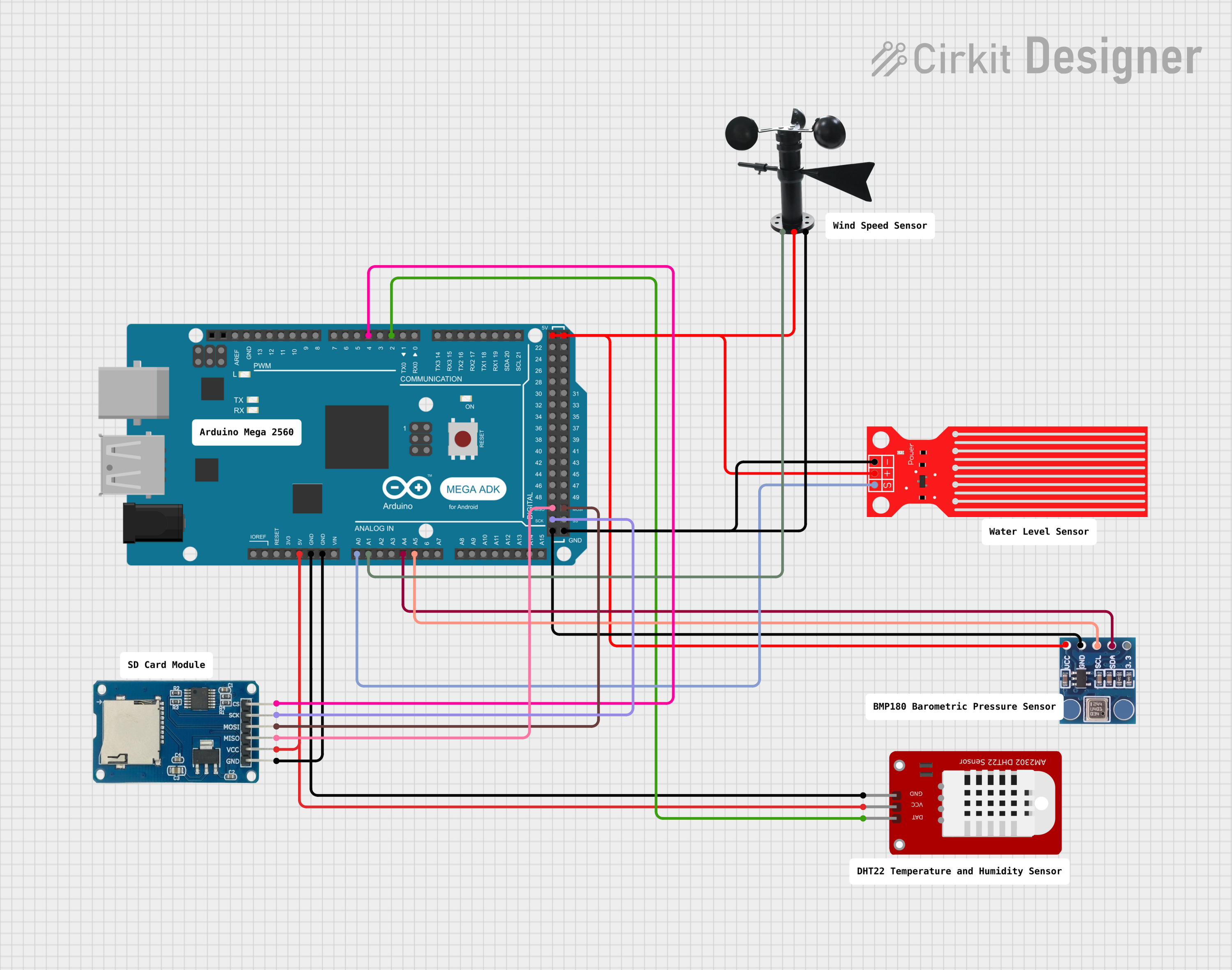 Open Project in Cirkit Designer
Explore Projects Built with CG-Anem
Open Project in Cirkit DesignerOpen Project in Cirkit DesignerOpen Project in Cirkit DesignerOpen Project in Cirkit DesignerTechnical Specifications
The CG-Anem is designed to provide accurate wind measurements with minimal power consumption. Below are its key technical details:
General Specifications
| Parameter | Value |
|---|---|
| Operating Voltage | 5V DC |
| Operating Current | 20 mA (typical) |
| Wind Speed Range | 0.3 m/s to 50 m/s |
| Wind Direction Range | 0° to 360° |
| Output Signal Type | Analog (0-5V) or Digital (PWM) |
| Accuracy (Wind Speed) | ±0.3 m/s |
| Accuracy (Direction) | ±3° |
| Operating Temperature | -40°C to 85°C |
| Housing Material | UV-resistant ABS plastic |
Pin Configuration
The CG-Anem features a 4-pin interface for easy integration into circuits. The pinout is as follows:
| Pin Number | Name | Description |
|---|---|---|
| 1 | VCC | Power supply input (5V DC) |
| 2 | GND | Ground |
| 3 | Wind Speed | Analog or PWM output for wind speed |
| 4 | Wind Direction | Analog output for wind direction (0-5V) |
Usage Instructions
To use the CG-Anem in a circuit, follow these steps:
- Power Connection: Connect the VCC pin to a 5V DC power source and the GND pin to the ground of your circuit.
- Signal Reading:
- For wind speed, read the signal from the Wind Speed pin. Depending on the configuration, this may be an analog voltage (proportional to wind speed) or a PWM signal.
- For wind direction, read the analog voltage from the Wind Direction pin. The voltage corresponds to the wind direction in degrees (0-360°).
- Calibration: Ensure the component is mounted in a location free from obstructions for accurate readings. Use the manufacturer's calibration data for precise measurements.
- Mounting: Install the CG-Anem on a stable mast or pole, ensuring it is level and securely fastened.
Example: Connecting CG-Anem to Arduino UNO
Below is an example of how to connect and read data from the CG-Anem using an Arduino UNO:
Circuit Diagram
- Connect VCC to the Arduino's 5V pin.
- Connect GND to the Arduino's GND pin.
- Connect Wind Speed to analog pin A0.
- Connect Wind Direction to analog pin A1.
Arduino Code
// CG-Anem Example Code for Arduino UNO
// Reads wind speed and direction from CG-Anem and prints to Serial Monitor

const int windSpeedPin = A0; // Analog pin for wind speed
const int windDirPin = A1;   // Analog pin for wind direction

void setup() {
  Serial.begin(9600); // Initialize serial communication at 9600 baud
  pinMode(windSpeedPin, INPUT); // Set wind speed pin as input
  pinMode(windDirPin, INPUT);   // Set wind direction pin as input
}

void loop() {
  // Read analog values from CG-Anem
  int windSpeedValue = analogRead(windSpeedPin);
  int windDirValue = analogRead(windDirPin);

  // Convert analog values to meaningful units
  float windSpeed = (windSpeedValue / 1023.0) * 50.0; // Scale to 0-50 m/s
  float windDirection = (windDirValue / 1023.0) * 360.0; // Scale to 0-360°

  // Print results to Serial Monitor
  Serial.print("Wind Speed: ");
  Serial.print(windSpeed);
  Serial.println(" m/s");

  Serial.print("Wind Direction: ");
  Serial.print(windDirection);
  Serial.println("°");

  delay(1000); // Wait 1 second before next reading
}
Best Practices
- Ensure the CG-Anem is installed in an open area, away from buildings or trees, to avoid wind turbulence.
- Regularly clean the sensor to prevent dirt or debris from affecting performance.
- Use shielded cables for long-distance connections to minimize signal interference.
Troubleshooting and FAQs
Common Issues
No Output Signal:
- Cause: Incorrect wiring or insufficient power supply.
- Solution: Verify all connections and ensure the power supply provides 5V DC.
Inaccurate Wind Speed or Direction:
- Cause: Obstructions near the sensor or improper calibration.
- Solution: Relocate the sensor to a clear area and recalibrate using the manufacturer's guidelines.
Fluctuating Readings:
- Cause: Electrical noise or unstable power supply.
- Solution: Use a decoupling capacitor near the power pins and ensure a stable power source.
FAQs
Q1: Can the CG-Anem be used in extreme weather conditions?
A1: Yes, the CG-Anem is designed to operate in temperatures ranging from -40°C to 85°C and is housed in UV-resistant ABS plastic for durability in harsh environments.
Q2: How do I switch between analog and PWM output for wind speed?
A2: The output mode is configured at the factory. Contact ClimateGuard for customization options if needed.
Q3: What is the maximum cable length for connecting the CG-Anem?
A3: For best performance, use shielded cables and keep the length under 20 meters. Longer distances may require signal amplification.
By following this documentation, users can effectively integrate the CG-Anem into their projects and achieve accurate wind measurements.