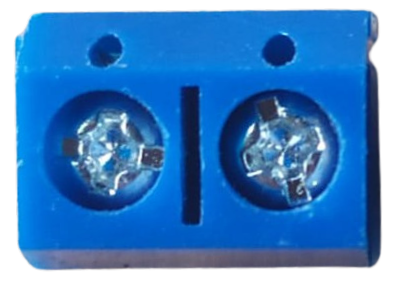
The Terminal PCB 2 Pin is a compact and reliable two-pin terminal block designed for use on printed circuit boards (PCBs). It provides a secure and convenient way to connect wires to a circuit, allowing for easy installation and disconnection without the need for soldering. This component is widely used in applications where frequent wire connections and disconnections are required, such as prototyping, industrial control systems, and home automation projects.
Explore Projects Built with Terminal PCB 2 Pin
Use Cirkit Designer to design, explore, and prototype these projects online. Some projects support real-time simulation. Click "Open Project" to start designing instantly!
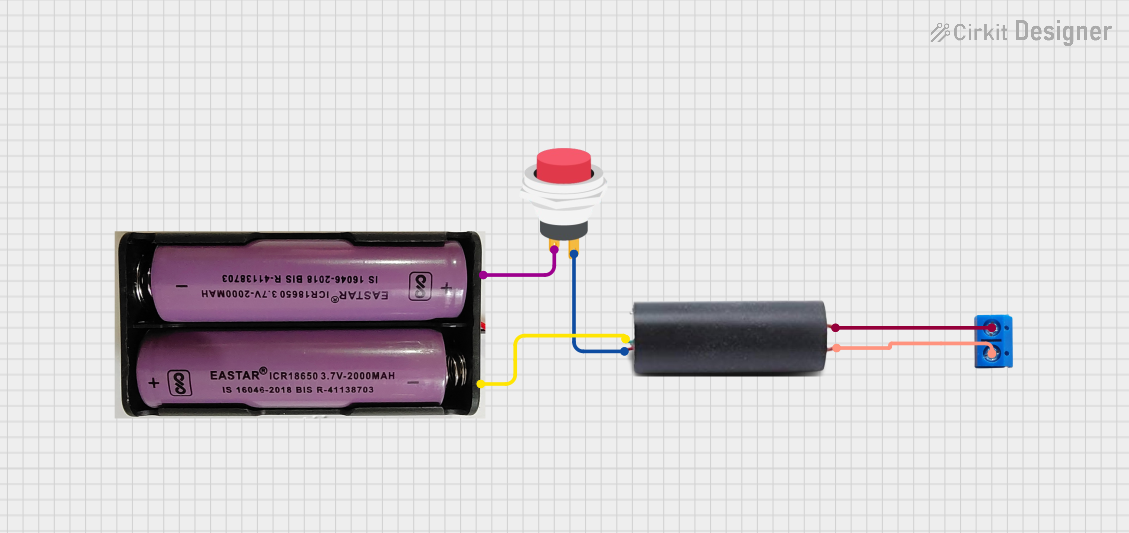
This circuit features a high voltage generator connected to a terminal PCB for output, with its power supply controlled by a 2-pin push switch. The high voltage generator's VCC is connected through the switch, allowing the user to turn the high voltage output on and off. The circuit is powered by a 7.4V battery, with the positive terminal connected to the switch and the negative terminal connected to the generator's ground.
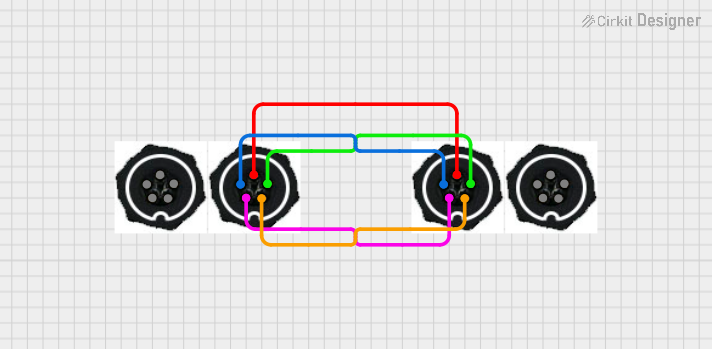
This circuit consists of four 5-pin connectors, where two of the connectors are fully interconnected pin-to-pin. The purpose of this setup could be to create a parallel connection between the two 5-pin connectors, possibly for signal distribution or redundancy.
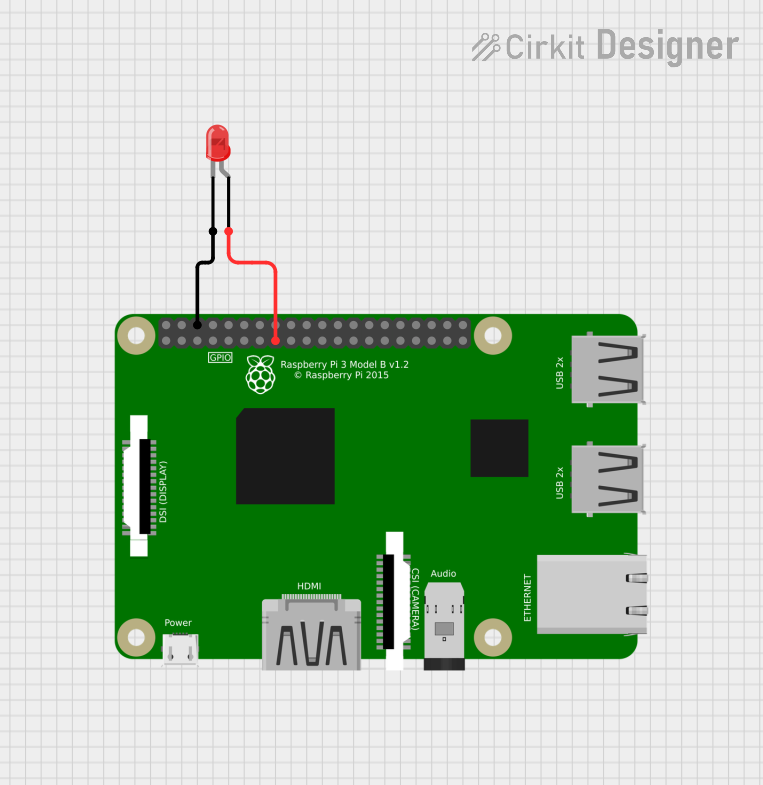
This circuit consists of a Raspberry Pi 3B microcontroller connected to a two-pin red LED. The GPIO22 pin of the Raspberry Pi is connected to the anode of the LED, and one of the Raspberry Pi's GND pins is connected to the cathode of the LED. This setup allows the Raspberry Pi to control the LED, turning it on and off by toggling the GPIO22 pin.
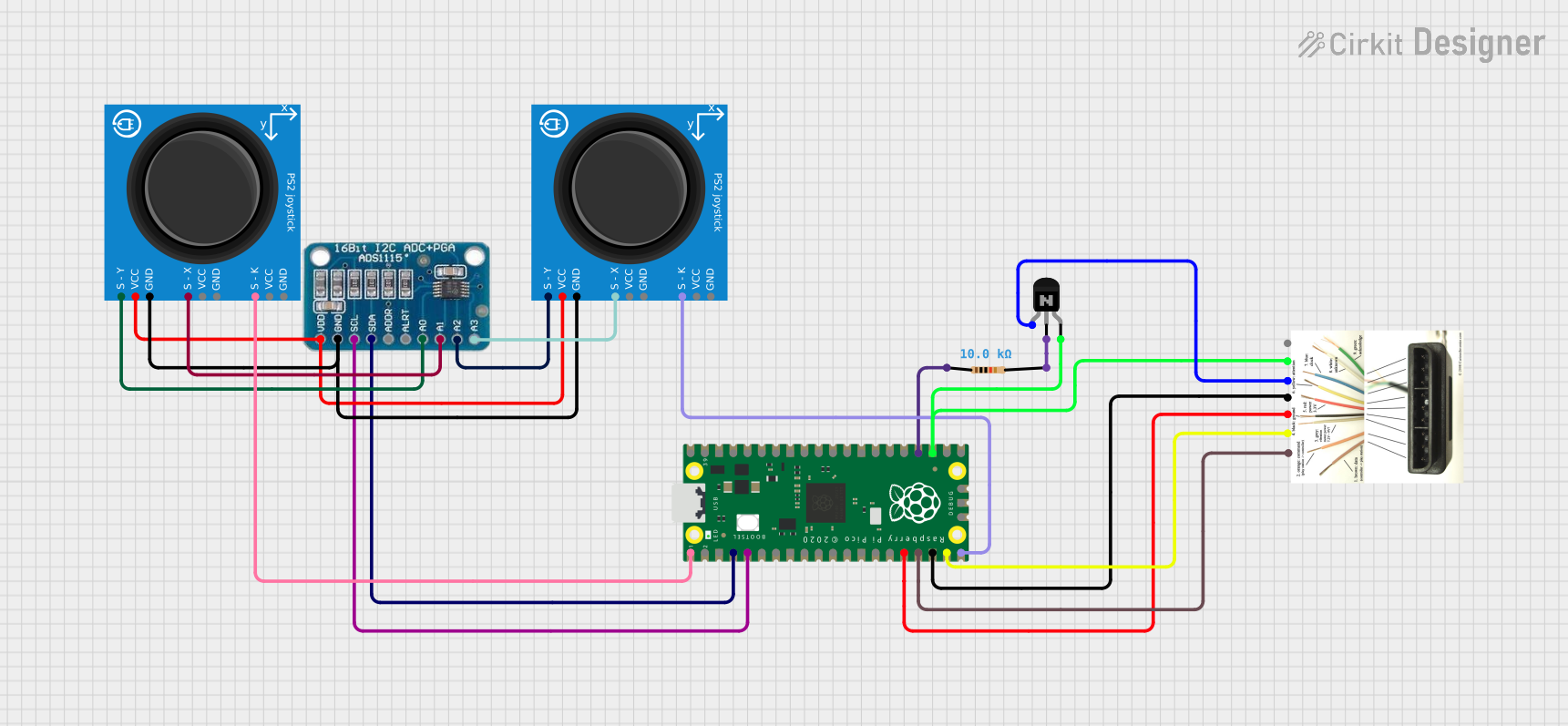
This circuit appears to be a game controller interface that uses a Raspberry Pi Pico microcontroller to emulate a PS2 controller, interfacing with a PS2 joystick and a PS2 console cable. The ADS1115 analog-to-digital converter is used to read the joystick's analog signals, and the microcontroller's SPI and I2C interfaces are utilized for communication with the PS2 console and the ADS1115, respectively. Additionally, an NPN transistor and a resistor are configured to handle the PS2 controller's acknowledge signal.
The following table outlines the key technical details of the Terminal PCB 2 Pin:
Parameter
Value
Number of Pins
2
Rated Voltage
300V AC/DC
Rated Current
10A
Wire Size Supported
26-12 AWG
Pitch (Pin Spacing)
5.08 mm (0.2 inches)
Material
Flame-retardant thermoplastic (UL94-V0)
Contact Material
Tin-plated copper alloy
Operating Temperature
-40°C to +105°C
Pin Configuration and Descriptions
The Terminal PCB 2 Pin has two pins for connection to the PCB and two screw terminals for wire connections. The pin configuration is as follows:
Pin Number
Description
1
Positive terminal (V+, input/output)
2
Negative terminal (V-, ground)
Usage Instructions
How to Use the Component in a Circuit
Soldering to the PCB:
Insert the two pins of the terminal block into the corresponding holes on the PCB.
Ensure the pins align with the circuit traces for proper electrical connections.
Solder the pins securely to the PCB pads.
Connecting Wires:
Strip the insulation from the wire ends (approximately 5-7 mm).
Insert the stripped wire ends into the screw terminals.
Tighten the screws using a small flathead screwdriver to secure the wires.
Testing the Connection:
Verify the connections using a multimeter to ensure proper continuity.
Power on the circuit and check for stable operation.
Important Considerations and Best Practices
Ensure the wire gauge is within the supported range (26-12 AWG) for a secure connection.
Avoid overtightening the screws, as this may damage the wire or the terminal block.
Use proper insulation for wires to prevent short circuits.
When designing the PCB, ensure the pin spacing (5.08 mm) matches the terminal block's pitch.
Example: Connecting to an Arduino UNO
The Terminal PCB 2 Pin can be used to connect external components, such as sensors or power supplies, to an Arduino UNO. Below is an example of how to use it to connect a 12V power supply to an Arduino project:
Circuit Diagram
Connect the positive terminal of the power supply to the V+ pin of the terminal block.
Connect the negative terminal of the power supply to the V- pin of the terminal block.
Use the terminal block to route power to the Arduino's VIN and GND pins.
Sample Code
// Example code for using a 12V power supply with an Arduino UNO
// Ensure the terminal block is securely connected to the power supply and Arduino

void setup() {
  // Initialize serial communication for debugging
  Serial.begin(9600);
  Serial.println("Power supply connected via Terminal PCB 2 Pin.");
}

void loop() {
  // Example: Blink an LED connected to pin 13
  digitalWrite(13, HIGH); // Turn the LED on
  delay(1000);            // Wait for 1 second
  digitalWrite(13, LOW);  // Turn the LED off
  delay(1000);            // Wait for 1 second
}
Troubleshooting and FAQs
Common Issues Users Might Face
Loose Wire Connections:
Cause: Wires not properly secured in the screw terminals.
Solution: Ensure the screws are tightened firmly, but not excessively.
Intermittent Connections:
Cause: Poor soldering or loose PCB pins.
Solution: Re-solder the pins and check for proper continuity.
Overheating:
Cause: Exceeding the rated current (10A).
Solution: Ensure the current through the terminal block does not exceed its rating.
Short Circuits:
Cause: Exposed wire ends touching each other or other components.
Solution: Use proper insulation and verify connections before powering the circuit.
FAQs
Can I use this terminal block for high-frequency signals?
While it is primarily designed for power and low-frequency signals, it can handle high-frequency signals if the impedance is properly managed.
What tools are required to use this component?
A soldering iron, solder, wire stripper, and a small flathead screwdriver are typically required.
Is this terminal block reusable?
Yes, the Terminal PCB 2 Pin can be reused as long as it is not physically damaged or worn out.
By following this documentation, you can effectively integrate the Terminal PCB 2 Pin into your projects for secure and reliable wire connections.

 Open Project in Cirkit Designer