
How to Use hx711: Examples, Pinouts, and Specs
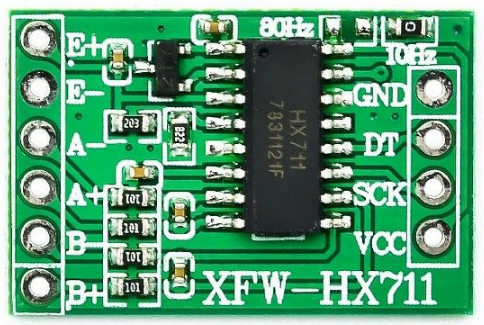
 Design with hx711 in Cirkit Designer
Introduction
The HX711 is a precision 24-bit analog-to-digital converter (ADC) designed for applications requiring high accuracy and stability, such as weigh scales and industrial control systems. It features an integrated low-noise programmable gain amplifier (PGA) that allows direct interfacing with load cells, making it an ideal choice for weight measurement systems. The HX711 simplifies the process of converting small analog signals from load cells into digital data that can be processed by microcontrollers.
Explore Projects Built with hx711
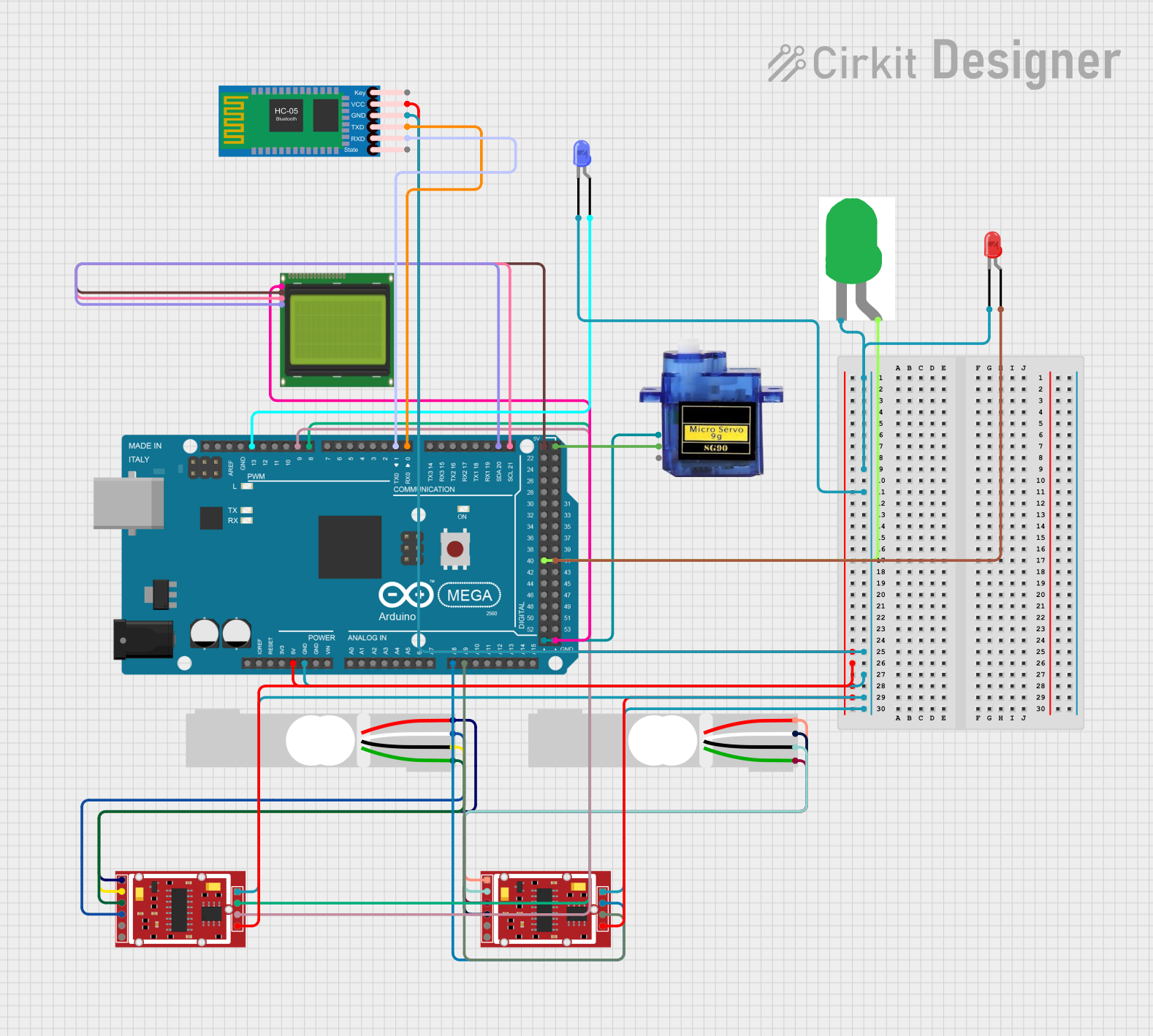 Open Project in Cirkit Designer
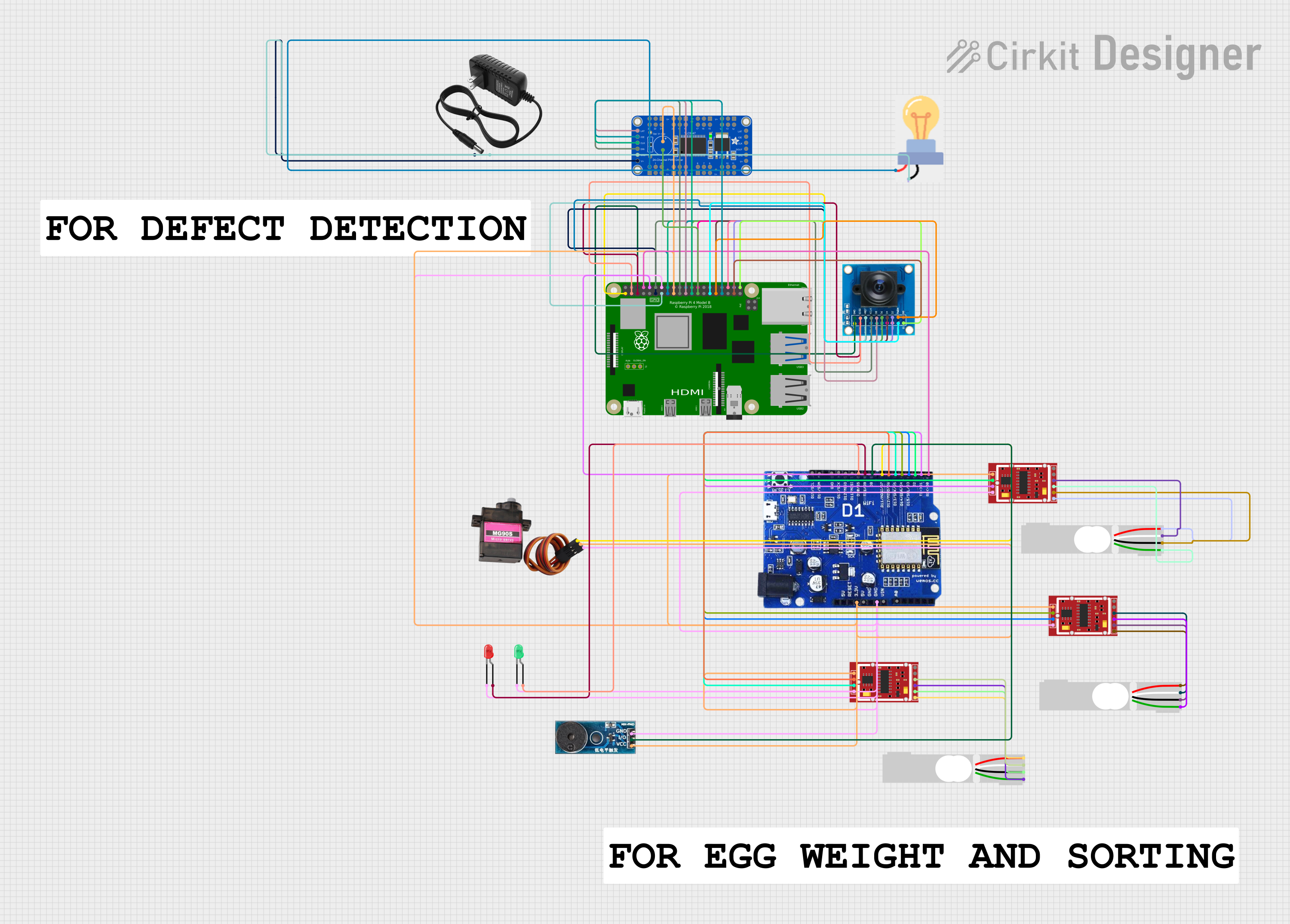 Open Project in Cirkit Designer
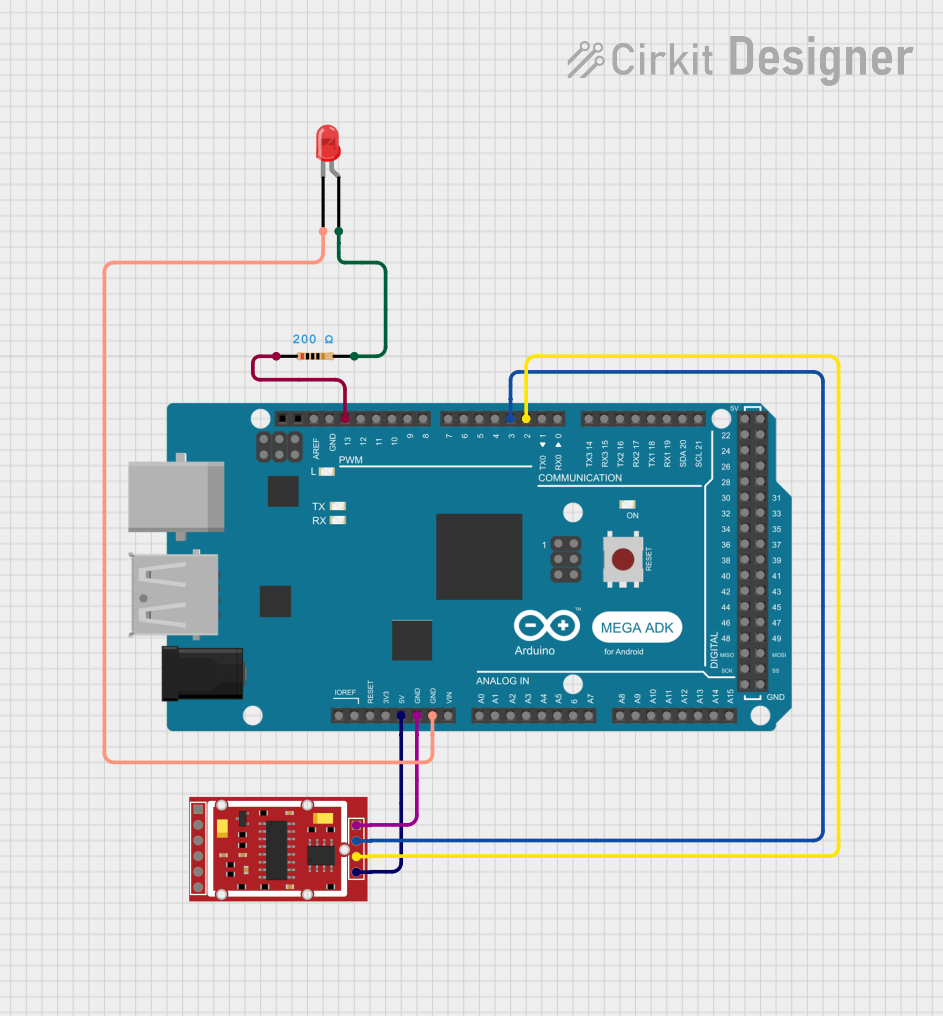 Open Project in Cirkit Designer
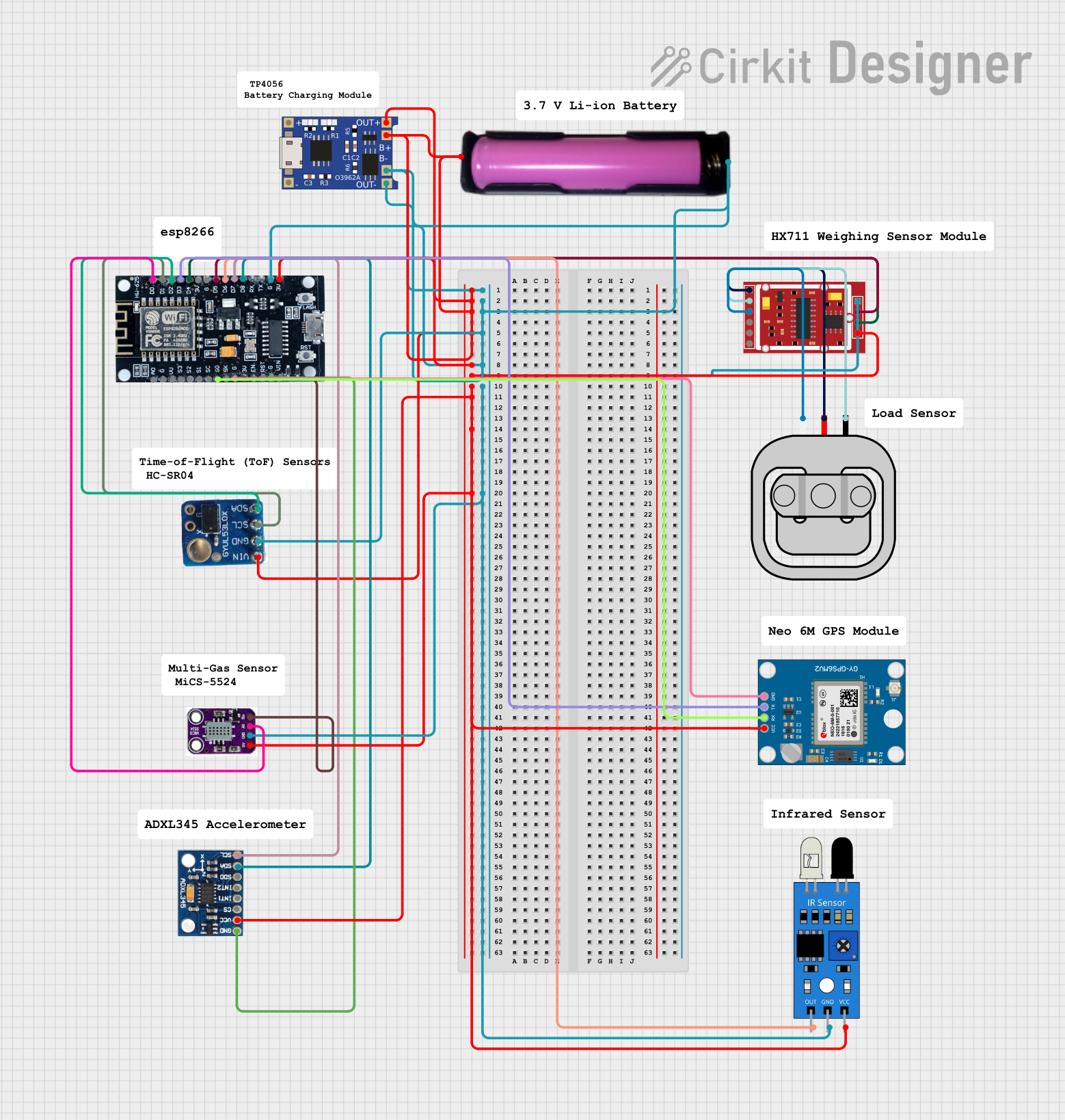 Open Project in Cirkit Designer
Explore Projects Built with hx711
Open Project in Cirkit DesignerOpen Project in Cirkit DesignerOpen Project in Cirkit DesignerOpen Project in Cirkit DesignerCommon Applications
- Digital weigh scales
- Industrial process control systems
- Force measurement systems
- IoT-based weight monitoring
- Laboratory equipment
Technical Specifications
The HX711 is designed to provide high precision and ease of use. Below are its key technical details:
| Parameter | Value |
|---|---|
| Supply Voltage | 2.6V to 5.5V |
| Operating Current | ~1.5mA |
| Standby Current | <1µA |
| ADC Resolution | 24-bit |
| Input Channels | 2 (Channel A and Channel B) |
| PGA Gain | 128 (Channel A) / 64 (Channel B) |
| Data Rate | 10 Hz or 80 Hz |
| Input Voltage Range | ±40mV (with gain of 128) |
| Communication Interface | Serial (Clock and Data pins) |
| Operating Temperature Range | -40°C to +85°C |
Pin Configuration and Descriptions
The HX711 has 16 pins, but only a subset is typically used in most applications. Below is the pin configuration:
| Pin Name | Description |
|---|---|
| VCC | Power supply input (2.6V to 5.5V). |
| GND | Ground connection. |
| DT (DOUT) | Serial data output. Connects to the microcontroller for data communication. |
| SCK (CLK) | Serial clock input. Used to control data transmission and gain selection. |
| RATE | Data rate selection pin. Low = 10 Hz, High = 80 Hz. |
| AVDD | Analog power supply for the load cell. Typically connected to VCC. |
| A+ / A- | Differential input for Channel A (high-precision input with gain of 128). |
| B+ / B- | Differential input for Channel B (lower precision input with gain of 64). |
Usage Instructions
The HX711 is straightforward to use in a circuit, especially for weight measurement applications. Below are the steps and considerations for using the HX711:
Connecting the HX711 to a Load Cell
- Power Supply: Connect the VCC pin to a 3.3V or 5V power source and the GND pin to ground.
- Load Cell Connection:
- Connect the load cell's excitation wires (E+ and E-) to AVDD and GND, respectively.
- Connect the load cell's signal wires (S+ and S-) to A+ and A- (or B+ and B- for Channel B).
- Microcontroller Interface:
- Connect the DT (DOUT) pin to a digital input pin on the microcontroller.
- Connect the SCK (CLK) pin to a digital output pin on the microcontroller.
Important Considerations
- Use proper shielding and grounding to minimize noise in the system.
- Ensure the load cell is properly calibrated for accurate weight measurements.
- Use decoupling capacitors (e.g., 0.1µF) near the VCC pin to stabilize the power supply.
- The RATE pin can be left floating (default 10 Hz) or connected to VCC for 80 Hz operation.
Example Code for Arduino UNO
Below is an example of how to interface the HX711 with an Arduino UNO to read weight data:
#include "HX711.h" // Include the HX711 library

// Define HX711 pins
#define DT_PIN 3  // Data pin connected to D3 on Arduino
#define SCK_PIN 2 // Clock pin connected to D2 on Arduino

HX711 scale; // Create an instance of the HX711 class

void setup() {
  Serial.begin(9600); // Initialize serial communication
  scale.begin(DT_PIN, SCK_PIN); // Initialize HX711 with defined pins

  // Wait for the HX711 to stabilize
  Serial.println("Initializing HX711...");
  delay(1000);

  // Set the scale to zero (tare)
  Serial.println("Taring the scale...");
  scale.set_scale(); // Set the scale factor (calibration required later)
  scale.tare();      // Reset the scale to zero
  Serial.println("Scale is ready.");
}

void loop() {
  // Read weight data from the HX711
  if (scale.is_ready()) {
    float weight = scale.get_units(); // Get weight in units (calibration required)
    Serial.print("Weight: ");
    Serial.print(weight);
    Serial.println(" units");
  } else {
    Serial.println("HX711 not ready. Check connections.");
  }

  delay(500); // Wait before the next reading
}
Notes on Calibration
- Replace
scale.set_scale()with a calibration factor specific to your load cell. - To determine the calibration factor, place a known weight on the load cell and adjust the factor until the output matches the actual weight.
Troubleshooting and FAQs
Common Issues and Solutions
No Data Output:
- Ensure the HX711 is powered correctly (check VCC and GND connections).
- Verify the DT and SCK pins are connected to the correct microcontroller pins.
- Check for loose or broken wires in the load cell connection.
Unstable or Noisy Readings:
- Use proper shielding for the load cell wires to reduce electromagnetic interference.
- Add decoupling capacitors near the HX711's power supply pins.
- Ensure the load cell is mounted securely and not subject to vibrations.
Incorrect Weight Measurements:
- Perform proper calibration using a known weight.
- Verify the load cell's wiring and ensure it matches the HX711's input configuration.
HX711 Not Ready:
- Check the microcontroller's code to ensure the
scale.is_ready()function is used correctly. - Verify the clock signal (SCK) is being sent to the HX711.
- Check the microcontroller's code to ensure the
FAQs
Q: Can the HX711 be used with a 3.3V microcontroller?
A: Yes, the HX711 operates with a supply voltage range of 2.6V to 5.5V, making it compatible with both 3.3V and 5V systems.
Q: How do I select between Channel A and Channel B?
A: The gain setting determines the active channel:
- Gain of 128: Channel A is active.
- Gain of 64: Channel B is active.
Q: What is the maximum weight the HX711 can measure?
A: The maximum weight depends on the load cell used. The HX711 itself does not impose a weight limit but converts the load cell's output signal.
Q: Can I use multiple HX711 modules in one system?
A: Yes, multiple HX711 modules can be used, but each module requires its own set of data (DT) and clock (SCK) pins on the microcontroller.
By following this documentation, you can effectively integrate the HX711 into your projects for precise weight measurement and control.