
How to Use JST XH 3P Female: Examples, Pinouts, and Specs
 Design with JST XH 3P Female in Cirkit Designer
Introduction
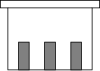
The JST XH 3P Female connector is a 3-pin female connector widely used in electronic circuits for connecting wires. It features a compact design and a reliable locking mechanism, ensuring secure and stable connections. This connector is part of the JST XH series, known for its durability and ease of use. It is commonly used in applications such as battery connections, PCB interfaces, and small electronic devices.
Explore Projects Built with JST XH 3P Female
 Open Project in Cirkit Designer
 Open Project in Cirkit Designer
 Open Project in Cirkit Designer
 Open Project in Cirkit Designer
Explore Projects Built with JST XH 3P Female
Open Project in Cirkit DesignerOpen Project in Cirkit DesignerOpen Project in Cirkit DesignerOpen Project in Cirkit DesignerCommon Applications and Use Cases
- Battery pack connections in RC models, drones, and robotics
- Power supply connections for small electronic devices
- Signal transmission in PCB-to-wire interfaces
- LED strip connections and other low-power applications
Technical Specifications
The JST XH 3P Female connector is designed to meet the needs of compact and reliable wire-to-board or wire-to-wire connections. Below are its key technical details:
Key Technical Details
- Number of Pins: 3
- Pitch (Pin Spacing): 2.5 mm
- Rated Voltage: 250 V AC/DC
- Rated Current: 3 A (maximum)
- Contact Resistance: ≤ 20 mΩ
- Insulation Resistance: ≥ 1000 MΩ
- Operating Temperature Range: -25°C to +85°C
- Material:
- Housing: Nylon 66 (UL94V-0 flame-retardant)
- Contacts: Phosphor bronze with tin plating
- Wire Gauge Compatibility: 22–28 AWG
Pin Configuration and Descriptions
The JST XH 3P Female connector has three pins, typically used for power, ground, and signal connections. Below is the pinout description:
| Pin Number | Label | Description |
|---|---|---|
| 1 | VCC/Power (+) | Positive power supply or input voltage |
| 2 | GND | Ground connection |
| 3 | Signal/Data | Signal or data line |
Usage Instructions
The JST XH 3P Female connector is straightforward to use in electronic circuits. Follow the steps below to ensure proper usage:
How to Use the Component in a Circuit
Wire Preparation:
- Strip the insulation from the wires to expose approximately 2–3 mm of the conductor.
- Use wires within the compatible gauge range (22–28 AWG) for optimal performance.
Crimping the Contacts:
- Use a crimping tool designed for JST XH connectors to attach the crimp terminals to the wires.
- Ensure the crimped terminals are securely attached to avoid loose connections.
Inserting the Terminals:
- Insert the crimped terminals into the connector housing until they click into place.
- Verify that the terminals are fully seated and locked in the housing.
Connecting to a PCB or Male Connector:
- Align the JST XH 3P Female connector with the corresponding male header or PCB connector.
- Push the connector until the locking mechanism engages, ensuring a secure connection.
Important Considerations and Best Practices
- Polarity: Always verify the pinout and polarity before connecting the component to avoid damage to the circuit.
- Secure Connections: Ensure the locking mechanism is engaged to prevent accidental disconnections.
- Current Rating: Do not exceed the rated current of 3 A to avoid overheating or damage.
- Environmental Conditions: Use the connector within the specified temperature range (-25°C to +85°C) for reliable operation.
Example: Connecting to an Arduino UNO
The JST XH 3P Female connector can be used to connect a sensor or module to an Arduino UNO. Below is an example of how to connect a sensor with a JST XH 3P interface:
Circuit Diagram
- Pin 1 (VCC): Connect to the Arduino's 5V pin.
- Pin 2 (GND): Connect to the Arduino's GND pin.
- Pin 3 (Signal): Connect to the Arduino's digital input pin (e.g., D2).
Sample Arduino Code
// Example code for reading a digital signal from a sensor connected via JST XH 3P

const int signalPin = 2; // Pin connected to the signal line of the JST XH 3P
int sensorValue = 0;     // Variable to store the sensor reading

void setup() {
  pinMode(signalPin, INPUT); // Set the signal pin as an input
  Serial.begin(9600);        // Initialize serial communication
}

void loop() {
  sensorValue = digitalRead(signalPin); // Read the digital signal
  Serial.print("Sensor Value: ");       // Print the sensor value to the serial monitor
  Serial.println(sensorValue);
  delay(500); // Wait for 500 ms before the next reading
}
Troubleshooting and FAQs
Common Issues and Solutions
Loose Connections:
- Issue: The connector feels loose or disconnects easily.
- Solution: Ensure the crimp terminals are fully inserted into the housing and the locking mechanism is engaged.
Incorrect Pinout:
- Issue: The circuit does not work as expected.
- Solution: Double-check the pinout and ensure the wires are connected to the correct pins.
Overheating:
- Issue: The connector becomes hot during operation.
- Solution: Verify that the current does not exceed the rated 3 A. Use thicker wires if necessary.
Damaged Contacts:
- Issue: The connector does not make proper contact with the male header.
- Solution: Inspect the contacts for damage or corrosion. Replace the connector if needed.
FAQs
Q: Can the JST XH 3P Female connector handle high-power applications?
A: No, the connector is rated for a maximum current of 3 A and is suitable for low-power applications.Q: Is the connector reusable?
A: The housing can be reused, but the crimp terminals are typically single-use. If removed, they may not provide a secure connection when reinserted.Q: What tools are required for crimping?
A: A crimping tool designed for JST XH connectors is recommended for proper crimping.Q: Can I solder wires directly to the connector?
A: Soldering is not recommended as it may damage the housing or compromise the connection. Use crimp terminals for best results.