Cirkit Designer Logo
Cirkit Designer
Your all-in-one circuit design IDE
Home / 
Component Documentation

How to Use hg: Examples, Pinouts, and Specs
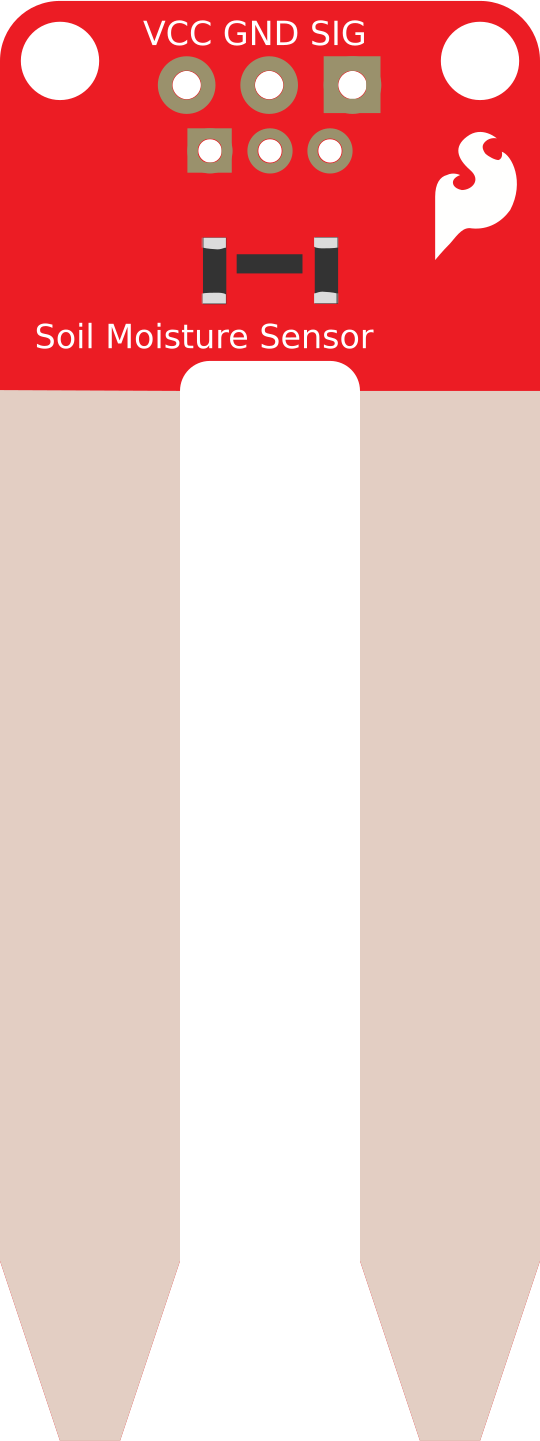

Image of hg
Cirkit Designer LogoDesign with hg in Cirkit Designer

Introduction

Mercury (chemical symbol: Hg) is a unique element known for being a heavy, silvery-white liquid metal at room temperature. Its excellent conductive properties and liquid state make it suitable for specialized applications in electronics and measurement devices. Mercury is commonly used in thermometers, barometers, and certain types of electrical switches, such as tilt switches and relays. However, due to its toxicity, its use is increasingly regulated, and safer alternatives are often recommended.

Explore Projects Built with hg
Use Cirkit Designer to design, explore, and prototype these projects online. Some projects support real-time simulation. Click "Open Project" to start designing instantly!
Arduino UNO Based Health Monitoring System with GSM Reporting
Image of BODY MONITORING SYSTEM: A project utilizing hg in a practical application
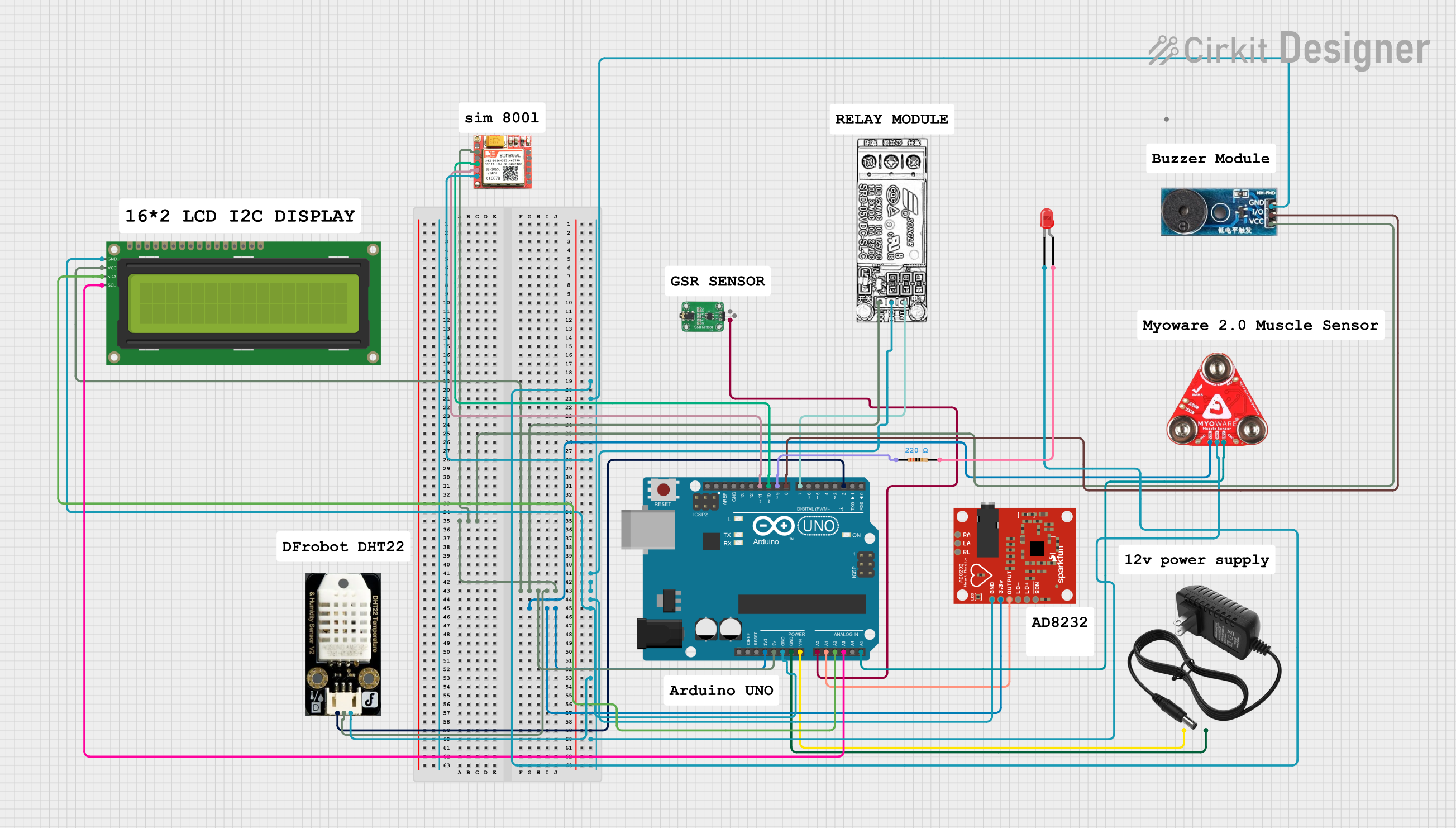
This circuit is designed for a health monitoring system that measures temperature, heart rate, galvanic skin response (GSR), and muscle activity (EMG). It uses an Arduino UNO as the central processing unit, interfacing with a DHT22 temperature and humidity sensor, an AD8232 heart rate monitor, a GSR sensor, a Myoware muscle sensor, and a SIM800L GSM module for communication. The system can control a relay for a steam generator, sound a buzzer, and display data on an I2C LCD screen, with the ability to send SMS alerts based on sensor readings.
Cirkit Designer LogoOpen Project in Cirkit Designer
High Voltage Generator with Push Switch Activation
Image of Women Safety Device : A project utilizing hg in a practical application
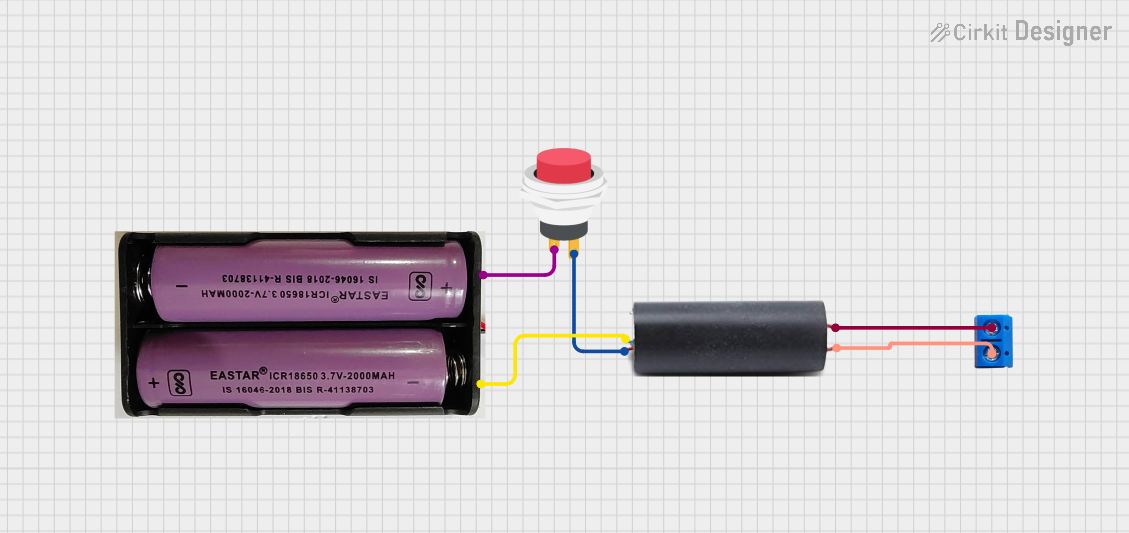
This circuit features a high voltage generator connected to a terminal PCB for output, with its power supply controlled by a 2-pin push switch. The high voltage generator's VCC is connected through the switch, allowing the user to turn the high voltage output on and off. The circuit is powered by a 7.4V battery, with the positive terminal connected to the switch and the negative terminal connected to the generator's ground.
Cirkit Designer LogoOpen Project in Cirkit Designer
Arduino UNO-Based Smart Irrigation System with Motion Detection and Bluetooth Connectivity
Image of Copy of wiring TA: A project utilizing hg in a practical application
This circuit is a microcontroller-based control and monitoring system. It uses an Arduino UNO to read from a DHT22 temperature and humidity sensor and an HC-SR501 motion sensor, display data on an LCD, and control a water pump and an LED through a relay. The HC-05 Bluetooth module allows for wireless communication.
Cirkit Designer LogoOpen Project in Cirkit Designer
Arduino UNO-Based Air Quality Monitoring System with OLED Display and Multi-Color LED Indicators
Image of AQI: A project utilizing hg in a practical application
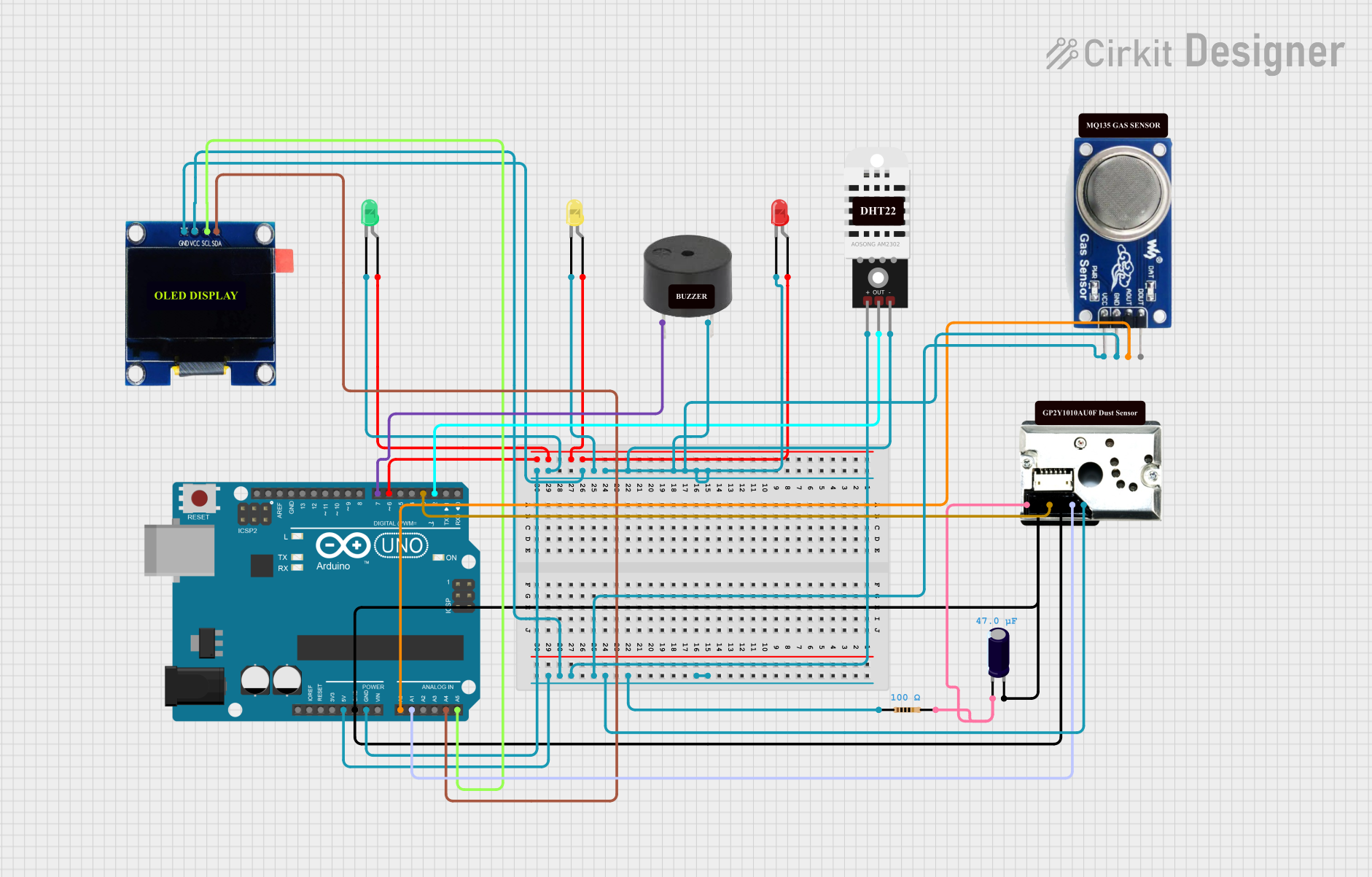
This circuit is an air quality monitoring system using an Arduino UNO, which integrates sensors for dust (GP2Y1010AU0F), gas (MQ135), and temperature/humidity (DHT22). The system displays real-time data on an OLED screen and uses LEDs and a buzzer to indicate air quality levels.
Cirkit Designer LogoOpen Project in Cirkit Designer

Explore Projects Built with hg

Use Cirkit Designer to design, explore, and prototype these projects online. Some projects support real-time simulation. Click "Open Project" to start designing instantly!
Image of BODY MONITORING SYSTEM: A project utilizing hg in a practical application
Arduino UNO Based Health Monitoring System with GSM Reporting
This circuit is designed for a health monitoring system that measures temperature, heart rate, galvanic skin response (GSR), and muscle activity (EMG). It uses an Arduino UNO as the central processing unit, interfacing with a DHT22 temperature and humidity sensor, an AD8232 heart rate monitor, a GSR sensor, a Myoware muscle sensor, and a SIM800L GSM module for communication. The system can control a relay for a steam generator, sound a buzzer, and display data on an I2C LCD screen, with the ability to send SMS alerts based on sensor readings.
Cirkit Designer LogoOpen Project in Cirkit Designer
Image of Women Safety Device : A project utilizing hg in a practical application
High Voltage Generator with Push Switch Activation
This circuit features a high voltage generator connected to a terminal PCB for output, with its power supply controlled by a 2-pin push switch. The high voltage generator's VCC is connected through the switch, allowing the user to turn the high voltage output on and off. The circuit is powered by a 7.4V battery, with the positive terminal connected to the switch and the negative terminal connected to the generator's ground.
Cirkit Designer LogoOpen Project in Cirkit Designer
Image of Copy of wiring TA: A project utilizing hg in a practical application
Arduino UNO-Based Smart Irrigation System with Motion Detection and Bluetooth Connectivity
This circuit is a microcontroller-based control and monitoring system. It uses an Arduino UNO to read from a DHT22 temperature and humidity sensor and an HC-SR501 motion sensor, display data on an LCD, and control a water pump and an LED through a relay. The HC-05 Bluetooth module allows for wireless communication.
Cirkit Designer LogoOpen Project in Cirkit Designer
Image of AQI: A project utilizing hg in a practical application
Arduino UNO-Based Air Quality Monitoring System with OLED Display and Multi-Color LED Indicators
This circuit is an air quality monitoring system using an Arduino UNO, which integrates sensors for dust (GP2Y1010AU0F), gas (MQ135), and temperature/humidity (DHT22). The system displays real-time data on an OLED screen and uses LEDs and a buzzer to indicate air quality levels.
Cirkit Designer LogoOpen Project in Cirkit Designer

Technical Specifications

Mercury is not a traditional electronic component like a resistor or capacitor, but its physical and chemical properties make it valuable in specific applications. Below are its key technical details:

Physical and Chemical Properties

Property Value
Chemical Symbol Hg
Atomic Number 80
Density 13.534 g/cm³ at 20°C
Melting Point -38.83°C
Boiling Point 356.73°C
Electrical Conductivity 1.04 × 10⁶ S/m
Thermal Conductivity 8.3 W/(m·K)

Pin Configuration and Descriptions

Mercury is not a discrete electronic component with pins, but it is often used in devices like mercury tilt switches. Below is an example of a mercury tilt switch pin configuration:

Pin Number Name Description
1 Input Connects to the input signal or power source.
2 Output Provides the output signal when the switch is closed.

Usage Instructions

Mercury is typically used in specialized applications, such as mercury tilt switches or relays. Below are guidelines for its use:

  1. Handling Mercury Safely:

    • Always handle mercury in a well-ventilated area to avoid inhaling vapors.
    • Wear gloves and protective eyewear to prevent skin contact.
    • Store mercury in sealed, non-reactive containers to prevent spills.
  2. Using Mercury in Tilt Switches:

    • Mercury tilt switches are used to detect orientation or tilt in a circuit.
    • Connect the input pin to the power source and the output pin to the load or microcontroller.
    • When the switch tilts, the mercury inside completes the circuit, allowing current to flow.
  3. Example Circuit with Arduino UNO: Below is an example of how to use a mercury tilt switch with an Arduino UNO to detect tilt:

    // Example: Using a mercury tilt switch with Arduino UNO
    const int tiltSwitchPin = 2; // Pin connected to the tilt switch
    const int ledPin = 13;      // Pin connected to the onboard LED
    
    void setup() {
      pinMode(tiltSwitchPin, INPUT); // Set tilt switch pin as input
      pinMode(ledPin, OUTPUT);       // Set LED pin as output
    }
    
    void loop() {
      int tiltState = digitalRead(tiltSwitchPin); // Read the tilt switch state
    
      if (tiltState == HIGH) {
        // If the tilt switch is closed, turn on the LED
        digitalWrite(ledPin, HIGH);
      } else {
        // If the tilt switch is open, turn off the LED
        digitalWrite(ledPin, LOW);
      }
    }
    
  4. Best Practices:

    • Avoid using mercury in applications where safer alternatives (e.g., MEMS sensors) are available.
    • Dispose of mercury-containing devices responsibly, following local regulations.

Troubleshooting and FAQs

Common Issues

  1. Mercury Tilt Switch Not Working:

    • Cause: Poor connection or damaged switch.
    • Solution: Check the wiring and ensure the switch is not physically damaged.
  2. Mercury Spill:

    • Cause: Accidental breakage of a mercury-containing device.
    • Solution: Use a mercury spill kit to clean up safely. Do not use a vacuum cleaner, as it can spread mercury vapor.
  3. Arduino Not Detecting Tilt:

    • Cause: Incorrect wiring or faulty code.
    • Solution: Verify the connections and ensure the tilt switch is properly oriented. Double-check the code for errors.

FAQs

  1. Is mercury safe to use in electronics?

    • Mercury is toxic and should be handled with care. Its use is increasingly restricted, and safer alternatives are recommended.
  2. Can I replace a mercury tilt switch with another type of sensor?

    • Yes, modern sensors like MEMS accelerometers or gyroscopes can replace mercury tilt switches in most applications.
  3. How do I dispose of mercury-containing devices?

    • Follow local hazardous waste disposal regulations. Many areas have designated drop-off points for mercury-containing items.

By following these guidelines, you can safely and effectively use mercury in specialized electronic applications while minimizing risks.