
How to Use ToggleSwitch DP3T: Examples, Pinouts, and Specs
 Design with ToggleSwitch DP3T in Cirkit Designer
Introduction
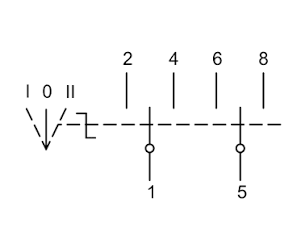
The Toggle Switch DP3T (Double Pole, Triple Throw) is a three-position mechanical switch that allows users to select between three different circuit paths or states. It features two independent poles, each capable of connecting to one of three terminals, making it ideal for applications requiring multiple control options. This switch is commonly used in electronic devices for controlling multiple functions, such as selecting input sources, switching between operational modes, or routing signals.
Explore Projects Built with ToggleSwitch DP3T
 Open Project in Cirkit Designer
 Open Project in Cirkit Designer
 Open Project in Cirkit Designer
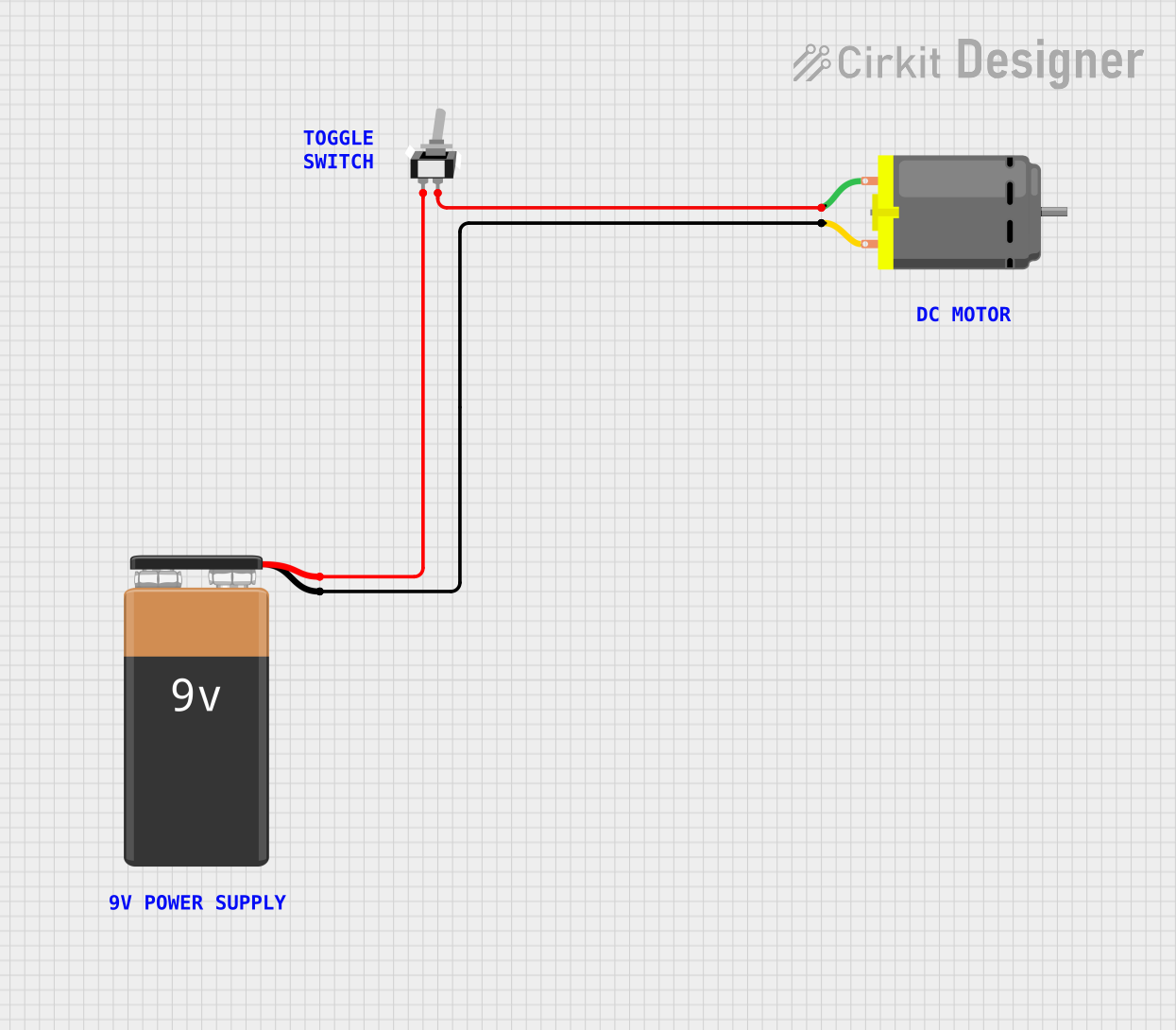 Open Project in Cirkit Designer
Explore Projects Built with ToggleSwitch DP3T
Open Project in Cirkit DesignerOpen Project in Cirkit DesignerOpen Project in Cirkit DesignerOpen Project in Cirkit DesignerCommon Applications
- Audio equipment for input source selection
- Mode selection in industrial control systems
- Signal routing in communication devices
- Power control in multi-function devices
Technical Specifications
The Toggle Switch DP3T is designed for versatility and durability. Below are its key technical specifications:
| Parameter | Value |
|---|---|
| Switch Type | DP3T (Double Pole, Triple Throw) |
| Positions | 3 (ON-ON-ON) |
| Voltage Rating | 250V AC / 125V AC |
| Current Rating | 6A @ 125V AC / 3A @ 250V AC |
| Contact Resistance | ≤ 50 mΩ |
| Insulation Resistance | ≥ 1000 MΩ @ 500V DC |
| Dielectric Strength | 1500V AC for 1 minute |
| Operating Temperature | -20°C to +85°C |
| Mechanical Life | 30,000 cycles |
Pin Configuration and Descriptions
The DP3T toggle switch has six terminals, arranged in two rows of three. Each row corresponds to one pole of the switch. The pin configuration is as follows:
| Pin Number | Description |
|---|---|
| 1 | Common terminal for Pole 1 |
| 2 | Output terminal 1 for Pole 1 |
| 3 | Output terminal 2 for Pole 1 |
| 4 | Common terminal for Pole 2 |
| 5 | Output terminal 1 for Pole 2 |
| 6 | Output terminal 2 for Pole 2 |
The switch toggles between three positions:
- Position 1: Common terminals (1 and 4) connect to Output 1 terminals (2 and 5).
- Position 2: Common terminals (1 and 4) are disconnected from all outputs.
- Position 3: Common terminals (1 and 4) connect to Output 2 terminals (3 and 6).
Usage Instructions
How to Use the Toggle Switch DP3T in a Circuit
- Identify the Terminals: Refer to the pin configuration table to identify the common and output terminals for each pole.
- Connect the Circuit:
- Connect the common terminals (1 and 4) to the input signal or power source.
- Connect the output terminals (2, 3, 5, and 6) to the desired circuit paths or devices.
- Mount the Switch: Secure the switch to the enclosure or panel using the provided mounting hardware.
- Test the Connections: Toggle the switch to each position and verify that the correct circuit paths are activated.
Important Considerations
- Voltage and Current Ratings: Ensure that the connected circuits do not exceed the switch's voltage and current ratings to avoid damage.
- Debouncing: When used in digital circuits, consider implementing debouncing techniques to eliminate false signals caused by mechanical contact bounce.
- Wiring: Use appropriately rated wires and ensure secure connections to prevent loose contacts or short circuits.
Example: Connecting to an Arduino UNO
The DP3T toggle switch can be used with an Arduino UNO to select between three different modes or inputs. Below is an example circuit and code:
Circuit Description
- Connect the common terminal of Pole 1 (Pin 1) to 5V on the Arduino.
- Connect Output 1 (Pin 2) to digital pin 2 on the Arduino.
- Connect Output 2 (Pin 3) to digital pin 3 on the Arduino.
- Use a 10kΩ pull-down resistor on each output terminal to ensure stable readings.
Arduino Code
// Define pins for the toggle switch
const int switchPos1 = 2; // Connected to Output 1 (Pin 2 of DP3T)
const int switchPos2 = 3; // Connected to Output 2 (Pin 3 of DP3T)

void setup() {
  // Initialize serial communication for debugging
  Serial.begin(9600);

  // Set switch pins as input
  pinMode(switchPos1, INPUT);
  pinMode(switchPos2, INPUT);
}

void loop() {
  // Read the state of the switch positions
  bool pos1State = digitalRead(switchPos1);
  bool pos2State = digitalRead(switchPos2);

  // Determine the switch position based on the readings
  if (pos1State) {
    Serial.println("Switch is in Position 1");
  } else if (pos2State) {
    Serial.println("Switch is in Position 3");
  } else {
    Serial.println("Switch is in Position 2");
  }

  // Add a small delay to avoid spamming the serial monitor
  delay(200);
}
Troubleshooting and FAQs
Common Issues
Switch Does Not Toggle Properly:
- Cause: Mechanical wear or debris inside the switch.
- Solution: Clean the switch contacts or replace the switch if necessary.
Incorrect Circuit Path Activation:
- Cause: Miswiring of terminals.
- Solution: Double-check the wiring against the pin configuration table.
Unstable Readings in Digital Circuits:
- Cause: Contact bounce or lack of pull-down resistors.
- Solution: Implement software debouncing or add pull-down resistors to the circuit.
FAQs
Q: Can the DP3T switch handle DC circuits?
A: Yes, the DP3T switch can handle DC circuits, but ensure the voltage and current ratings are within the specified limits.
Q: How do I mount the switch securely?
A: The switch typically comes with a threaded bushing and nut for panel mounting. Drill a hole in the panel, insert the switch, and tighten the nut to secure it.
Q: Can I use both poles independently?
A: Yes, the two poles of the DP3T switch are electrically isolated and can be used to control two separate circuits simultaneously.