
How to Use tp4056: Examples, Pinouts, and Specs
 Design with tp4056 in Cirkit Designer
Introduction
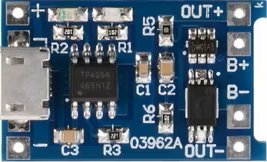
The TP4056 is a lithium-ion battery charger IC manufactured by Direncnet, with the part ID ESP32. It is specifically designed for charging single-cell lithium-ion batteries using a constant current/constant voltage (CC/CV) charging profile. This component is widely used due to its simplicity, efficiency, and built-in safety features such as thermal regulation and over-voltage protection.
Explore Projects Built with tp4056
 Open Project in Cirkit Designer
 Open Project in Cirkit Designer
 Open Project in Cirkit Designer
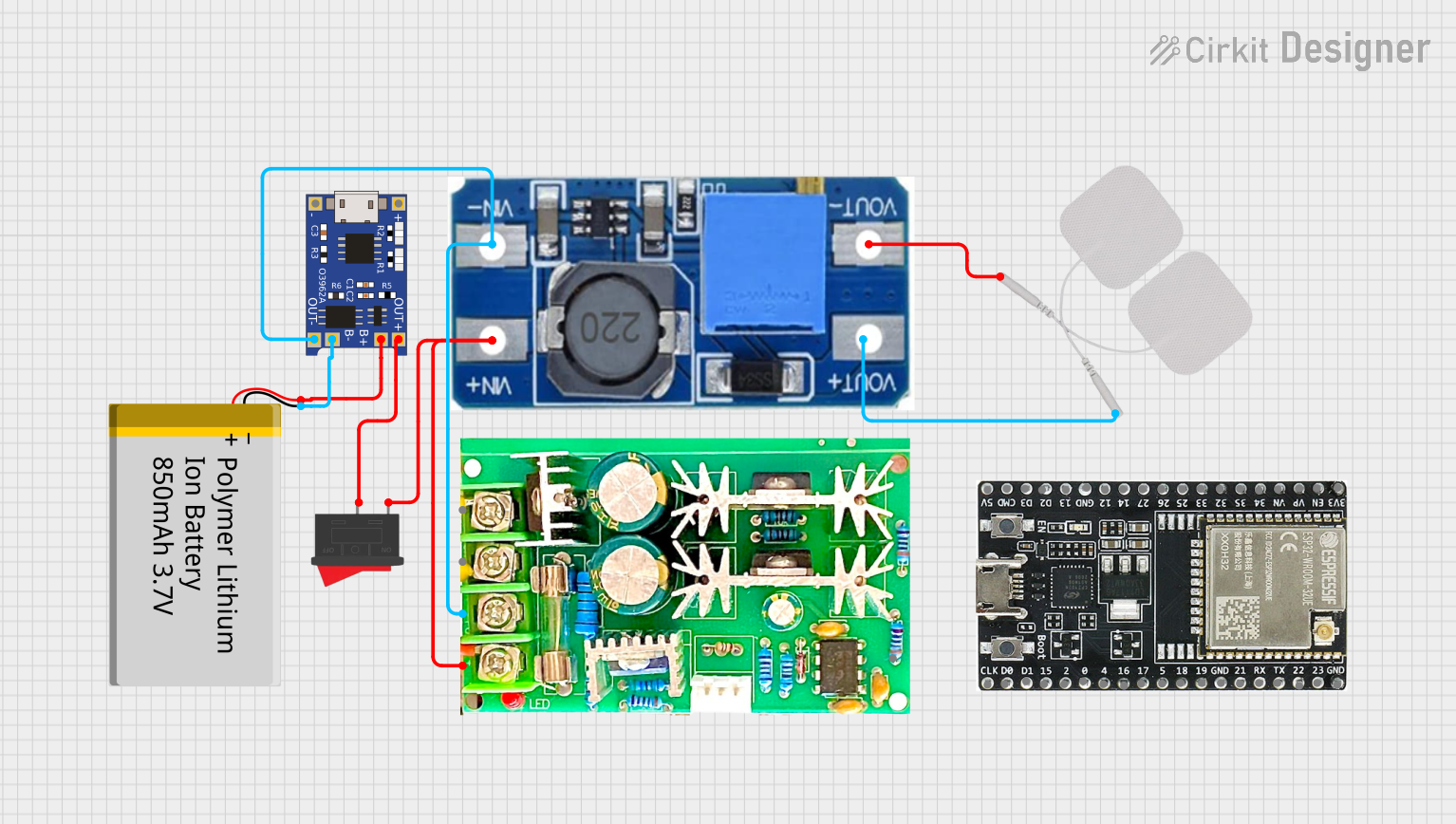 Open Project in Cirkit Designer
Explore Projects Built with tp4056
Open Project in Cirkit DesignerOpen Project in Cirkit DesignerOpen Project in Cirkit DesignerOpen Project in Cirkit DesignerCommon Applications and Use Cases
- Charging single-cell lithium-ion or lithium-polymer batteries
- Portable electronics and power banks
- DIY electronics projects
- Battery-powered IoT devices
- Integration with microcontroller-based systems (e.g., Arduino, ESP32)
Technical Specifications
The TP4056 is a versatile and reliable charging IC. Below are its key technical specifications:
| Parameter | Value |
|---|---|
| Input Voltage Range | 4.0V to 8.0V |
| Charging Voltage | 4.2V ± 1% |
| Maximum Charging Current | 1A (adjustable via external resistor) |
| Charging Method | Constant Current / Constant Voltage (CC/CV) |
| Operating Temperature | -40°C to +85°C |
| Standby Current | < 55µA |
| Thermal Regulation | Automatically reduces current to prevent overheating |
| Protection Features | Over-voltage, over-temperature, and reverse polarity protection |
Pin Configuration and Descriptions
The TP4056 IC typically comes in a 6-pin SOP package. Below is the pin configuration:
| Pin Name | Pin Number | Description |
|---|---|---|
| VCC | 1 | Input power supply (4.0V to 8.0V). Connect to a regulated DC source. |
| GND | 2 | Ground pin. Connect to the system ground. |
| BAT | 3 | Battery connection pin. Connect directly to the positive terminal of the battery. |
| PROG | 4 | Charging current programming pin. Connect a resistor to set the charging current. |
| STAT1 | 5 | Status indicator pin 1. Used to indicate charging status (e.g., charging or complete). |
| STAT2 | 6 | Status indicator pin 2. Used to indicate charging errors or other states. |
Usage Instructions
How to Use the TP4056 in a Circuit
- Power Supply: Connect a regulated DC power source (4.0V to 8.0V) to the VCC pin. Ensure the power source can supply sufficient current for the charging process.
- Battery Connection: Connect the positive terminal of the lithium-ion battery to the BAT pin and the negative terminal to GND.
- Set Charging Current: Use a resistor (RPROG) connected to the PROG pin to set the desired charging current. The charging current can be calculated using the formula: [ I_{CHARGE} = \frac{1200}{R_{PROG}} ] For example, using a 1.2kΩ resistor will set the charging current to 1A.
- Status Indicators: Connect LEDs to the STAT1 and STAT2 pins (with appropriate current-limiting resistors) to monitor the charging status:
- STAT1 ON, STAT2 OFF: Charging in progress.
- STAT1 OFF, STAT2 ON: Charging complete.
- Both OFF: No battery connected or standby mode.
Important Considerations and Best Practices
- Thermal Management: Ensure proper heat dissipation by using a PCB with adequate thermal pads or heat sinks.
- Input Voltage: Avoid exceeding the maximum input voltage of 8.0V to prevent damage to the IC.
- Battery Protection: Use a battery with built-in protection circuitry to prevent overcharging or deep discharge.
- Capacitors: Place a 1µF ceramic capacitor close to the VCC pin and a 10µF capacitor near the BAT pin for stable operation.
Example: Using TP4056 with Arduino UNO
The TP4056 can be used to charge a battery that powers an Arduino UNO. Below is an example of monitoring the charging status using the Arduino:
// TP4056 Status Monitoring with Arduino UNO
// Connect STAT1 to Arduino pin 2 and STAT2 to pin 3

const int stat1Pin = 2; // STAT1 pin connected to Arduino digital pin 2
const int stat2Pin = 3; // STAT2 pin connected to Arduino digital pin 3

void setup() {
  pinMode(stat1Pin, INPUT); // Set STAT1 as input
  pinMode(stat2Pin, INPUT); // Set STAT2 as input
  Serial.begin(9600);       // Initialize serial communication
}

void loop() {
  int stat1 = digitalRead(stat1Pin); // Read STAT1 pin state
  int stat2 = digitalRead(stat2Pin); // Read STAT2 pin state

  if (stat1 == HIGH && stat2 == LOW) {
    Serial.println("Charging in progress...");
  } else if (stat1 == LOW && stat2 == HIGH) {
    Serial.println("Charging complete.");
  } else {
    Serial.println("No battery or standby mode.");
  }

  delay(1000); // Wait for 1 second before checking again
}
Troubleshooting and FAQs
Common Issues and Solutions
Battery Not Charging
- Cause: Incorrect input voltage or insufficient current supply.
- Solution: Verify that the input voltage is between 4.0V and 8.0V and the power source can supply enough current.
Overheating
- Cause: High ambient temperature or insufficient heat dissipation.
- Solution: Improve thermal management by adding heat sinks or increasing PCB copper area.
Status LEDs Not Working
- Cause: Incorrect resistor values or faulty connections.
- Solution: Check the LED connections and ensure appropriate current-limiting resistors are used.
Charging Current Too Low
- Cause: Incorrect RPROG resistor value.
- Solution: Recalculate and replace the RPROG resistor to achieve the desired charging current.
FAQs
Q1: Can the TP4056 charge multiple batteries in series?
A1: No, the TP4056 is designed for single-cell lithium-ion batteries only. Charging multiple cells in series requires a specialized multi-cell charger.
Q2: What happens if the input voltage exceeds 8.0V?
A2: Exceeding the maximum input voltage can damage the IC. Always use a regulated power source within the specified range.
Q3: Can I use the TP4056 to power a device while charging the battery?
A3: Yes, but it is recommended to use a load-sharing circuit to prevent overloading the IC and ensure stable operation.
Q4: How do I adjust the charging voltage?
A4: The charging voltage is fixed at 4.2V and cannot be adjusted. For other voltages, consider using a different charger IC.