
How to Use ToF / Laser moodul: Examples, Pinouts, and Specs
 Design with ToF / Laser moodul in Cirkit Designer
Introduction
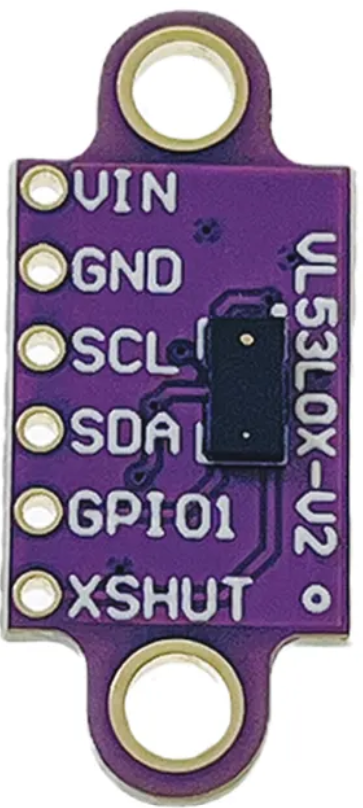
The VL53L0X, manufactured by Okystar, is a Time-of-Flight (ToF) laser module designed for precise distance measurement. It operates by emitting a laser pulse and calculating the time it takes for the light to return after reflecting off an object. This compact and efficient sensor is ideal for applications requiring accurate distance measurement, such as robotics, autonomous vehicles, gesture recognition, and 3D mapping.
Explore Projects Built with ToF / Laser moodul
 Open Project in Cirkit Designer
 Open Project in Cirkit Designer
 Open Project in Cirkit Designer
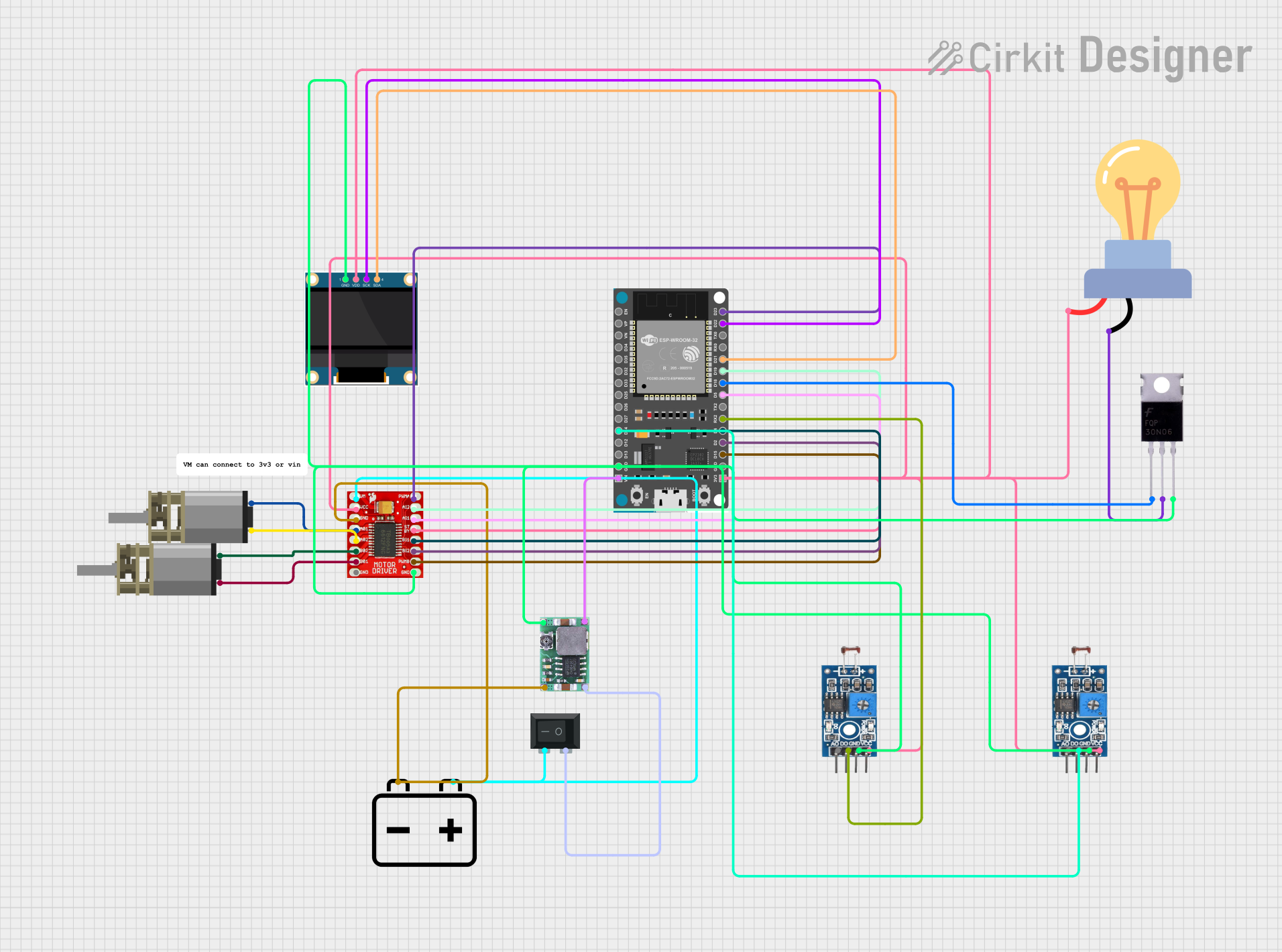 Open Project in Cirkit Designer
Explore Projects Built with ToF / Laser moodul
Open Project in Cirkit DesignerOpen Project in Cirkit DesignerOpen Project in Cirkit DesignerOpen Project in Cirkit DesignerCommon Applications
- Obstacle detection in robotics
- Autonomous vehicle navigation
- Gesture-based user interfaces
- 3D scanning and mapping
- Proximity sensing in IoT devices
Technical Specifications
The VL53L0X module offers high performance in a small form factor. Below are its key technical details:
| Parameter | Value |
|---|---|
| Operating Voltage | 2.6V to 3.5V |
| Communication Interface | I²C |
| Measurement Range | Up to 2 meters |
| Measurement Accuracy | ±3% |
| Operating Temperature | -20°C to +70°C |
| Laser Wavelength | 940 nm (invisible, eye-safe) |
| Power Consumption | 20 mW (typical) |
| Dimensions | 4.4 mm x 2.4 mm x 1.0 mm |
Pin Configuration
The VL53L0X module has the following pinout:
| Pin | Name | Description |
|---|---|---|
| 1 | VIN | Power supply input (2.6V to 3.5V) |
| 2 | GND | Ground |
| 3 | SDA | I²C data line |
| 4 | SCL | I²C clock line |
| 5 | XSHUT | Shutdown pin (active low, optional) |
| 6 | GPIO1 | Interrupt output (optional, configurable) |
Usage Instructions
Connecting the VL53L0X to an Arduino UNO
To use the VL53L0X module with an Arduino UNO, follow these steps:
- Connect the VIN pin of the VL53L0X to the 3.3V pin on the Arduino.
- Connect the GND pin of the VL53L0X to the GND pin on the Arduino.
- Connect the SDA pin of the VL53L0X to the A4 pin on the Arduino (I²C data line).
- Connect the SCL pin of the VL53L0X to the A5 pin on the Arduino (I²C clock line).
- Optionally, connect the XSHUT pin to a digital pin on the Arduino for enabling/disabling the sensor.
Sample Arduino Code
Below is an example of how to use the VL53L0X module with an Arduino UNO. This code reads the distance measured by the sensor and prints it to the Serial Monitor.
#include <Wire.h>
#include <Adafruit_VL53L0X.h>

// Create an instance of the VL53L0X sensor
Adafruit_VL53L0X lox = Adafruit_VL53L0X();

void setup() {
  Serial.begin(9600); // Initialize serial communication
  while (!Serial) {
    delay(10); // Wait for Serial Monitor to open
  }

  Serial.println("VL53L0X ToF Sensor Test");

  // Initialize the sensor
  if (!lox.begin()) {
    Serial.println("Failed to initialize VL53L0X! Check connections.");
    while (1);
  }
}

void loop() {
  VL53L0X_RangingMeasurementData_t measure;

  // Perform a distance measurement
  lox.rangingTest(&measure, false);

  // Check if the measurement is valid
  if (measure.RangeStatus != 4) { // 4 means "out of range"
    Serial.print("Distance (mm): ");
    Serial.println(measure.RangeMilliMeter);
  } else {
    Serial.println("Out of range");
  }

  delay(100); // Wait before the next measurement
}
Important Considerations
- Power Supply: Ensure the module is powered within its operating voltage range (2.6V to 3.5V). Using a voltage regulator may be necessary if your system operates at 5V.
- I²C Address: The default I²C address of the VL53L0X is
0x29. If using multiple sensors, you must configure unique addresses for each. - Ambient Light: While the sensor is designed to work in various lighting conditions, excessive ambient light may reduce accuracy.
- Eye Safety: The laser is classified as eye-safe, but avoid direct exposure to the laser beam.
Troubleshooting and FAQs
Common Issues
Sensor Not Detected
- Cause: Incorrect wiring or I²C address conflict.
- Solution: Double-check the connections and ensure the I²C address matches the one in your code.
Inaccurate Measurements
- Cause: Reflective or transparent surfaces may affect accuracy.
- Solution: Use a matte surface for testing or adjust the sensor's position.
Out of Range Errors
- Cause: Object is beyond the sensor's maximum range (2 meters).
- Solution: Ensure the object is within the sensor's measurable range.
Interference from Multiple Sensors
- Cause: Multiple VL53L0X modules with the same I²C address.
- Solution: Use the XSHUT pin to initialize sensors one at a time and assign unique I²C addresses.
FAQs
Q: Can the VL53L0X measure distances through glass?
A: The sensor may struggle with transparent surfaces like glass, as the laser beam can pass through or reflect unpredictably.
Q: How do I use multiple VL53L0X sensors on the same I²C bus?
A: Use the XSHUT pin to power down all sensors except one, assign a unique I²C address to the active sensor, and repeat for each sensor.
Q: What is the maximum measurement frequency?
A: The VL53L0X can perform up to 50 measurements per second, depending on the configuration.
Q: Is the laser visible?
A: No, the VL53L0X uses a 940 nm infrared laser, which is invisible to the human eye.
By following this documentation, you can effectively integrate the VL53L0X ToF laser module into your projects for precise distance measurement.