
How to Use SPS30: Examples, Pinouts, and Specs
 Design with SPS30 in Cirkit Designer
Introduction
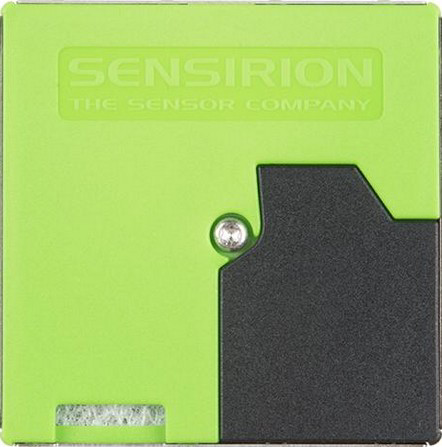
The SPS30 is a laser-based particulate matter (PM) sensor manufactured by Sensirion. It is designed to measure the concentration of airborne particles in real-time, offering high precision and reliability. The sensor uses advanced laser scattering technology to detect particles in various size ranges, including PM1.0, PM2.5, PM4.0, and PM10. Its compact design and robust performance make it ideal for applications in air quality monitoring, HVAC systems, industrial safety, and environmental assessments.
Explore Projects Built with SPS30
 Open Project in Cirkit Designer
 Open Project in Cirkit Designer
 Open Project in Cirkit Designer
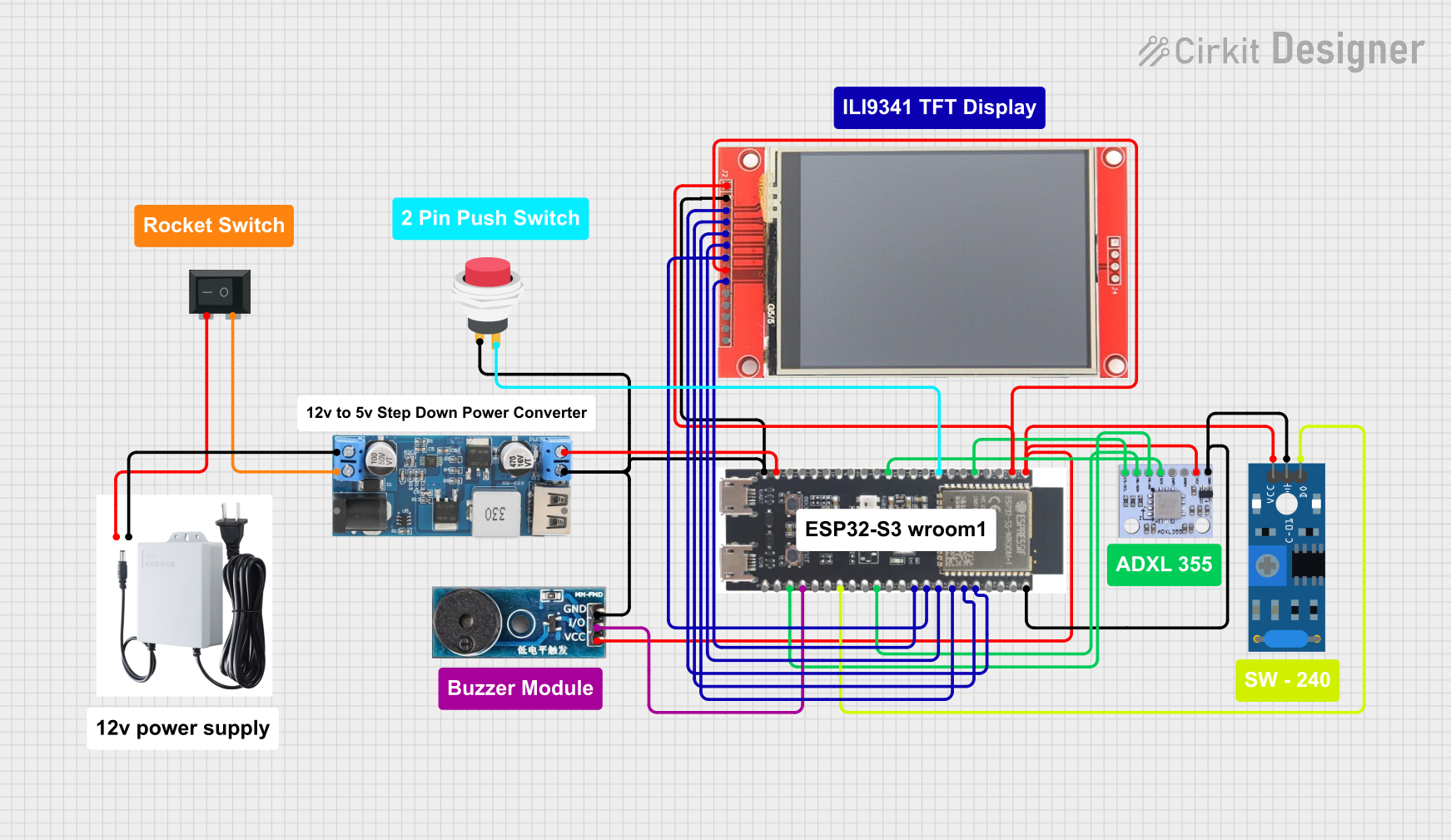 Open Project in Cirkit Designer
Explore Projects Built with SPS30
Open Project in Cirkit DesignerOpen Project in Cirkit DesignerOpen Project in Cirkit DesignerOpen Project in Cirkit DesignerCommon Applications
- Indoor and outdoor air quality monitoring
- HVAC systems for air filtration efficiency
- Industrial and workplace safety monitoring
- Environmental research and pollution studies
- Smart home and IoT devices for air quality tracking
Technical Specifications
The SPS30 is a highly accurate sensor with the following key technical details:
| Parameter | Value |
|---|---|
| Measurement Principle | Laser scattering |
| Particle Size Detection | PM1.0, PM2.5, PM4.0, PM10 |
| Measurement Range | 0–1,000 µg/m³ |
| Accuracy | ±10 µg/m³ (0–100 µg/m³) |
| Response Time | < 8 seconds |
| Operating Voltage | 5 V DC |
| Current Consumption | < 60 mA |
| Communication Interface | UART and I²C |
| Operating Temperature Range | -10°C to +60°C |
| Operating Humidity Range | 0–95% RH (non-condensing) |
| Dimensions | 41 mm × 41 mm × 12 mm |
| Weight | 5 g |
Pin Configuration
The SPS30 has a 7-pin connector for power and communication. The pinout is as follows:
| Pin Number | Name | Description |
|---|---|---|
| 1 | VDD | Power supply (5 V DC) |
| 2 | GND | Ground |
| 3 | TX (UART) | UART transmit line |
| 4 | RX (UART) | UART receive line |
| 5 | SCL (I²C) | I²C clock line |
| 6 | SDA (I²C) | I²C data line |
| 7 | SEL | Interface selection (UART/I²C) |
Usage Instructions
Connecting the SPS30
- Power Supply: Connect the VDD pin to a 5 V DC power source and the GND pin to ground.
- Communication Interface:
- For UART communication, connect the TX and RX pins to the corresponding UART pins on your microcontroller.
- For I²C communication, connect the SCL and SDA pins to the I²C clock and data lines, respectively.
- Interface Selection: Use the SEL pin to select the communication interface:
- Pull SEL to GND for UART mode.
- Pull SEL to VDD for I²C mode.
Important Considerations
- Ensure the sensor is mounted in a location with good airflow for accurate measurements.
- Avoid exposing the sensor to high humidity or condensation, as this may affect performance.
- Use a decoupling capacitor (e.g., 10 µF) between VDD and GND to stabilize the power supply.
Example: Using SPS30 with Arduino UNO (I²C Mode)
Below is an example code snippet for interfacing the SPS30 with an Arduino UNO using I²C communication. This code uses the Sensirion SPS30 library, which can be installed via the Arduino Library Manager.
#include <Wire.h>
#include <SensirionI2CSps.h>

// Create an instance of the SPS30 sensor
SensirionI2CSps sps30;

void setup() {
  Serial.begin(9600); // Initialize serial communication
  Wire.begin();       // Initialize I²C communication

  // Initialize the SPS30 sensor
  if (sps30.begin(Wire) != 0) {
    Serial.println("SPS30 initialization failed!");
    while (1); // Halt execution if initialization fails
  }

  Serial.println("SPS30 initialized successfully.");
}

void loop() {
  float massConcentrationPM2_5, massConcentrationPM10;

  // Read particulate matter concentrations
  if (sps30.readMeasuredValues(massConcentrationPM2_5, massConcentrationPM10) == 0) {
    Serial.print("PM2.5: ");
    Serial.print(massConcentrationPM2_5);
    Serial.print(" µg/m³, PM10: ");
    Serial.print(massConcentrationPM10);
    Serial.println(" µg/m³");
  } else {
    Serial.println("Failed to read data from SPS30.");
  }

  delay(1000); // Wait 1 second before the next reading
}
Best Practices
- Regularly clean the sensor's air inlet to prevent dust accumulation.
- Use the sensor in environments within its specified operating temperature and humidity range.
- Calibrate the sensor periodically if required for critical applications.
Troubleshooting and FAQs
Common Issues
No Data Output:
- Ensure the sensor is powered correctly (5 V DC on VDD and GND connected).
- Verify the communication interface (UART/I²C) is selected properly using the SEL pin.
- Check the wiring connections for continuity and correctness.
Inaccurate Readings:
- Ensure the sensor is not exposed to high humidity or condensation.
- Verify that the sensor is mounted in a location with adequate airflow.
- Clean the sensor's air inlet if dust or debris is present.
Initialization Fails:
- Confirm that the correct library is installed and included in your code.
- Check the I²C address or UART baud rate settings in your code.
FAQs
Q: Can the SPS30 detect particles smaller than PM1.0?
A: The SPS30 is optimized for PM1.0, PM2.5, PM4.0, and PM10 size ranges. It may detect smaller particles, but its accuracy is not guaranteed for sizes below PM1.0.
Q: How often should the sensor be cleaned?
A: Cleaning frequency depends on the environment. In dusty environments, inspect and clean the sensor every few months.
Q: Can the SPS30 be used outdoors?
A: Yes, but it should be protected from direct exposure to rain, high humidity, and extreme temperatures.
Q: What is the lifespan of the SPS30?
A: The SPS30 has a typical lifespan of over 8 years under normal operating conditions.