The SSR-25A is a Solid State Relay (SSR) designed to switch and control high-power devices. Unlike mechanical relays, the SSR-25A uses semiconductor devices to switch the load, providing silent, fast, and reliable operation. With a 25A current rating, it is suitable for a wide range of applications including industrial automation, home automation, and temperature control systems.
Explore Projects Built with SSR-25A
Use Cirkit Designer to design, explore, and prototype these projects online. Some projects support real-time simulation. Click "Open Project" to start designing instantly!
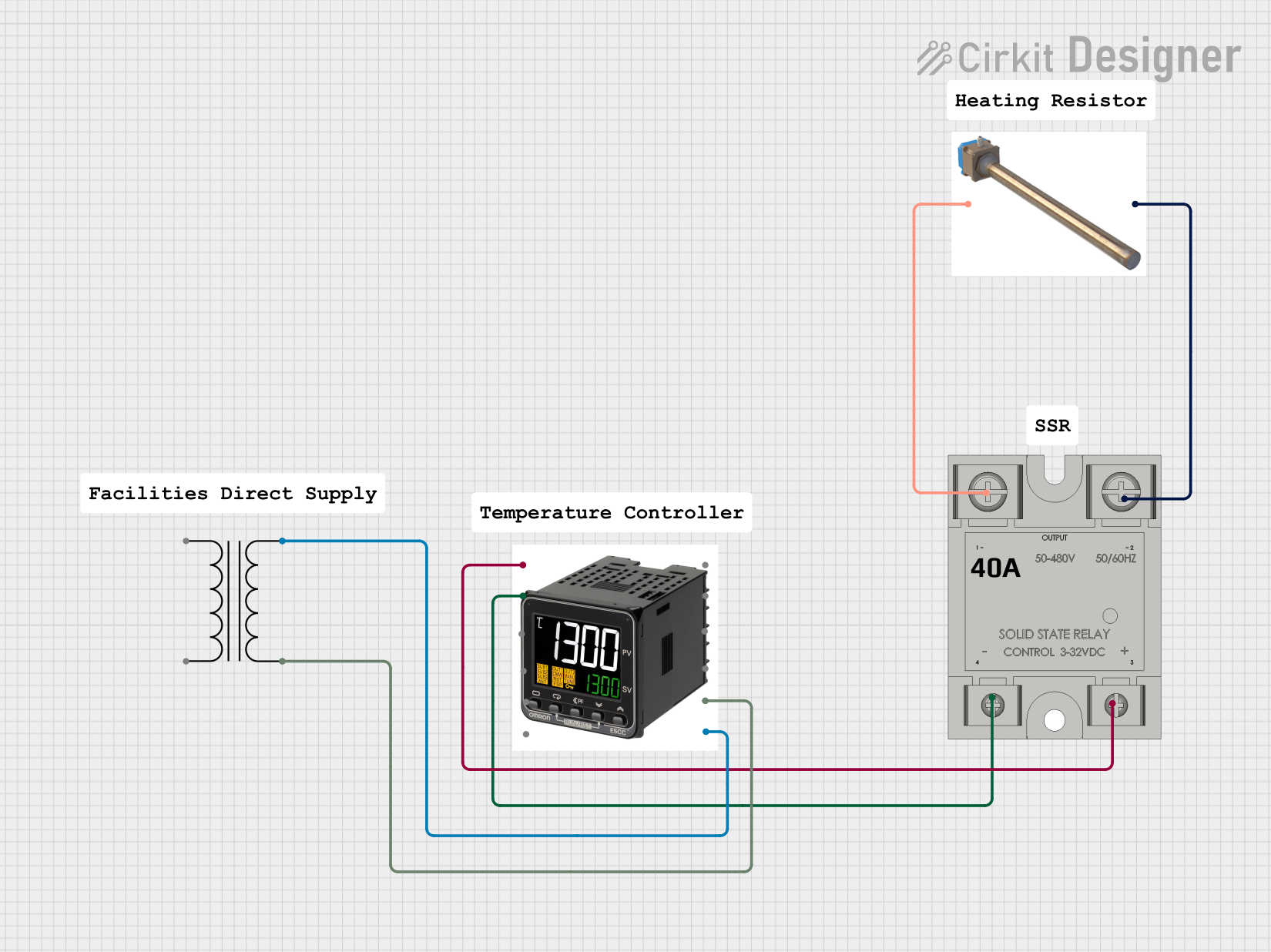
This circuit is a temperature control system that uses a temperature controller to regulate a heating titanium resistor via a solid-state relay (SSR). The power transformer supplies the necessary voltage to the temperature controller, which in turn controls the SSR to manage the heating element.
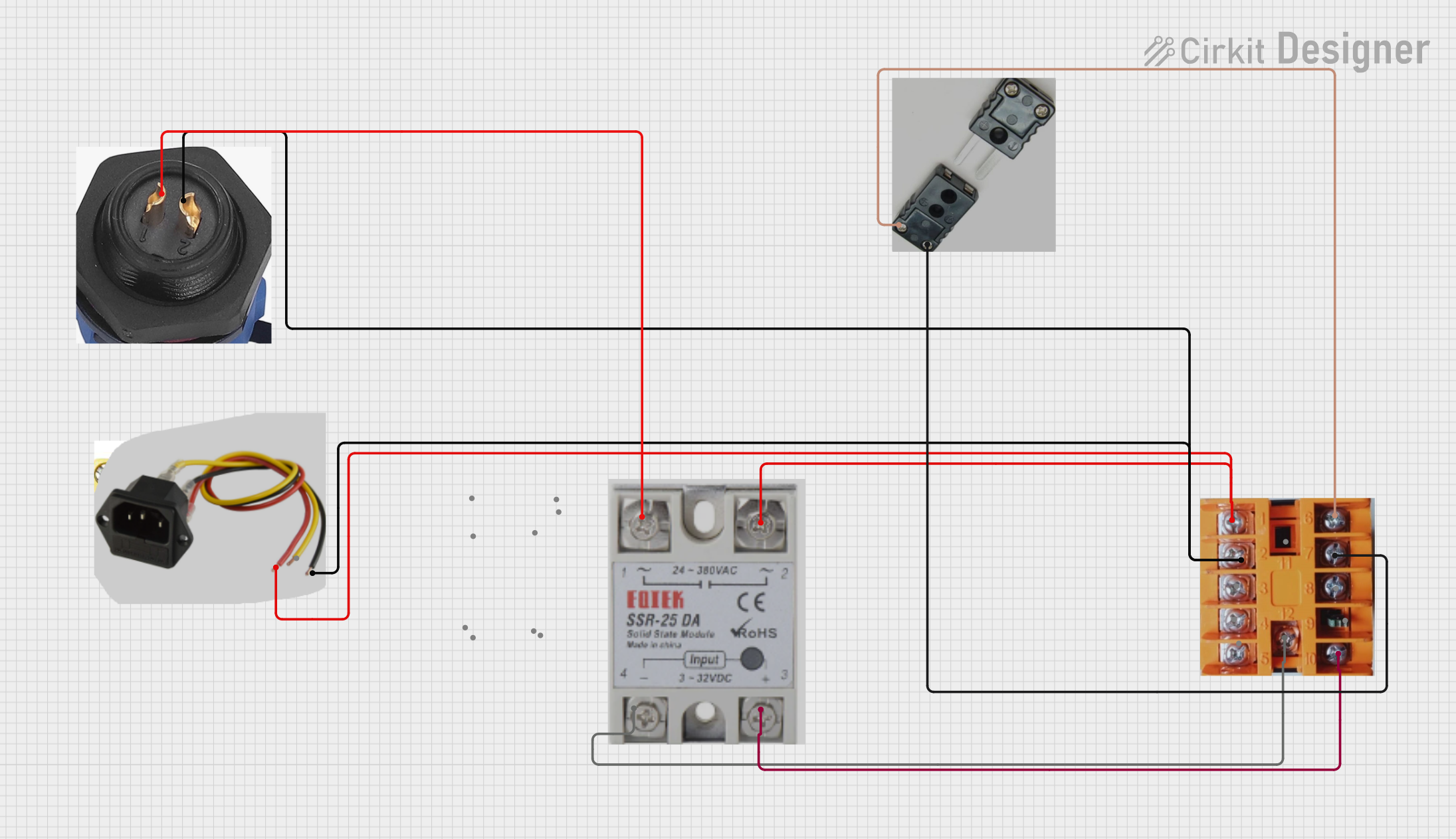
This circuit is a temperature control system that uses a thermocouple to measure temperature and a PID controller to regulate it. The PID controller drives a solid-state relay (SSR) to control an external load, with power supplied through an AC inlet socket.
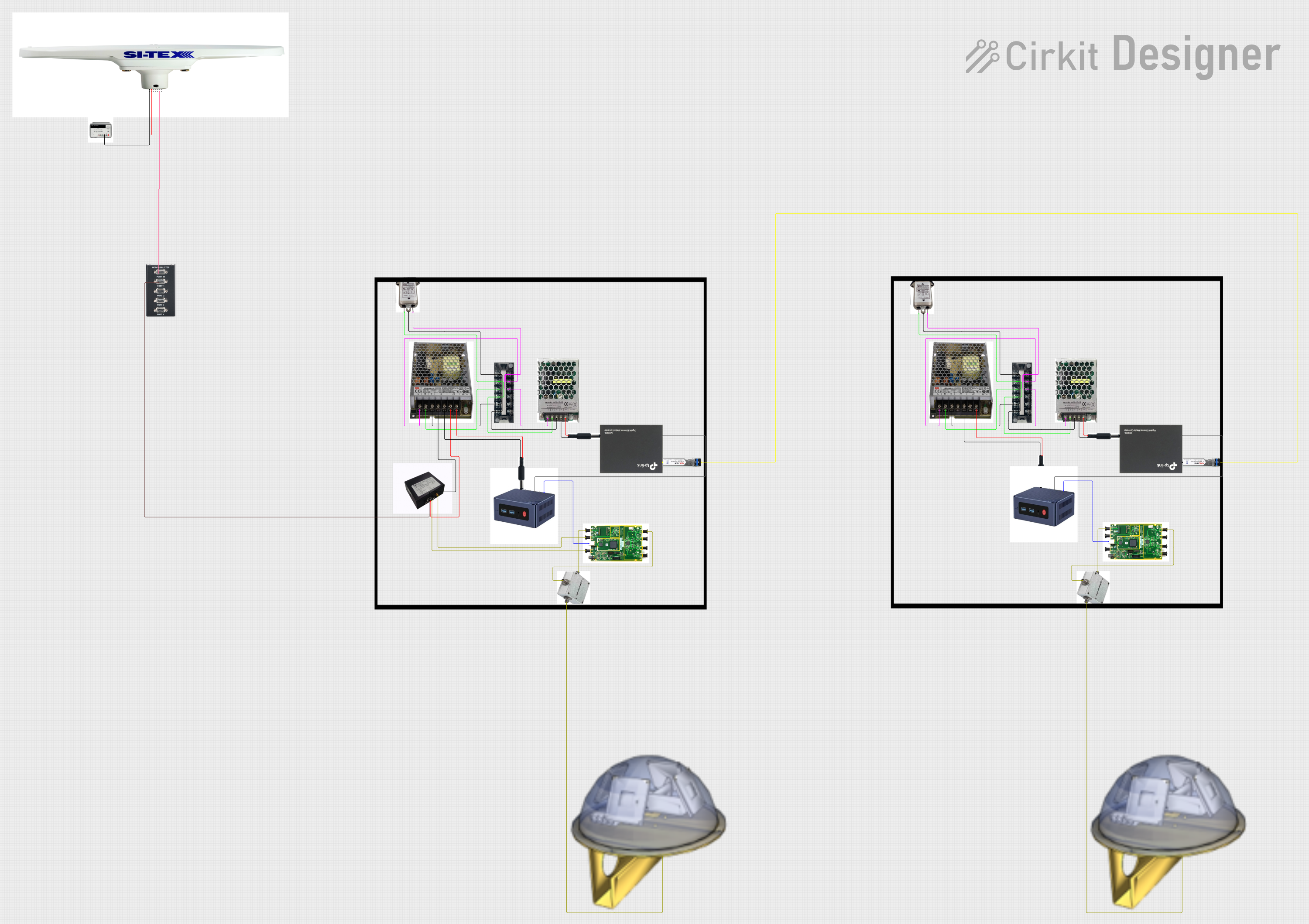
This circuit appears to be a complex system involving power supply management, GPS and timing synchronization, and data communication. It includes a SI-TEX G1 Satellite Compass for GPS data, an XHTF1021 Atomic Rubidium Clock for precise timing, and Ettus USRP B200 units for software-defined radio communication. Power is supplied through various SMPS units and distributed via terminal blocks and DC jacks. Data communication is facilitated by Beelink MINI S12 N95 computers, RS232 splitters, and a 1000BASE-T Media Converter for network connectivity. RF Directional Couplers are used to interface antennas with the USRP units, and the entire system is likely contained within cases for protection and organization.
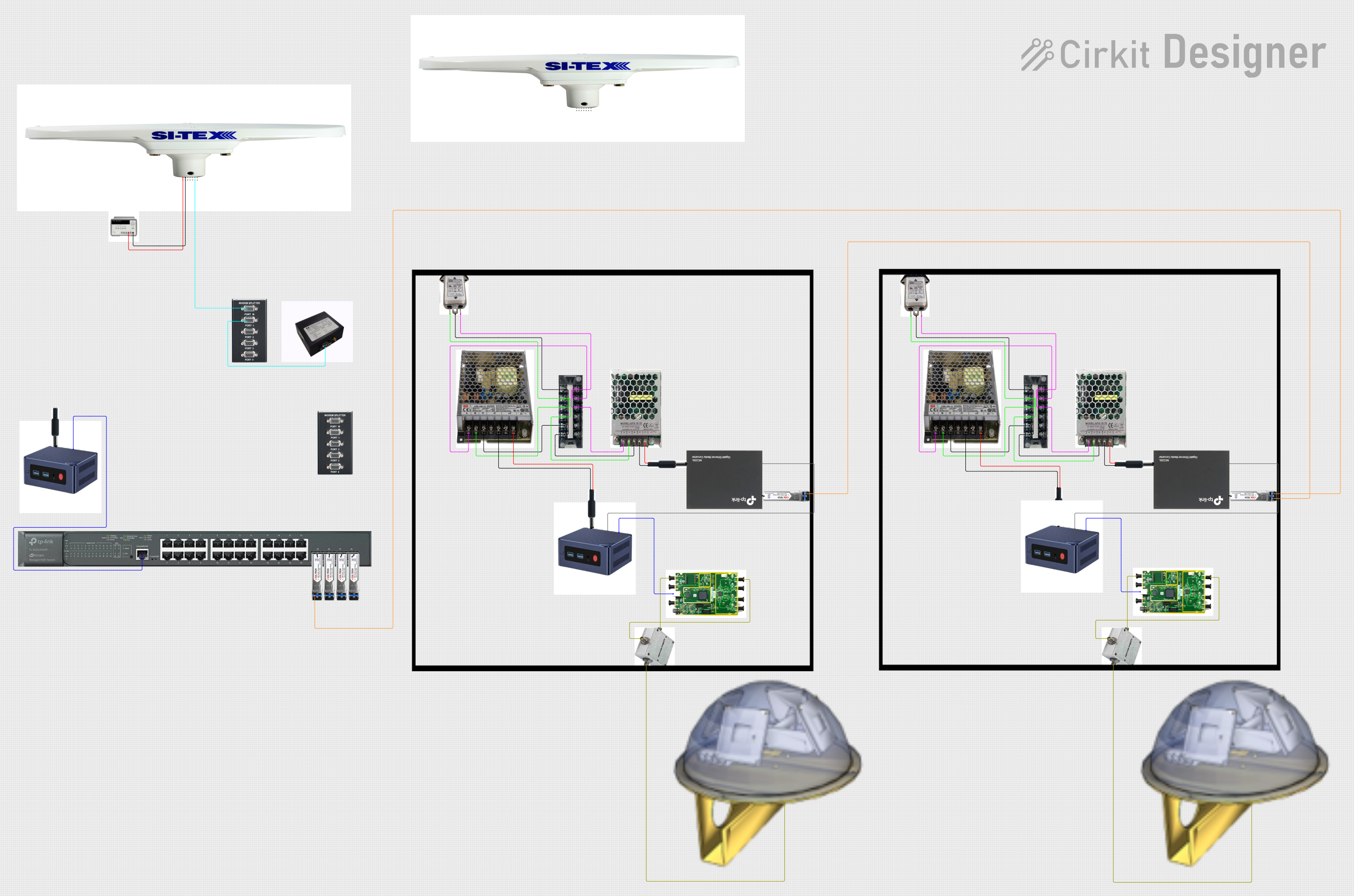
This circuit comprises a satellite compass, a mini PC, two GPS antennas, power supplies, a network switch, media converters, and an atomic rubidium clock. The satellite compass is powered by a triple output DC power supply and interfaces with an RS232 splitter for 1PPS signals. The mini PCs are connected to the USRP B200 devices via USB for data and power, and to media converters via Ethernet, which in turn connect to a network switch using fiber optic links. The antennas are connected to the USRP B200s through RF directional couplers, and the atomic clock provides a 1PPS input to the RS232 splitter.
Zero Voltage Turn-On: Minimizes electrical noise during activation
Operating Temperature Range: -30°C to +75°C
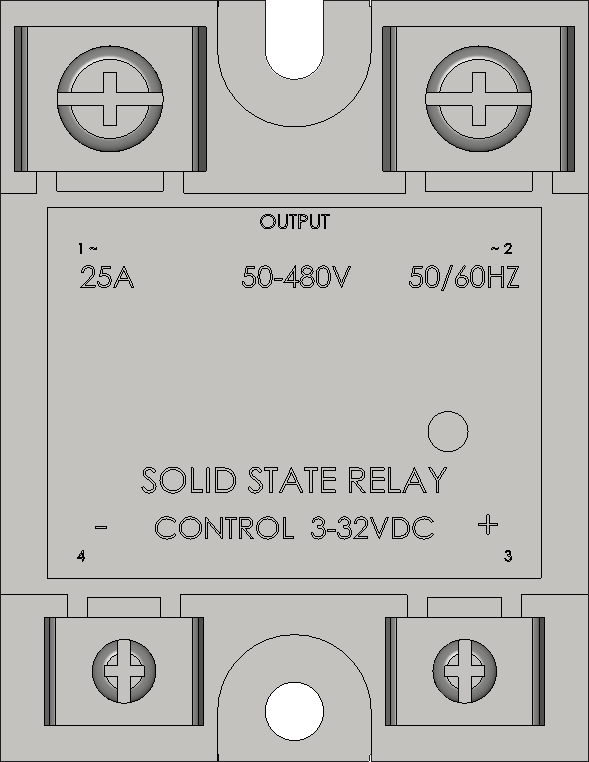
Pin Configuration and Descriptions
Pin Number
Description
Notes
1
Control Voltage Input (+)
Connect to DC+ of control signal
2
Control Voltage Input (-)
Connect to DC- of control signal
3
Load Voltage Output (A1)
Connect to AC load
4
Load Voltage Output (A2)
Connect to AC line
Usage Instructions
Connecting to a Circuit
Control Signal Connection:
Connect the positive side of the DC control signal to Pin 1.
Connect the negative side of the DC control signal to Pin 2.
Load Connection:
Connect one side of the AC load to Pin 3 (A1).
Connect the other side of the AC load to the AC line (A2).
Best Practices
Use a heat sink for loads approaching or exceeding 25A to dissipate heat.
Ensure proper isolation between the low-voltage control side and the high-voltage load side.
Use a snubber circuit if switching highly inductive loads to protect the SSR from voltage spikes.
Example Code for Arduino UNO
// Define the SSR control pin
const int ssrPin = 7;

void setup() {
  // Set the SSR pin as an output
  pinMode(ssrPin, OUTPUT);
}

void loop() {
  // Turn on the SSR for 5 seconds
  digitalWrite(ssrPin, HIGH);
  delay(5000);

  // Turn off the SSR for 5 seconds
  digitalWrite(ssrPin, LOW);
  delay(5000);
}
Troubleshooting and FAQs
Common Issues
SSR Not Activating: Ensure control voltage is within 3-32V DC range and connections are correct.
Overheating: Check if the current rating of the load exceeds the SSR rating or if adequate heat sinking is in place.
Load Not Switching: Verify that the load voltage is within the specified range and connections are secure.
FAQs
Q: Can the SSR-25A be used to switch DC loads?
A: No, the SSR-25A is designed for AC loads only.
Q: Is there a need for a protective diode across the control input like with mechanical relays?
A: No, a protective diode is not necessary as there are no inductive components in the control circuit of the SSR.
Q: How do I know if the SSR is on or off?
A: Some SSRs have an LED indicator. If not, measuring the voltage across the load can indicate whether the SSR is conducting.
Q: Can I use PWM to control the SSR?
A: Yes, but ensure the frequency is suitable for the SSR and the load. Some SSRs may not switch fast enough for high-frequency PWM.
Remember to always consult the SSR-25A datasheet for specific details and contact technical support if you encounter issues not covered in this documentation.

 Open Project in Cirkit Designer