The BTS 7960 Motor Driver, manufactured by Infineon Technologies (Part ID: B0D732VYGZ), is a high-performance H-bridge motor driver designed for controlling DC motors with a maximum current of 43A. This robust driver integrates advanced protection features, including overcurrent, overtemperature, and short-circuit protection, making it ideal for demanding motor control applications.
Explore Projects Built with BTS 7960 Motor Drver 43a
Use Cirkit Designer to design, explore, and prototype these projects online. Some projects support real-time simulation. Click "Open Project" to start designing instantly!
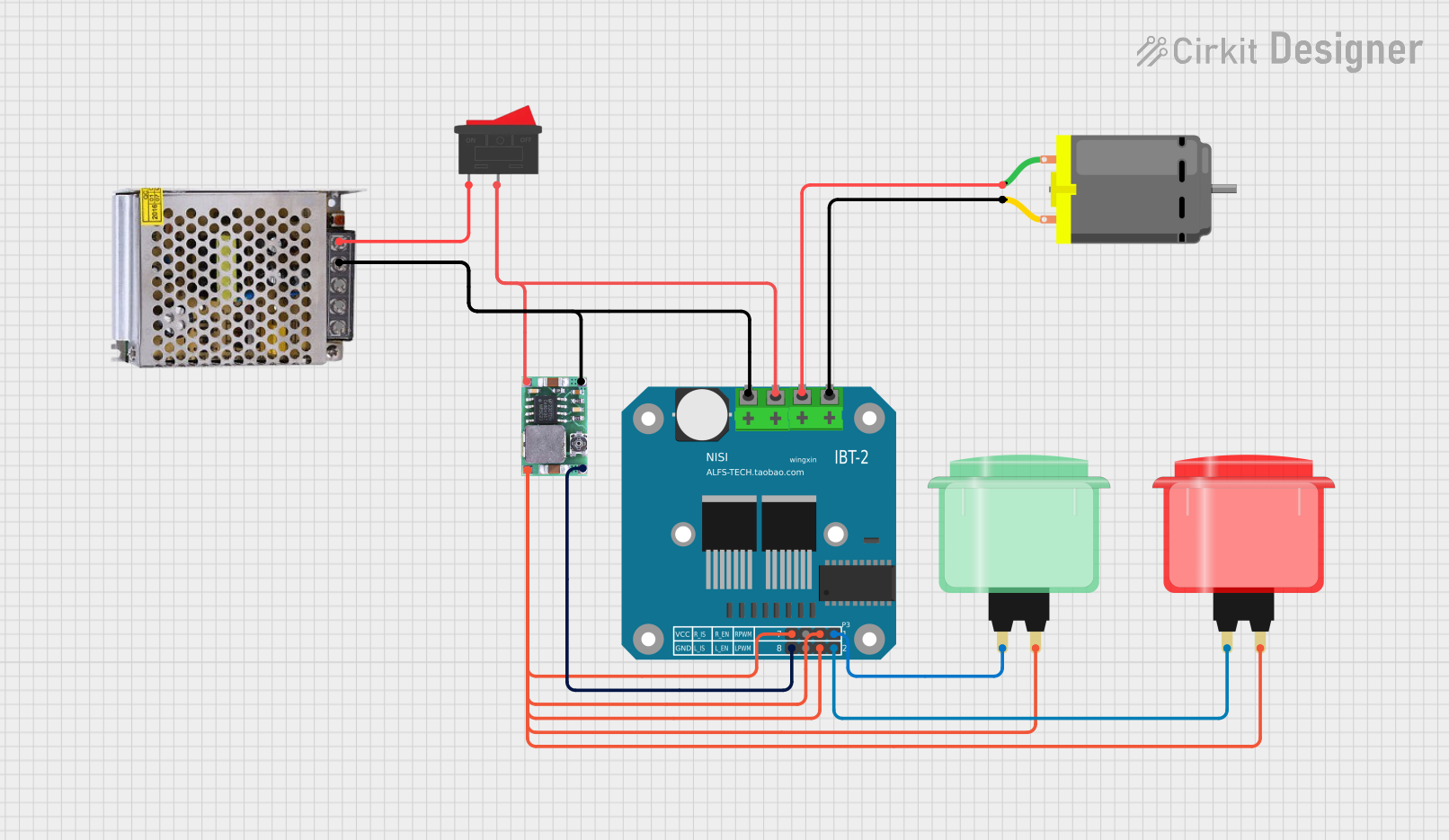
This circuit controls a DC motor using a BTS7960 motor driver, powered by a 12V power supply and regulated by a DC-DC step-down converter. The motor's operation is controlled via two arcade buttons and a rocker switch, allowing for user input to manage the motor's direction and power.
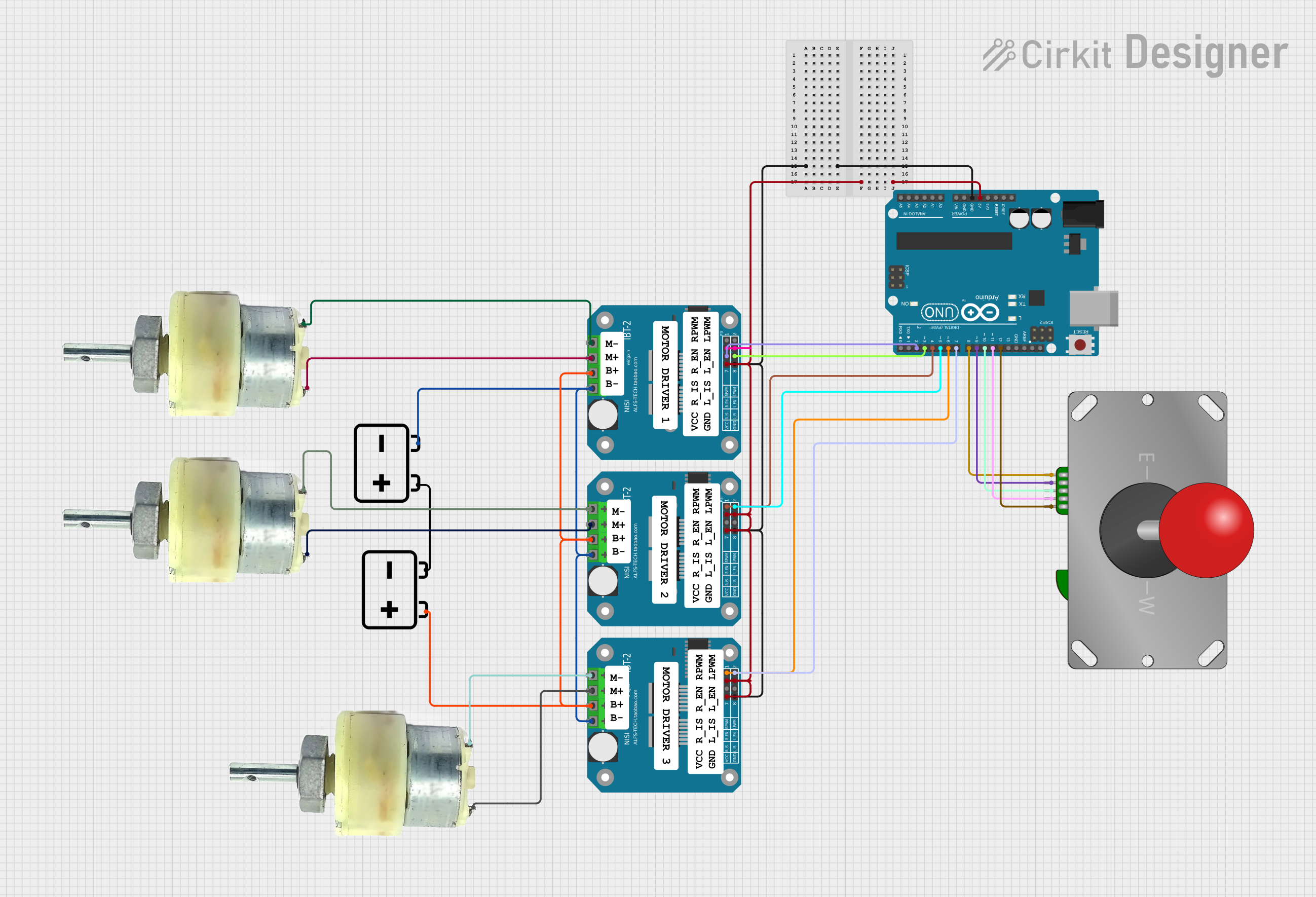
This is a joystick-controlled motor driving system. An Arduino UNO reads inputs from an Adafruit Arcade Joystick and outputs control signals to BTS7960 motor drivers, which in turn power several 12V geared motors. The system is designed for directional control of motors, suitable for applications such as robotic vehicles or motorized platforms.
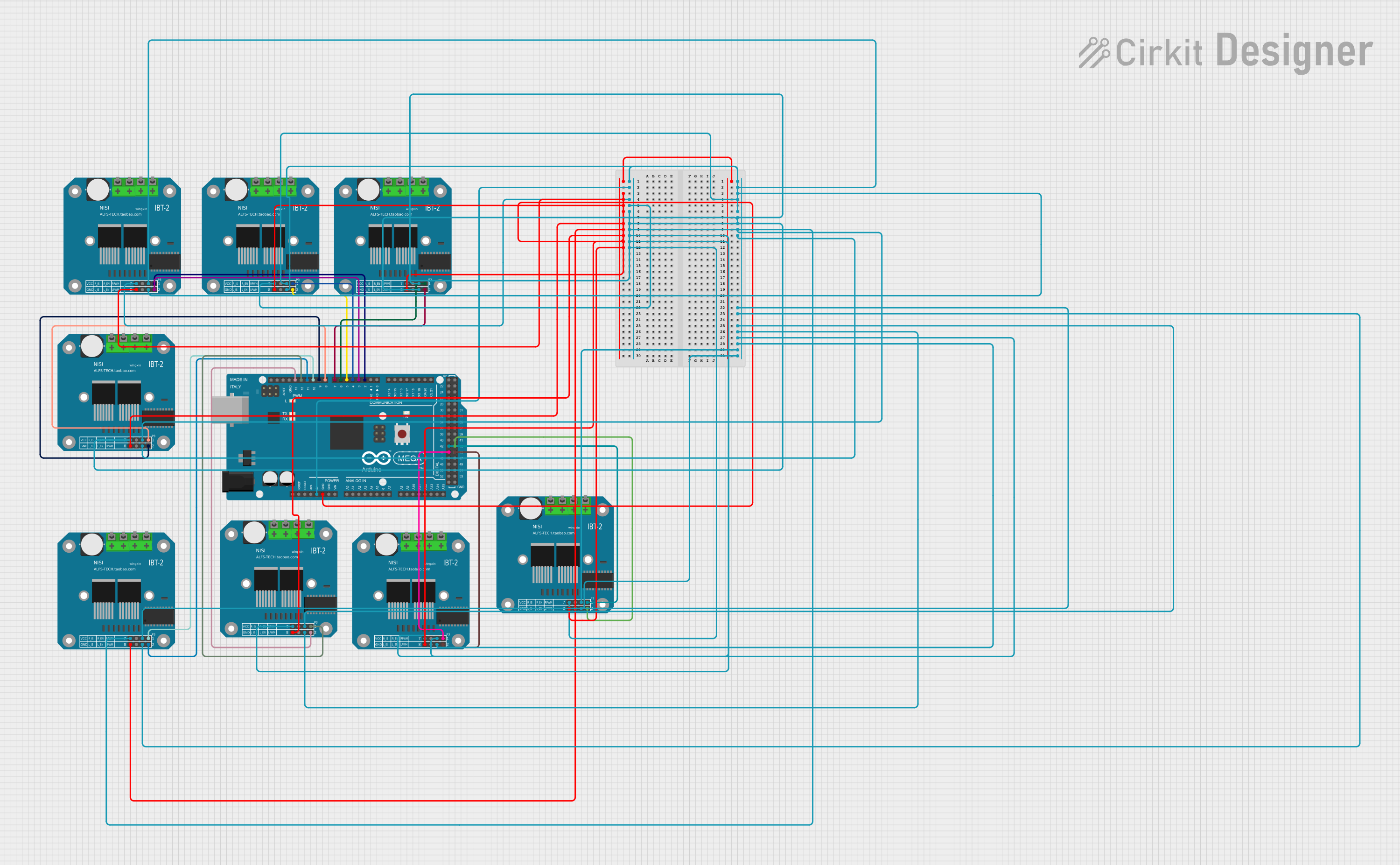
This circuit consists of an Arduino Mega 2560 microcontroller connected to eight BTS7960 motor drivers. The Arduino controls the motor drivers through its PWM pins, enabling the control of multiple motors for applications such as robotics or automation systems. The motor drivers are powered by the 5V supply from the Arduino and share a common ground.
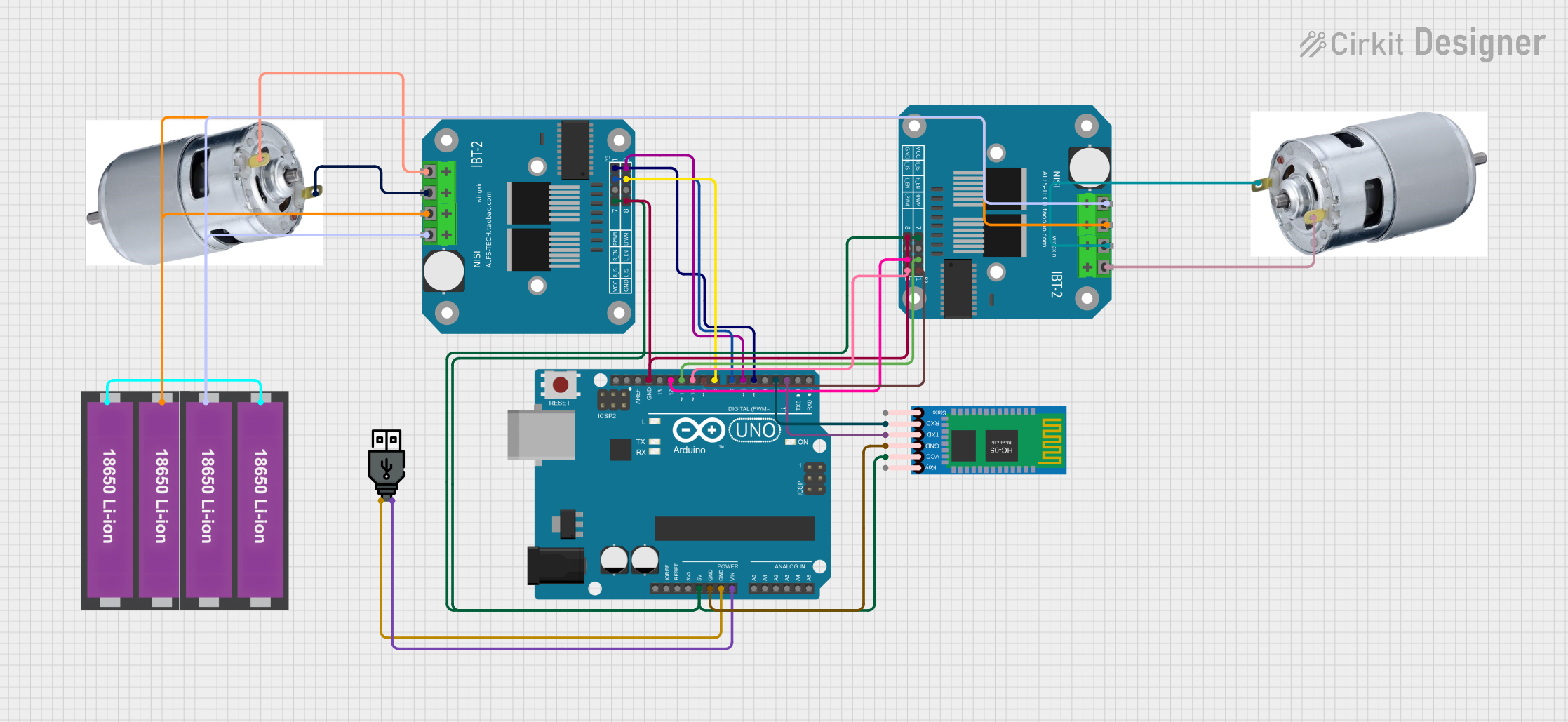
This circuit is a motor control system using an Arduino UNO, two BTS7960 motor drivers, and an HC-05 Bluetooth module. The Arduino UNO receives commands via Bluetooth and controls two 775 motors through the motor drivers, enabling forward, backward, and turning movements.
The BTS 7960 is designed to handle high-current loads while maintaining efficiency and reliability. Below are its key technical specifications:
Parameter
Value
Operating Voltage Range
5.5V to 27V
Maximum Continuous Current
43A
Peak Current
50A
Logic Input Voltage
3.3V to 5V (TTL compatible)
PWM Frequency
Up to 25kHz
Overcurrent Protection
Yes
Overtemperature Protection
Yes
Short-Circuit Protection
Yes
Dimensions
43mm x 43mm x 15mm
Pin Configuration and Descriptions
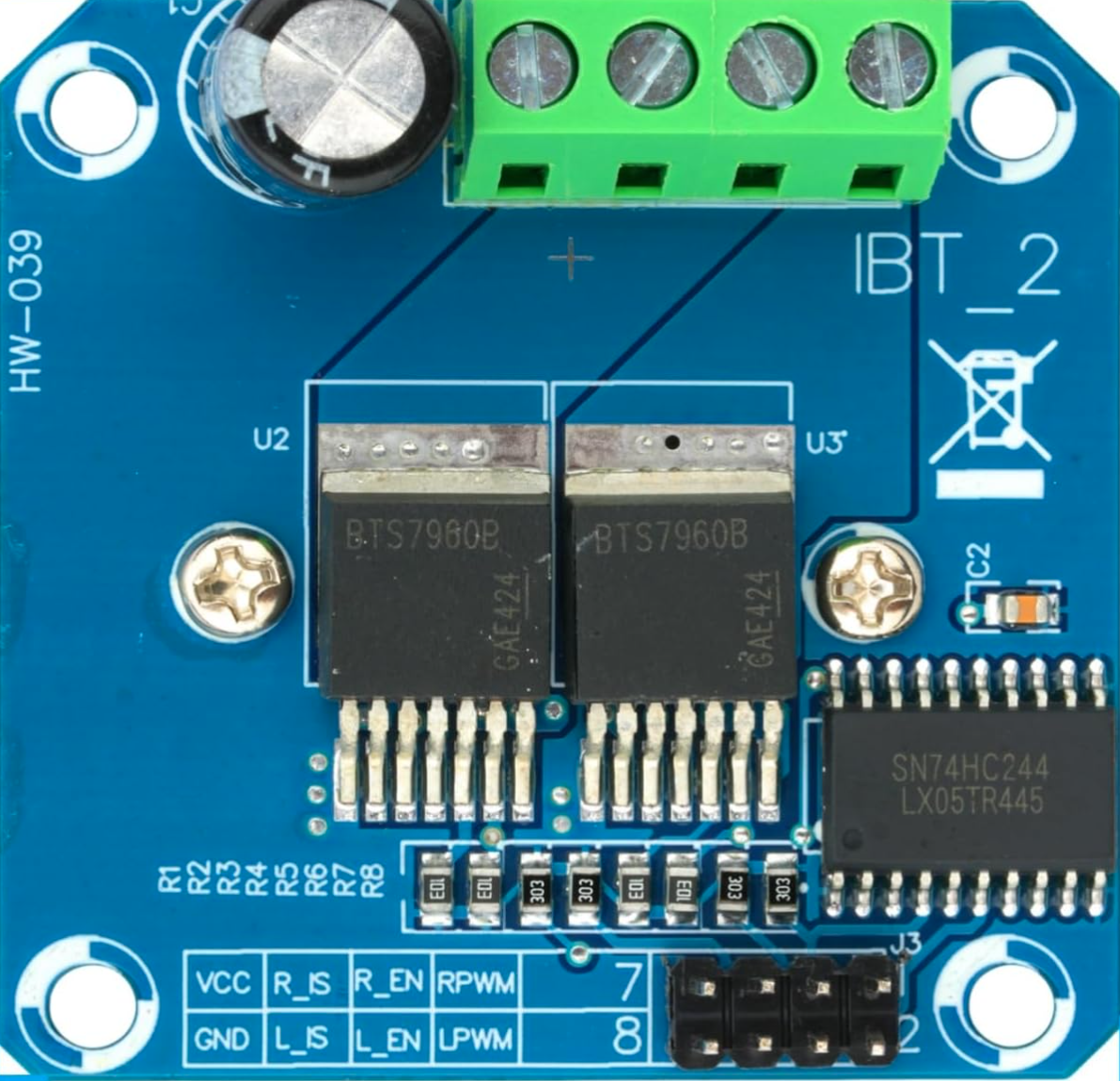
The BTS 7960 module typically includes the following pins for interfacing:
Pin Name
Type
Description
VCC
Power Input
Connect to the motor power supply (5.5V to 27V).
GND
Ground
Connect to the ground of the power supply and control circuit.
RPWM
Logic Input
PWM signal for controlling motor rotation in one direction.
LPWM
Logic Input
PWM signal for controlling motor rotation in the opposite direction.
R_EN
Logic Input
Enable pin for the right half-bridge (active HIGH).
L_EN
Logic Input
Enable pin for the left half-bridge (active HIGH).
IS
Analog Output
Current sensing output (proportional to motor current).
Motor+
Power Output
Connect to the positive terminal of the motor.
Motor-
Power Output
Connect to the negative terminal of the motor.
Usage Instructions
The BTS 7960 motor driver is straightforward to use in motor control applications. Below are the steps and best practices for integrating it into your circuit:
Connecting the BTS 7960
Power Supply: Connect the VCC pin to a power supply capable of delivering the required voltage and current for your motor. Ensure the GND pin is connected to the common ground of the circuit.
Motor Connections: Attach the motor terminals to the Motor+ and Motor- pins.
Logic Inputs: Use a microcontroller (e.g., Arduino UNO) to provide PWM signals to the RPWM and LPWM pins. Use the R_EN and L_EN pins to enable or disable the respective half-bridges.
Current Sensing: Optionally, connect the IS pin to an analog input on your microcontroller to monitor motor current.
Example Arduino Code
Below is an example of how to control a DC motor using the BTS 7960 with an Arduino UNO:
// Define pin connections for the BTS 7960 motor driver
const int RPWM = 5;  // PWM pin for forward rotation
const int LPWM = 6;  // PWM pin for reverse rotation
const int R_EN = 7;  // Enable pin for right half-bridge
const int L_EN = 8;  // Enable pin for left half-bridge

void setup() {
  // Set motor driver pins as outputs
  pinMode(RPWM, OUTPUT);
  pinMode(LPWM, OUTPUT);
  pinMode(R_EN, OUTPUT);
  pinMode(L_EN, OUTPUT);

  // Enable both half-bridges
  digitalWrite(R_EN, HIGH);
  digitalWrite(L_EN, HIGH);
}

void loop() {
  // Rotate motor forward at 50% speed
  analogWrite(RPWM, 128);  // 50% duty cycle (0-255)
  analogWrite(LPWM, 0);    // No reverse rotation
  delay(2000);             // Run for 2 seconds

  // Rotate motor backward at 75% speed
  analogWrite(RPWM, 0);    // No forward rotation
  analogWrite(LPWM, 192);  // 75% duty cycle (0-255)
  delay(2000);             // Run for 2 seconds

  // Stop the motor
  analogWrite(RPWM, 0);
  analogWrite(LPWM, 0);
  delay(1000);             // Pause for 1 second
}
Important Considerations
Heat Dissipation: The BTS 7960 can handle high currents, but it may generate significant heat. Use a heatsink or active cooling to prevent overheating.
Power Supply: Ensure your power supply can deliver sufficient current for both the motor and the driver.
PWM Frequency: Use a PWM frequency within the recommended range (up to 25kHz) for optimal performance.
Protection Features: The built-in protection mechanisms are robust, but avoid prolonged operation near the maximum current limit to ensure longevity.
Troubleshooting and FAQs
Common Issues and Solutions
Motor Not Spinning
Cause: Incorrect wiring or insufficient power supply.
Solution: Double-check all connections and ensure the power supply meets the motor's requirements.
Driver Overheating
Cause: Excessive current draw or inadequate cooling.
Solution: Add a heatsink or fan to the driver and verify the motor's current draw.
Erratic Motor Behavior
Cause: Noise or unstable PWM signals.
Solution: Use decoupling capacitors near the power supply and ensure clean PWM signals from the microcontroller.
No Current Sensing Output
Cause: IS pin not connected or damaged.
Solution: Verify the connection to the IS pin and check for proper operation.
FAQs
Q: Can I use the BTS 7960 with a 3.3V microcontroller?
A: Yes, the logic inputs are compatible with both 3.3V and 5V systems.
Q: What is the maximum motor voltage supported?
A: The BTS 7960 supports motor voltages up to 27V.
Q: Can I control two motors with one BTS 7960 module?
A: No, the BTS 7960 is designed to control a single DC motor.
Q: How do I stop the motor?
A: Set both RPWM and LPWM to 0 to stop the motor.
By following this documentation, you can effectively integrate the BTS 7960 motor driver into your projects and achieve reliable motor control.

 Open Project in Cirkit Designer