
How to Use Microwave Radar Doppler Motion Sensor Module: Examples, Pinouts, and Specs
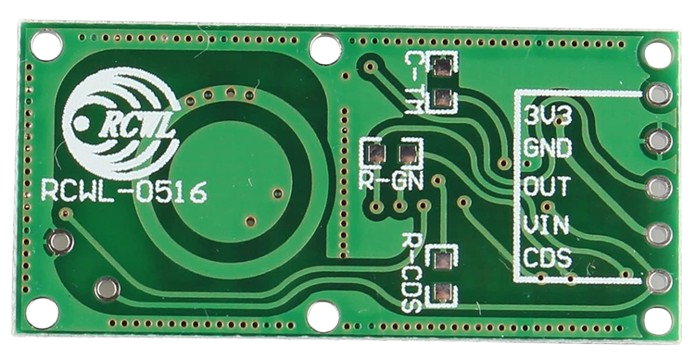
 Design with Microwave Radar Doppler Motion Sensor Module in Cirkit Designer
Introduction
The Microwave Radar Doppler Motion Sensor Module is a highly sensitive motion detection device that operates using microwave radar technology. It detects motion by measuring the Doppler effect of reflected microwave signals, making it capable of sensing movement through non-metallic objects such as walls, glass, and plastic. Unlike traditional PIR (Passive Infrared) sensors, this module is not affected by ambient temperature changes, making it suitable for a wide range of environments.
Explore Projects Built with Microwave Radar Doppler Motion Sensor Module
 Open Project in Cirkit Designer
 Open Project in Cirkit Designer
 Open Project in Cirkit Designer
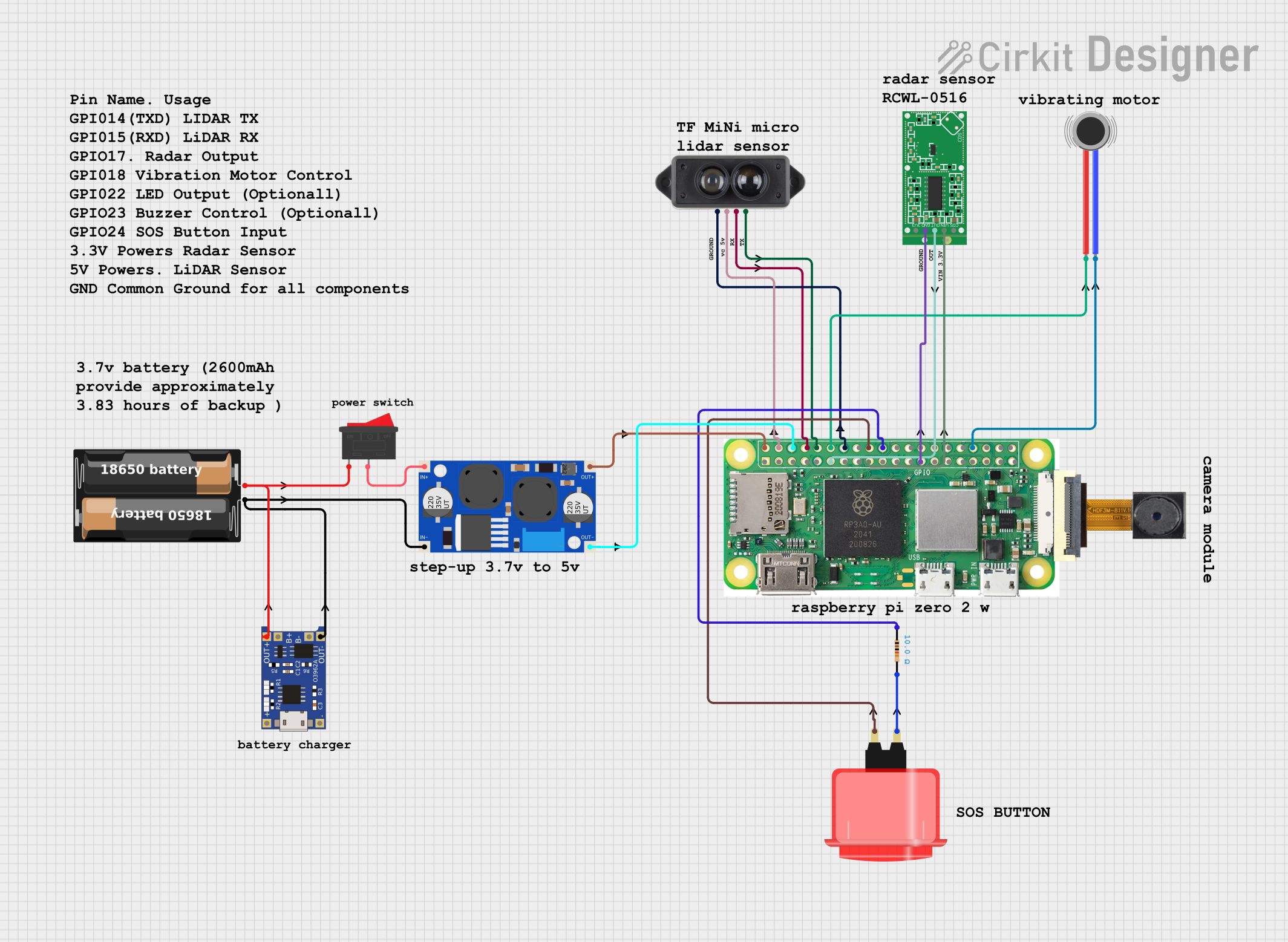 Open Project in Cirkit Designer
Explore Projects Built with Microwave Radar Doppler Motion Sensor Module
Open Project in Cirkit DesignerOpen Project in Cirkit DesignerOpen Project in Cirkit DesignerOpen Project in Cirkit DesignerCommon Applications
- Security systems for motion detection
- Automatic lighting control
- Smart home automation
- Industrial automation systems
- Robotics and object tracking
Technical Specifications
Below are the key technical details of the Microwave Radar Doppler Motion Sensor Module:
| Parameter | Value |
|---|---|
| Operating Voltage | 4.0V to 28.0V DC |
| Operating Current | ≤ 3mA |
| Detection Range | 5 to 15 meters (adjustable) |
| Operating Frequency | 10.525 GHz |
| Output Voltage (High) | 3.3V |
| Output Voltage (Low) | 0V |
| Detection Angle | 360° (omnidirectional) |
| Operating Temperature | -20°C to +80°C |
| Dimensions | ~35mm x 17mm x 8mm |
Pin Configuration and Descriptions
The module typically has three or four pins, depending on the model. Below is the pin configuration:
| Pin | Name | Description |
|---|---|---|
| 1 | VCC | Power supply input (4.0V to 28.0V DC). Connect to the positive terminal of the power source. |
| 2 | GND | Ground. Connect to the negative terminal of the power source. |
| 3 | OUT | Output signal pin. Outputs HIGH (3.3V) when motion is detected, otherwise LOW (0V). |
| 4* | EN (Enable) | Optional pin for enabling/disabling the module (not present on all models). |
*Note: The EN pin is optional and may not be available on all versions of the module.
Usage Instructions
How to Use the Module in a Circuit
- Power the Module: Connect the
VCCpin to a DC power source (4.0V to 28.0V) and theGNDpin to ground. - Connect the Output: Use the
OUTpin to interface with a microcontroller, relay, or other control circuit. The pin will output a HIGH signal (3.3V) when motion is detected. - Adjust Sensitivity and Range: Some modules include potentiometers or jumpers to adjust the detection range and sensitivity. Refer to the specific module's datasheet for details.
- Placement: Install the module in a location where it can detect motion effectively. Avoid placing it near large metal objects, as they may interfere with the microwave signals.
Example: Connecting to an Arduino UNO
Below is an example of how to connect the Microwave Radar Doppler Motion Sensor Module to an Arduino UNO and read motion detection signals.
Circuit Diagram
- Connect the
VCCpin of the module to the Arduino's5Vpin. - Connect the
GNDpin of the module to the Arduino'sGNDpin. - Connect the
OUTpin of the module to a digital input pin on the Arduino (e.g.,D2).
Arduino Code
// Define the pin connected to the sensor's OUT pin
const int motionPin = 2; // Digital pin 2
const int ledPin = 13;   // Built-in LED pin for indication

void setup() {
  pinMode(motionPin, INPUT); // Set motionPin as input
  pinMode(ledPin, OUTPUT);   // Set ledPin as output
  Serial.begin(9600);        // Initialize serial communication
}

void loop() {
  int motionDetected = digitalRead(motionPin); // Read the sensor output

  if (motionDetected == HIGH) {
    // Motion detected
    digitalWrite(ledPin, HIGH); // Turn on the LED
    Serial.println("Motion detected!");
  } else {
    // No motion detected
    digitalWrite(ledPin, LOW); // Turn off the LED
    Serial.println("No motion.");
  }

  delay(500); // Wait for 500ms before the next reading
}
Important Considerations and Best Practices
- Avoid Interference: Keep the module away from large metal objects or other devices operating at similar frequencies (e.g., Wi-Fi routers).
- Power Supply: Use a stable DC power source to ensure reliable operation.
- Environmental Factors: The module can detect motion through non-metallic objects, but thick walls or dense materials may reduce its range.
- Testing: Test the module in the intended environment to ensure proper detection and adjust sensitivity as needed.
Troubleshooting and FAQs
Common Issues and Solutions
No Motion Detected
- Cause: Incorrect wiring or insufficient power supply.
- Solution: Double-check the wiring and ensure the power supply voltage is within the specified range.
False Triggers
- Cause: Environmental interference or high sensitivity settings.
- Solution: Adjust the sensitivity or relocate the module to reduce interference.
Short Detection Range
- Cause: Obstructions or improper placement.
- Solution: Ensure the module is not obstructed and is placed in an open area.
Output Signal Stuck HIGH or LOW
- Cause: Faulty module or incorrect connections.
- Solution: Test the module with a multimeter or replace it if necessary.
FAQs
Q: Can the module detect motion through walls?
A: Yes, the module can detect motion through non-metallic walls, glass, and plastic. However, the detection range may be reduced depending on the material's thickness and density.
Q: Is the module affected by temperature changes?
A: No, unlike PIR sensors, the Microwave Radar Doppler Motion Sensor Module is not affected by ambient temperature changes.
Q: Can I use this module outdoors?
A: The module can be used outdoors if it is protected from moisture and extreme environmental conditions. Consider using a weatherproof enclosure.
Q: How do I adjust the detection range?
A: Some modules include a potentiometer or jumper for adjusting the detection range. Refer to the specific module's datasheet for instructions.
This documentation provides a comprehensive guide to understanding, using, and troubleshooting the Microwave Radar Doppler Motion Sensor Module.