
How to Use Radar Sensor: Examples, Pinouts, and Specs
 Design with Radar Sensor in Cirkit Designer
Introduction
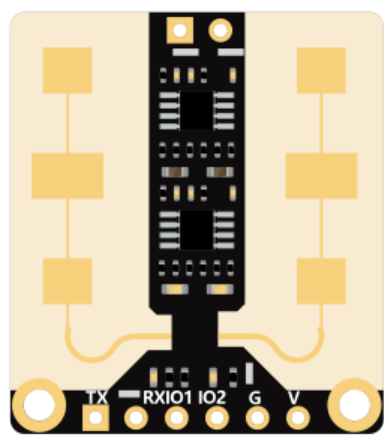
The DFROBOT mmWave Radar Sensor is a high-performance device designed to detect the distance, speed, and angle of objects using radio waves. This sensor operates on the principle of electromagnetic wave reflection, making it highly reliable in various environmental conditions, including low visibility scenarios such as fog, rain, or darkness.
This radar sensor is widely used in applications such as:
- Automotive collision avoidance systems
- Aviation navigation and obstacle detection
- Industrial automation and robotics
- Smart home security systems
- Traffic monitoring and speed detection
Its compact design and robust functionality make it an excellent choice for both professional and hobbyist projects.
Explore Projects Built with Radar Sensor
 Open Project in Cirkit Designer
 Open Project in Cirkit Designer
 Open Project in Cirkit Designer
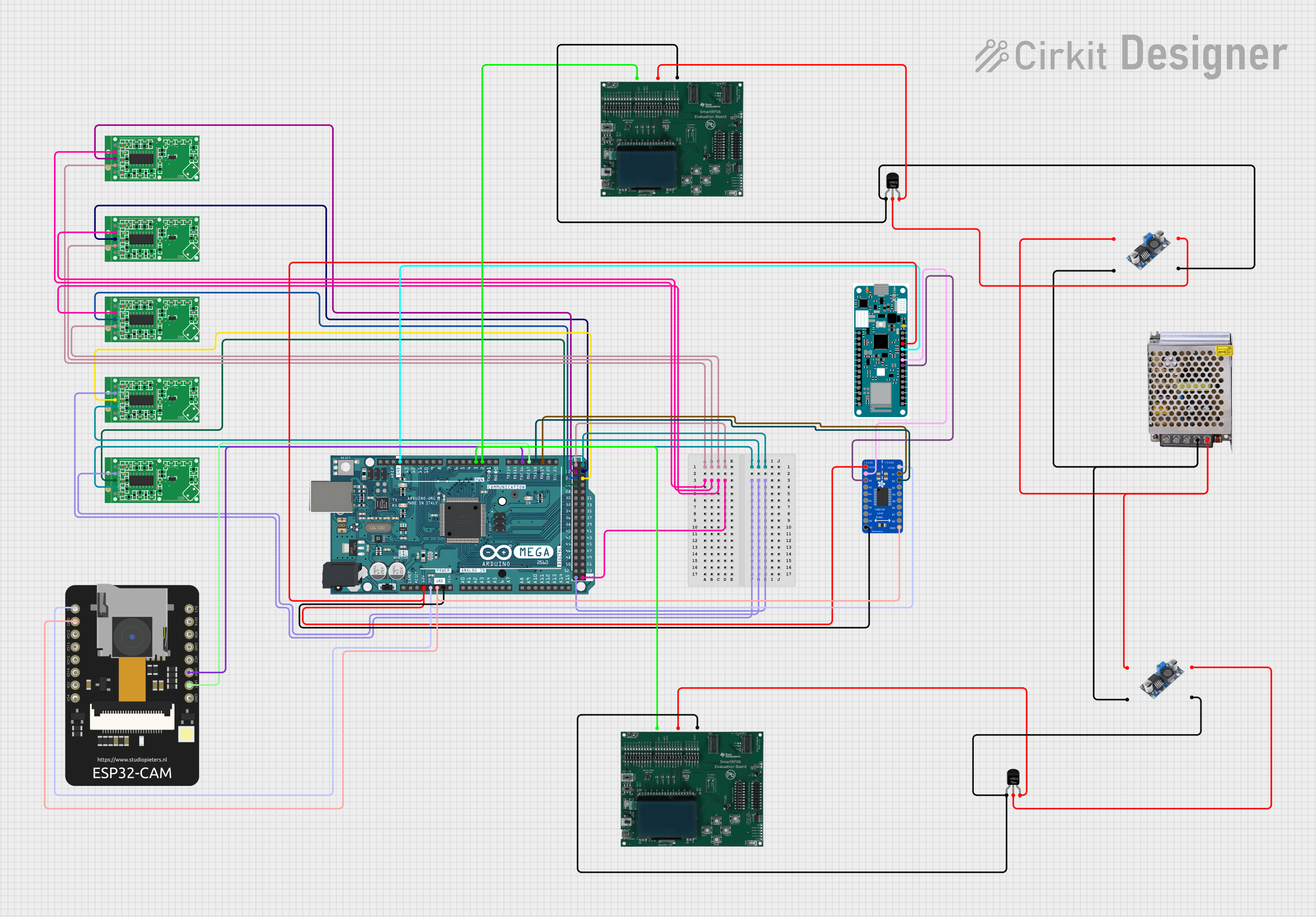 Open Project in Cirkit Designer
Explore Projects Built with Radar Sensor
Open Project in Cirkit DesignerOpen Project in Cirkit DesignerOpen Project in Cirkit DesignerOpen Project in Cirkit DesignerTechnical Specifications
Below are the key technical details of the DFROBOT mmWave Radar Sensor:
| Parameter | Specification |
|---|---|
| Operating Voltage | 5V DC |
| Operating Current | ≤ 100mA |
| Frequency Band | 24 GHz |
| Detection Range | 0.2m to 10m |
| Detection Angle | ±60° |
| Speed Detection Range | -10 m/s to +10 m/s |
| Communication Interface | UART (3.3V TTL) |
| Operating Temperature | -40°C to +85°C |
| Dimensions | 30mm x 20mm x 5mm |
Pin Configuration and Descriptions
The DFROBOT mmWave Radar Sensor has a 4-pin interface. The pinout is as follows:
| Pin | Name | Description |
|---|---|---|
| 1 | VCC | Power supply input (5V DC) |
| 2 | GND | Ground connection |
| 3 | TX | UART Transmit pin (3.3V TTL) |
| 4 | RX | UART Receive pin (3.3V TTL) |
Usage Instructions
Connecting the Sensor
To use the DFROBOT mmWave Radar Sensor, follow these steps:
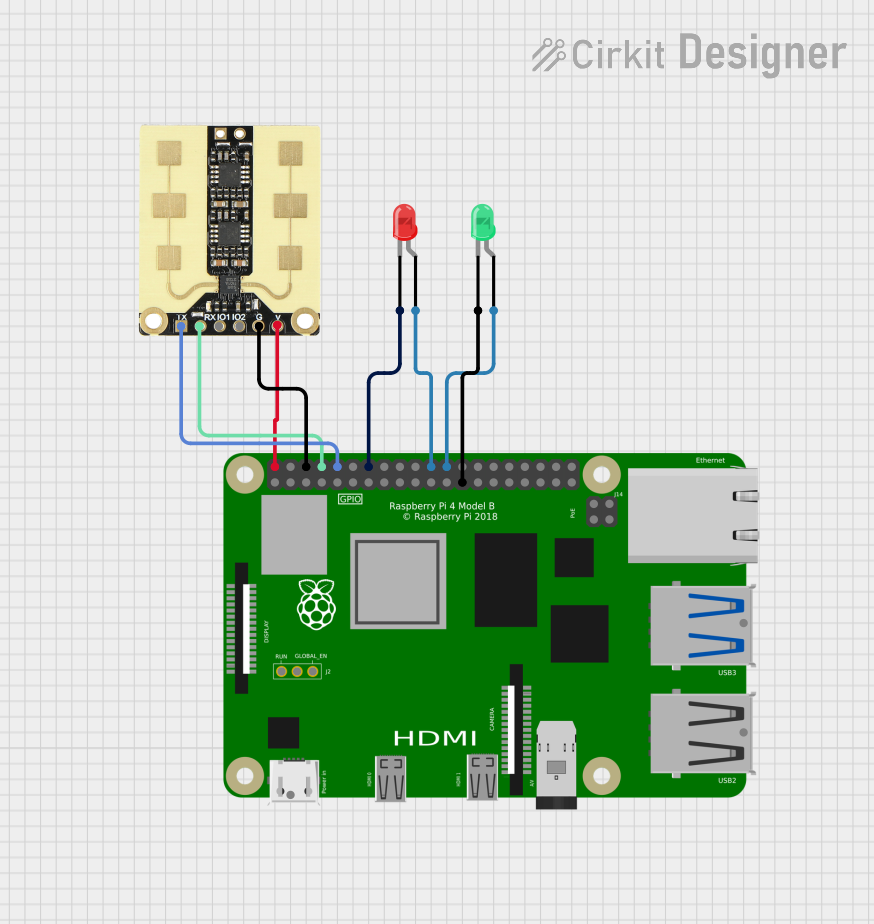
- Connect the VCC pin to a 5V power source.
- Connect the GND pin to the ground of your circuit.
- Connect the TX pin to the RX pin of your microcontroller (e.g., Arduino UNO).
- Connect the RX pin to the TX pin of your microcontroller.
Important Considerations
- Ensure the sensor is powered with a stable 5V DC supply to avoid damage.
- The UART interface operates at 3.3V logic levels. If your microcontroller uses 5V logic (e.g., Arduino UNO), use a level shifter to prevent damage to the sensor.
- Avoid placing the sensor near metal objects or strong electromagnetic sources, as these can interfere with its performance.
- The sensor should be mounted securely and positioned to face the target area for optimal detection.
Example Code for Arduino UNO
Below is an example Arduino sketch to interface with the DFROBOT mmWave Radar Sensor and read distance data:
#include <SoftwareSerial.h>

// Define the RX and TX pins for SoftwareSerial
SoftwareSerial radarSerial(10, 11); // RX = Pin 10, TX = Pin 11

void setup() {
  Serial.begin(9600);               // Initialize Serial Monitor at 9600 baud
  radarSerial.begin(115200);        // Initialize radar sensor UART at 115200 baud
  Serial.println("Radar Sensor Initialized");
}

void loop() {
  if (radarSerial.available()) {    // Check if data is available from the sensor
    String radarData = "";          // Variable to store incoming data
    while (radarSerial.available()) {
      char c = radarSerial.read();  // Read each character from the sensor
      radarData += c;               // Append character to the radarData string
    }
    Serial.println("Radar Data: " + radarData); // Print the received data
  }
  delay(100);                       // Small delay to avoid flooding the Serial Monitor
}
Notes:
- The sensor communicates at a default baud rate of 115200. Ensure your microcontroller's UART settings match this.
- The data format and parsing depend on the sensor's output protocol. Refer to the manufacturer's datasheet for details.
Troubleshooting and FAQs
Common Issues and Solutions
| Issue | Possible Cause | Solution |
|---|---|---|
| No data received from the sensor | Incorrect wiring or loose connections | Double-check all connections and pin assignments. |
| Garbage values displayed on Serial Monitor | Mismatched baud rate between sensor and microcontroller | Set the correct baud rate (115200) in your code. |
| Sensor not detecting objects | Obstruction in the detection path | Ensure the sensor has a clear line of sight. |
| Inconsistent readings | Electromagnetic interference or unstable power supply | Move the sensor away from interference sources and use a stable power source. |
FAQs
Can this sensor detect stationary objects?
- Yes, the sensor can detect stationary objects within its detection range.
What is the maximum detection range?
- The sensor can detect objects up to 10 meters away.
Can I use this sensor outdoors?
- Yes, the sensor is designed to operate in a wide temperature range (-40°C to +85°C) and can handle outdoor conditions. However, ensure it is protected from direct exposure to water.
Does the sensor support other communication protocols?
- No, this sensor only supports UART communication.
By following the guidelines and best practices outlined in this documentation, you can effectively integrate the DFROBOT mmWave Radar Sensor into your projects.