Cirkit Designer LogoCirkit DesignerYour all-in-one circuit design IDE Launch Cirkit Designer App

How to Use Protection board for battery 30v 4a: Examples, Pinouts, and Specs

Image of Protection board for battery 30v 4aDesign with Protection board for battery 30v 4a in Cirkit Designer

Introduction

The Protection Board for Battery 30V 4A (Manufacturer: CN, Part ID: 4A-FJB) is a crucial component designed to safeguard batteries from potential damage. This protection board ensures the longevity and safety of batteries by preventing overcharging, over-discharging, and short circuits. It is commonly used in various applications, including:

Explore Projects Built with Protection board for battery 30v 4a

Use Cirkit Designer to design, explore, and prototype these projects online. Some projects support real-time simulation. Click "Open Project" to start designing instantly!
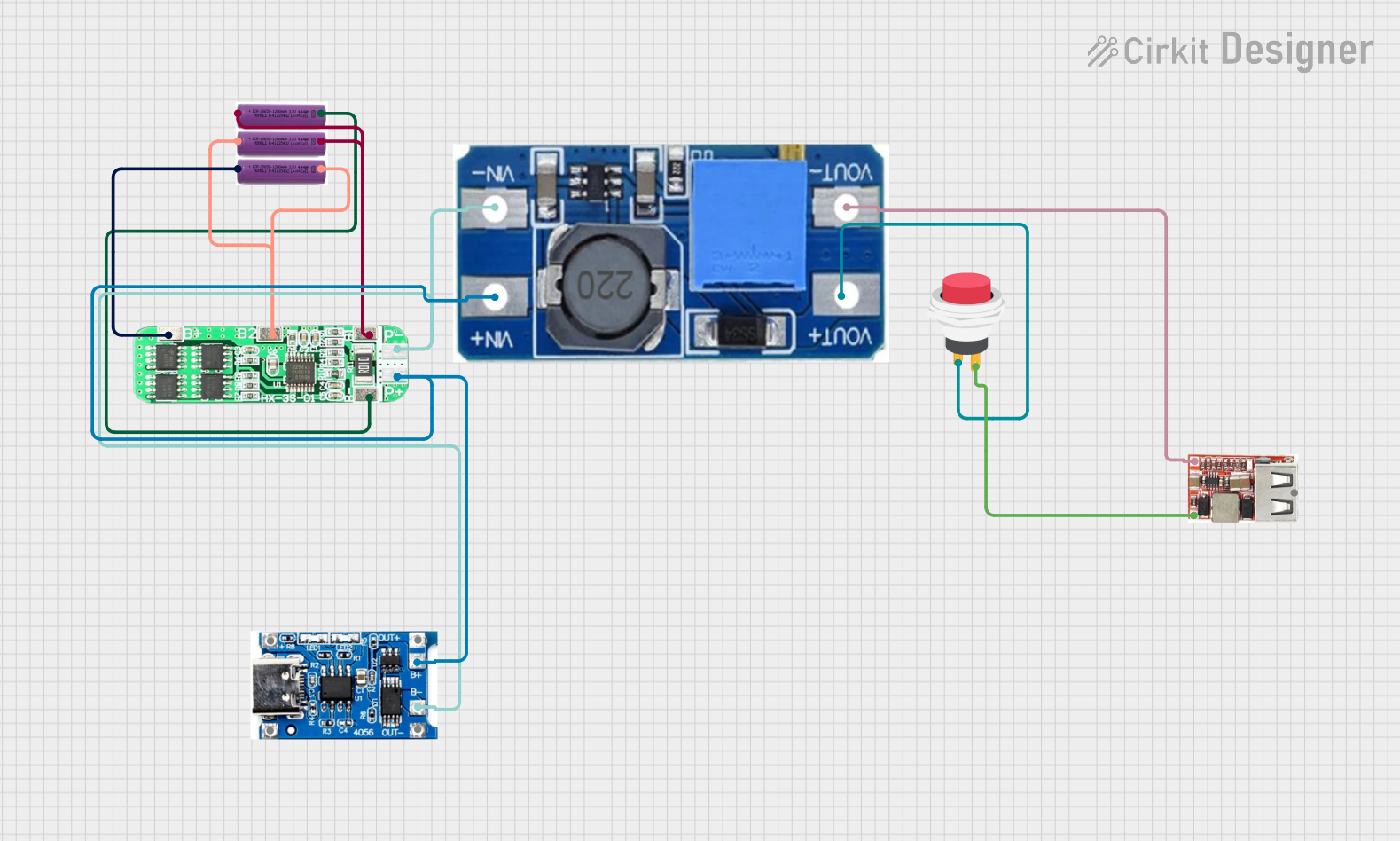
Image of Battery-Powered 18650 Li-ion Charger with USB Output and Adjustable Voltage Regulator: A project utilizing Protection board for battery 30v 4a in a practical application
Battery-Powered 18650 Li-ion Charger with USB Output and Adjustable Voltage Regulator

This circuit is a battery management and power supply system that uses three 3.7V batteries connected to a 3S 10A Li-ion 18650 Charger Protection Board Module for balanced charging and protection. The system includes a TP4056 Battery Charging Protection Module for additional charging safety, a Step Up Boost Power Converter to regulate and boost the voltage, and a USB regulator to provide a stable 5V output, controlled by a push switch.

Open Project in Cirkit Designer

Technical Specifications

Key Technical Details

Parameter Value
Maximum Voltage 30V
Maximum Current 4A
Overcharge Voltage 4.25V ± 0.05V per cell
Over-discharge Voltage 2.5V ± 0.1V per cell
Short Circuit Protection Yes
Operating Temperature -20°C to 60°C

Pin Configuration and Descriptions

Pin Number Pin Name Description
1 B+ Battery positive terminal
2 B- Battery negative terminal
3 P+ Load/Charger positive terminal
4 P- Load/Charger negative terminal

Usage Instructions

How to Use the Component in a Circuit

  1. Connection to Battery:

    • Connect the B+ pin to the positive terminal of the battery.
    • Connect the B- pin to the negative terminal of the battery.
  2. Connection to Load/Charger:

    • Connect the P+ pin to the positive terminal of the load or charger.
    • Connect the P- pin to the negative terminal of the load or charger.

Important Considerations and Best Practices

Troubleshooting and FAQs

Common Issues and Solutions

  1. Issue: The battery is not charging.

    • Solution: Check the connections to ensure they are secure and correctly polarized. Verify that the charger is functioning properly and providing the correct voltage and current.
  2. Issue: The load is not receiving power.

    • Solution: Ensure that the battery is charged and the connections to the load are secure. Check for any signs of short circuits or over-discharge protection being triggered.
  3. Issue: The protection board is overheating.

    • Solution: Verify that the current drawn by the load does not exceed 4A. Ensure proper ventilation and avoid operating the board in high-temperature environments.

FAQs

Example Code for Arduino Integration

Here is an example code snippet to monitor the battery voltage using an Arduino UNO:

const int batteryPin = A0; // Analog pin connected to battery
float batteryVoltage = 0.0;

void setup() {
  Serial.begin(9600); // Initialize serial communication
}

void loop() {
  int sensorValue = analogRead(batteryPin); // Read the analog value
  batteryVoltage = sensorValue * (5.0 / 1023.0) * 6; // Convert to voltage
  // Assuming a voltage divider with a ratio of 1:6
  Serial.print("Battery Voltage: ");
  Serial.print(batteryVoltage);
  Serial.println(" V");
  delay(1000); // Wait for 1 second before next reading
}

This code reads the battery voltage through an analog pin and prints it to the serial monitor. Adjust the voltage divider ratio as needed based on your specific circuit.

By following this documentation, users can effectively utilize the Protection Board for Battery 30V 4A in their projects, ensuring the safety and longevity of their batteries.