
How to Use Color Sensor: Examples, Pinouts, and Specs
 Design with Color Sensor in Cirkit Designer
Introduction
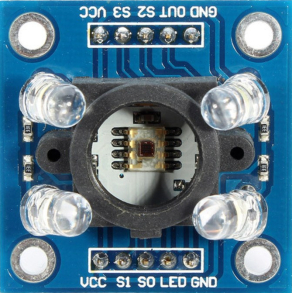
The TCS3200, manufactured by ams OSRAM (formerly TAOS), is a programmable color light-to-frequency converter. It detects and measures the color of an object or surface by converting light intensity into a frequency signal. The sensor is equipped with an array of photodiodes, each filtered for red, green, blue, or no color (clear). The TCS3200 is widely used in robotics, industrial automation, and consumer electronics for applications such as color recognition, sorting, and object detection.
Explore Projects Built with Color Sensor
 Open Project in Cirkit Designer
 Open Project in Cirkit Designer
 Open Project in Cirkit Designer
 Open Project in Cirkit Designer
Explore Projects Built with Color Sensor
Open Project in Cirkit DesignerOpen Project in Cirkit DesignerOpen Project in Cirkit DesignerOpen Project in Cirkit DesignerCommon Applications
- Robotics: Color-based navigation and object sorting.
- Industrial Automation: Quality control and color-based sorting systems.
- Consumer Electronics: Color detection in toys and gadgets.
- Medical Devices: Analyzing color changes in diagnostic tools.
Technical Specifications
The TCS3200 is a highly versatile and programmable sensor. Below are its key technical details:
Key Specifications
| Parameter | Value |
|---|---|
| Supply Voltage (Vcc) | 2.7V to 5.5V |
| Operating Current | 2mA (typical) |
| Output Frequency Range | 2Hz to 500kHz |
| Programmable Frequency Scaling | 100%, 20%, 2%, or Power Down Mode |
| Light Source | External white LED recommended |
| Operating Temperature | -40°C to +85°C |
| Output Type | Square wave (frequency proportional to light intensity) |
Pin Configuration
The TCS3200 is typically available in an 8-pin DIP or surface-mount package. Below is the pinout description:
| Pin Number | Pin Name | Description |
|---|---|---|
| 1 | S0 | Output frequency scaling selection (bit 0) |
| 2 | S1 | Output frequency scaling selection (bit 1) |
| 3 | OE | Output enable (active low) |
| 4 | GND | Ground |
| 5 | OUT | Output frequency signal |
| 6 | Vcc | Supply voltage |
| 7 | S2 | Photodiode type selection (bit 0) |
| 8 | S3 | Photodiode type selection (bit 1) |
Photodiode Selection
The S2 and S3 pins are used to select the active photodiode type:
| S2 | S3 | Photodiode Type |
|---|---|---|
| 0 | 0 | Red |
| 0 | 1 | Blue |
| 1 | 0 | Clear (no filter) |
| 1 | 1 | Green |
Frequency Scaling
The S0 and S1 pins control the output frequency scaling:
| S0 | S1 | Scaling Factor |
|---|---|---|
| 0 | 0 | Power Down |
| 0 | 1 | 2% |
| 1 | 0 | 20% |
| 1 | 1 | 100% |
Usage Instructions
How to Use the TCS3200 in a Circuit
- Power Supply: Connect the Vcc pin to a 3.3V or 5V power source and the GND pin to ground.
- Output Enable: Connect the OE pin to ground to enable the output signal.
- Frequency Scaling: Use the S0 and S1 pins to set the desired frequency scaling factor.
- Photodiode Selection: Use the S2 and S3 pins to select the desired photodiode (red, green, blue, or clear).
- Output Signal: The OUT pin provides a square wave signal with a frequency proportional to the intensity of the selected color.
Best Practices
- Use an external white LED as a light source for consistent and accurate color detection.
- Place the sensor close to the object being measured to minimize interference from ambient light.
- Use decoupling capacitors (e.g., 0.1µF) between Vcc and GND to reduce noise.
- Calibrate the sensor for your specific application to account for variations in lighting and object reflectivity.
Example: Connecting to an Arduino UNO
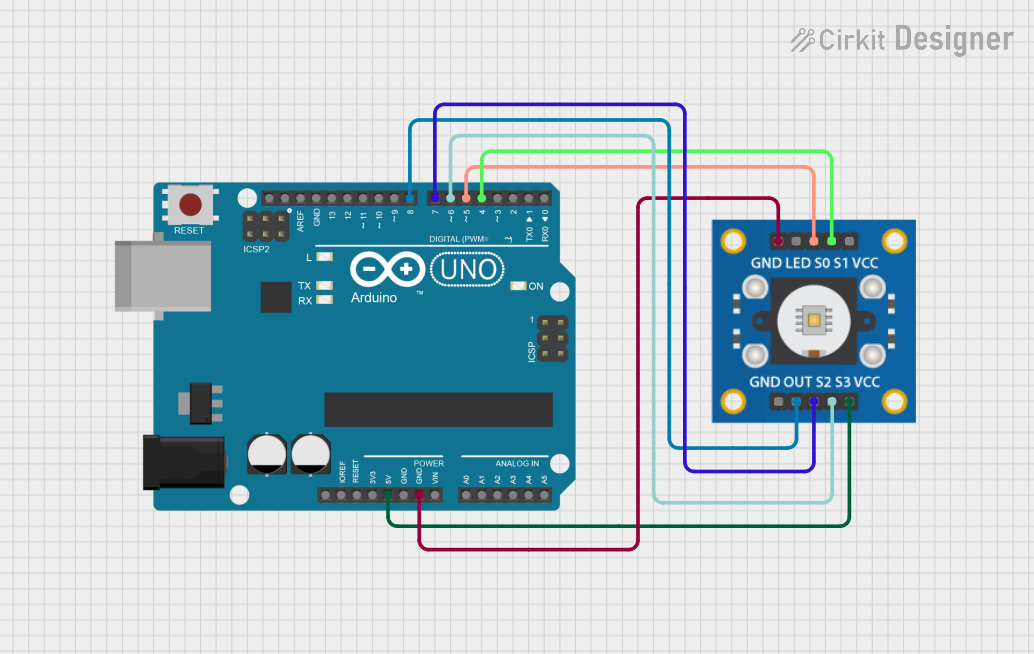
Below is an example of how to connect and use the TCS3200 with an Arduino UNO:
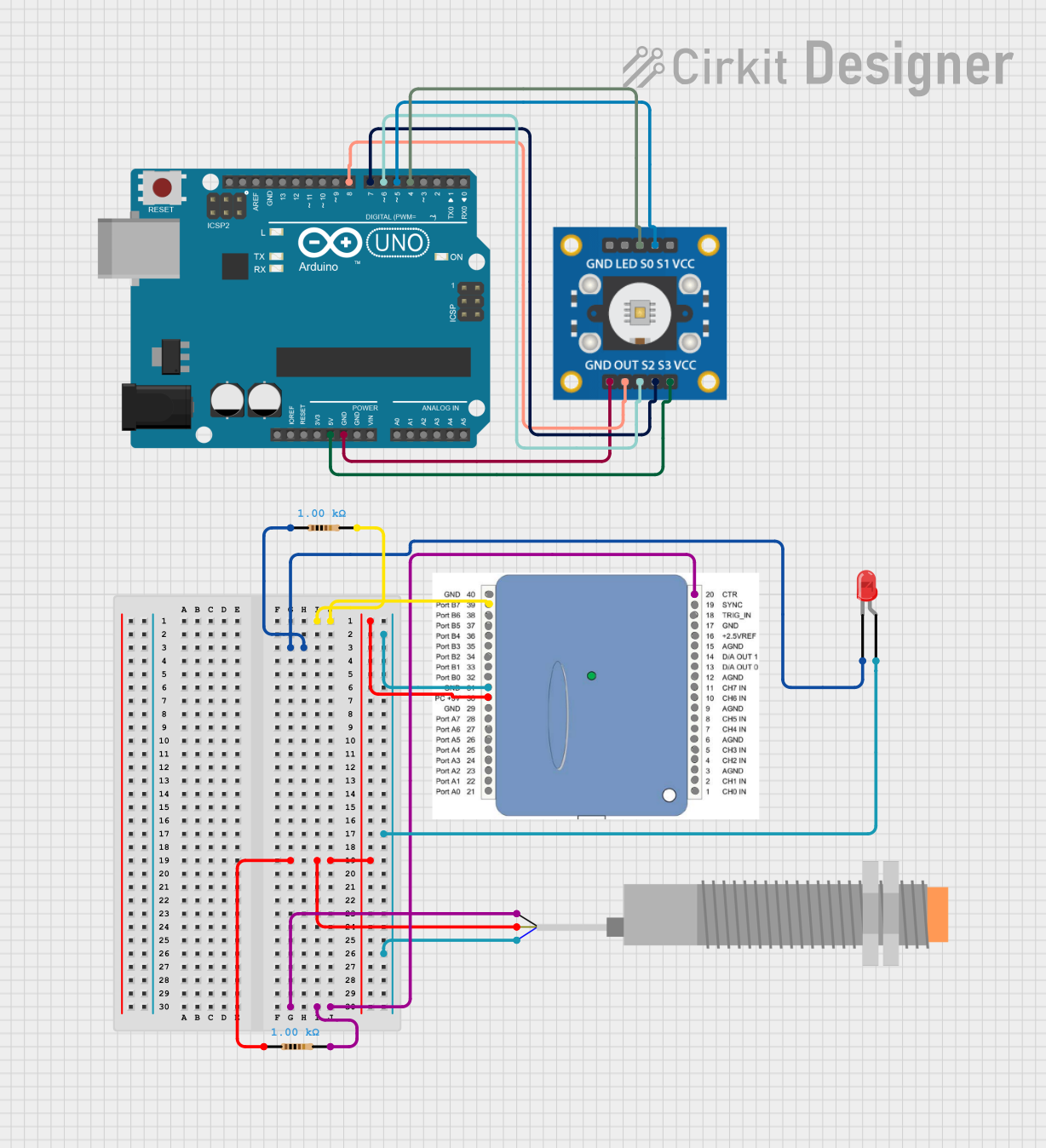
Circuit Connections
| TCS3200 Pin | Arduino Pin |
|---|---|
| Vcc | 5V |
| GND | GND |
| S0 | Digital Pin 2 |
| S1 | Digital Pin 3 |
| S2 | Digital Pin 4 |
| S3 | Digital Pin 5 |
| OUT | Digital Pin 6 |
| OE | GND |
Arduino Code
// TCS3200 Color Sensor Example Code
// Connect the TCS3200 as per the circuit connections table above.

#define S0 2
#define S1 3
#define S2 4
#define S3 5
#define OUT 6

void setup() {
  pinMode(S0, OUTPUT);
  pinMode(S1, OUTPUT);
  pinMode(S2, OUTPUT);
  pinMode(S3, OUTPUT);
  pinMode(OUT, INPUT);

  // Set frequency scaling to 20%
  digitalWrite(S0, HIGH);
  digitalWrite(S1, LOW);

  Serial.begin(9600);
}

void loop() {
  // Select red photodiode
  digitalWrite(S2, LOW);
  digitalWrite(S3, LOW);
  int redFrequency = pulseIn(OUT, LOW);

  // Select green photodiode
  digitalWrite(S2, HIGH);
  digitalWrite(S3, HIGH);
  int greenFrequency = pulseIn(OUT, LOW);

  // Select blue photodiode
  digitalWrite(S2, LOW);
  digitalWrite(S3, HIGH);
  int blueFrequency = pulseIn(OUT, LOW);

  // Print the frequency values
  Serial.print("Red: ");
  Serial.print(redFrequency);
  Serial.print(" Green: ");
  Serial.print(greenFrequency);
  Serial.print(" Blue: ");
  Serial.println(blueFrequency);

  delay(500); // Wait for 500ms before the next reading
}
Troubleshooting and FAQs
Common Issues
No Output Signal:
- Ensure the OE pin is connected to ground to enable the output.
- Verify the power supply voltage is within the specified range (2.7V to 5.5V).
Inconsistent Readings:
- Check for ambient light interference and use a white LED for consistent illumination.
- Ensure the sensor is properly calibrated for the application.
Low Sensitivity:
- Verify the frequency scaling factor (S0 and S1 pins) is set correctly.
- Place the sensor closer to the object being measured.
FAQs
Q: Can the TCS3200 detect black or white?
A: The TCS3200 can detect black and white based on the intensity of reflected light. Black objects will result in low frequency, while white objects will produce high frequency.
Q: How do I calibrate the sensor?
A: Measure the frequency output for known colors and create a mapping table or algorithm to interpret the readings accurately.
Q: Can I use the TCS3200 with a 3.3V microcontroller?
A: Yes, the TCS3200 operates with a supply voltage as low as 2.7V, making it compatible with 3.3V systems. Ensure the output signal is compatible with your microcontroller's input voltage levels.